Where to Find Ignite Audiences in Meta Ads
Before you can find your audiences, you must first export them. Learn how here: How to Sync Audiences from Ignite to Meta.
Once you have successfully exported an audience from Ignite to Meta, you can easily locate it within your Meta Ads Manager to use in your campaigns.
Step-by-Step Instructions
- Navigate to your Ads Manager account (adsmanager.facebook.com) for the specific website you created the audience for.
-
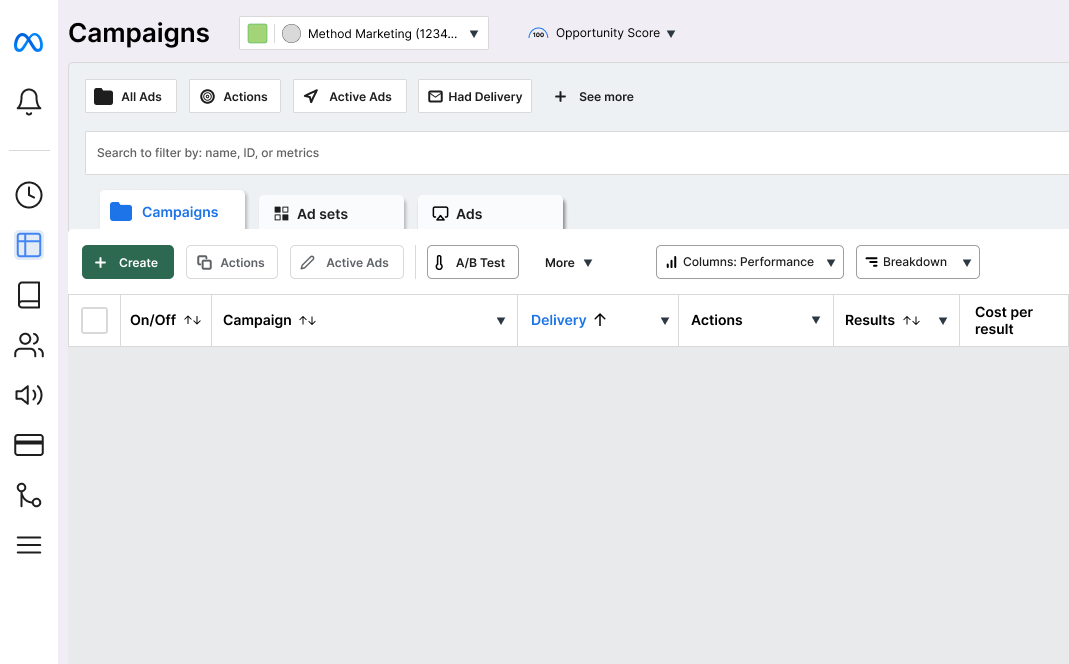
When you sign in, you will likely be directed to the main campaigns page.
-
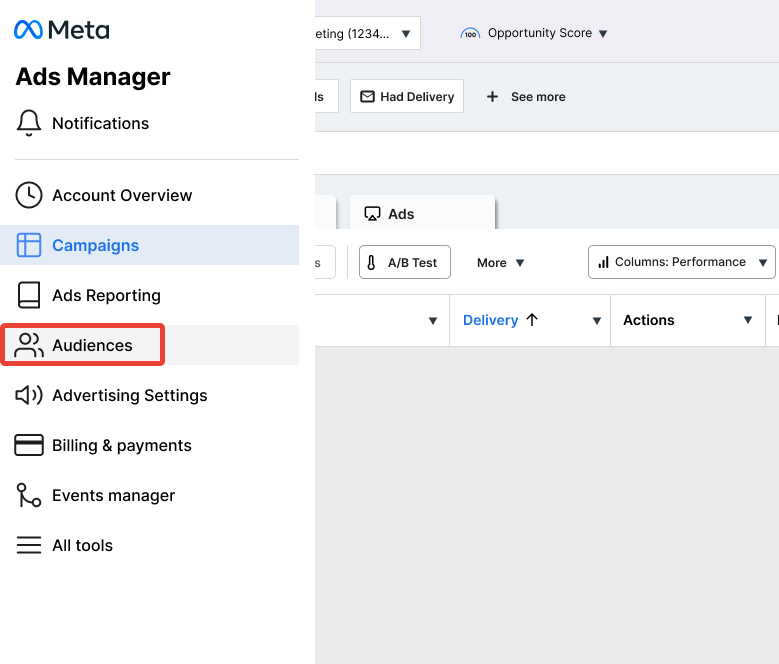
Hover over the left-hand navigation menu and select Audiences.
-
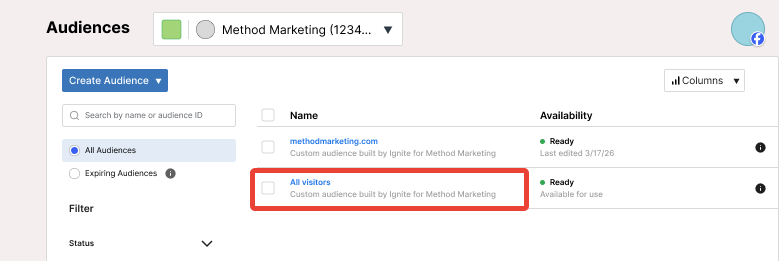
You will see your list of available audiences. The Ignite audience will be labeled with: "Custom audience built by Ignite for {Account Name}" under the audience name.
⚠️ Important Note: Accepting Meta’s Terms When you navigate to the Audiences tab, you may see your Ignite audiences grayed out with a notification requiring you to accept Meta's Custom Audience Terms.
Simply click to accept the terms, and the audience status will update to active.

Note: To accept Meta’s custom audience terms, you generally need Admin-level permissions (Full Control) on the Meta Business Suite portfolio or the specific Ad Account. If you cannot accept the terms, please verify your access level. To check your access level refer to: How to Check Your Meta Ads Access Level.
