How to Check Your Meta Ads Access Level
When setting up your Meta (Facebook) Ad Manager account with Ignite, it’s critical to confirm that your Meta user profile has the correct permissions enabled. If your permissions are too restricted, Ignite will not be able to sync audiences.
Below are instructions on how to verify your access level through your Meta Business Account.
If you have the correct permissions and are ready to connect, view our guide on How to Set Up Meta Integration.
Step-by-Step Instructions
- Navigate to business.facebook.com.
-
In the top left corner, click the dropdown to view all the Business Portfolios your username is associated with. Choose the portfolio for the specific client/account you are trying to connect. You will then see the associated business assets (e.g., the Facebook Page).
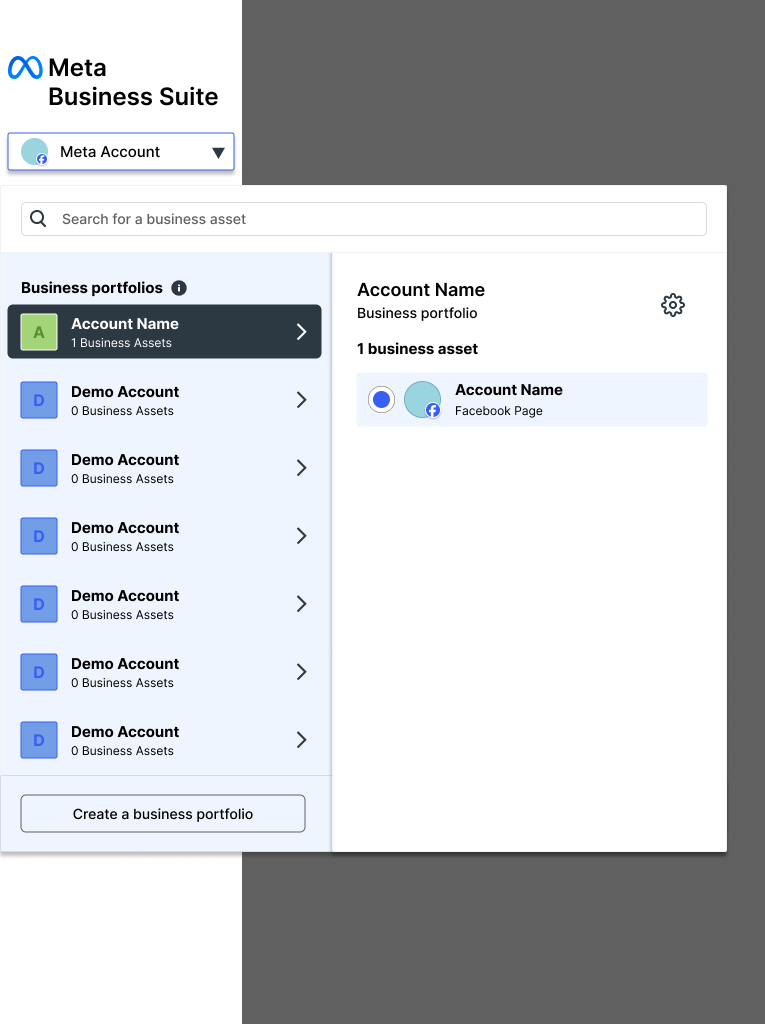
- Navigate to Settings (the gear icon) in the bottom left corner.
- In the left-hand menu, go to Users > People.
-
Select your name, then scroll down to the Ad Accounts section to view the specific Ad Accounts you have been added to and your current permission level.
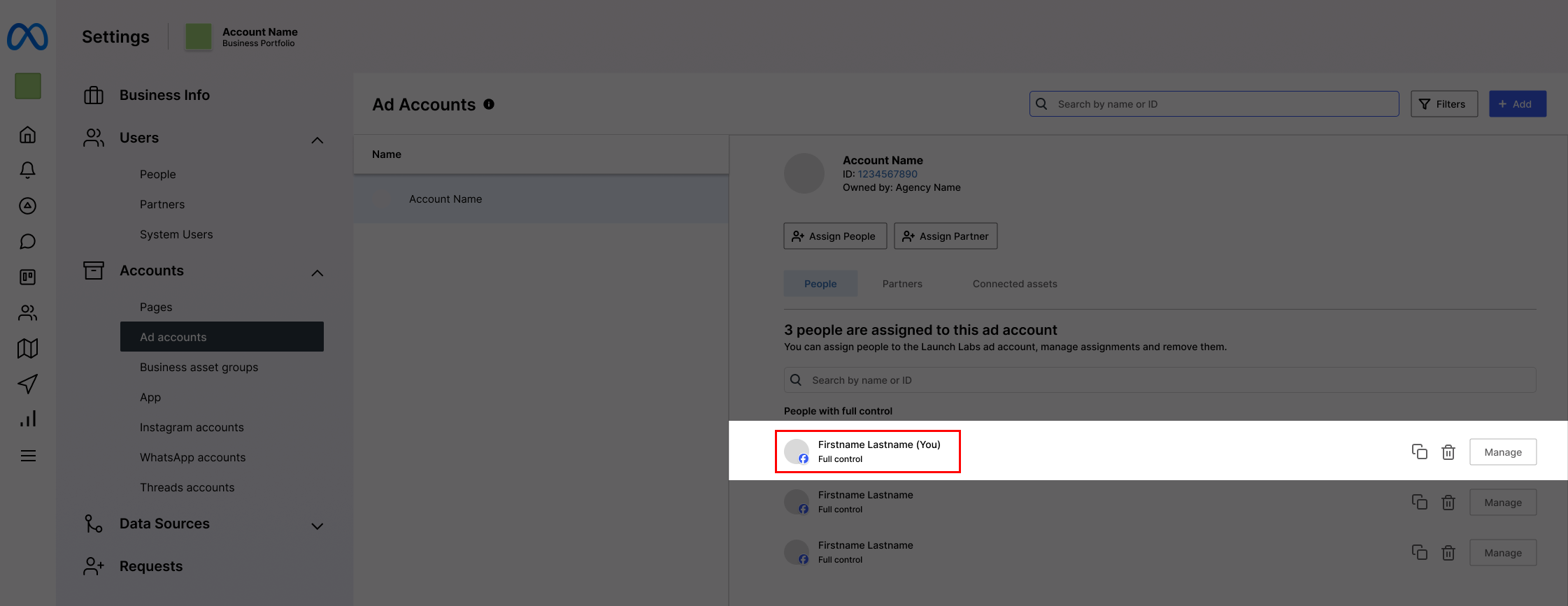
💡 We highly recommend ensuring your user has Full Control (Admin access) for the specific Ad Account you are connecting to ensure a seamless integration and audience sync.