How to Create In-Market Audiences
This guide will walk you though how to create new In-Market Audiences within the platform.
⚠️ Before continuing ensure you have the Audience Manager package, as that is required for this feature.
-
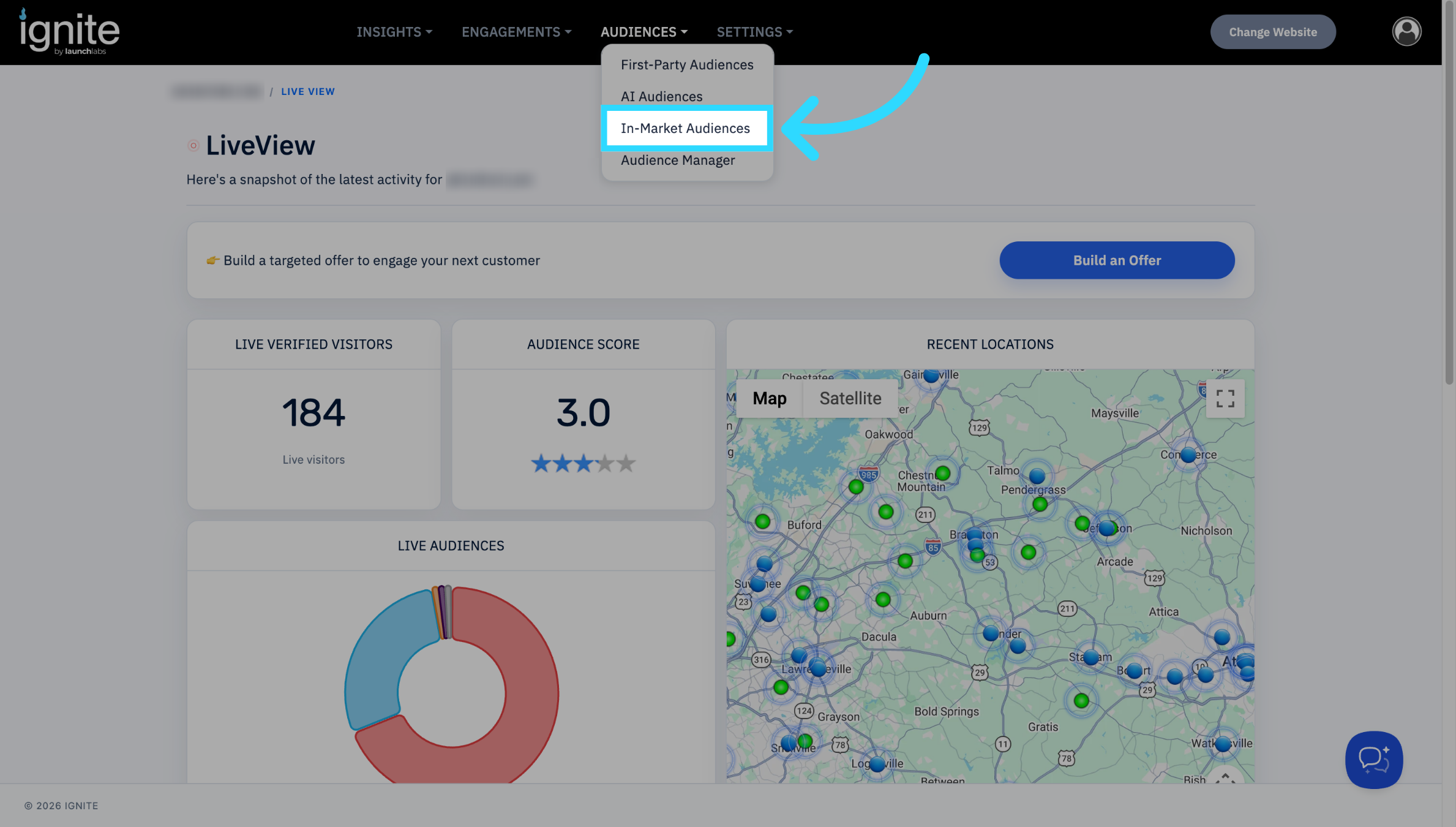
First, navigate to Audiences → In-Market Audiences
-
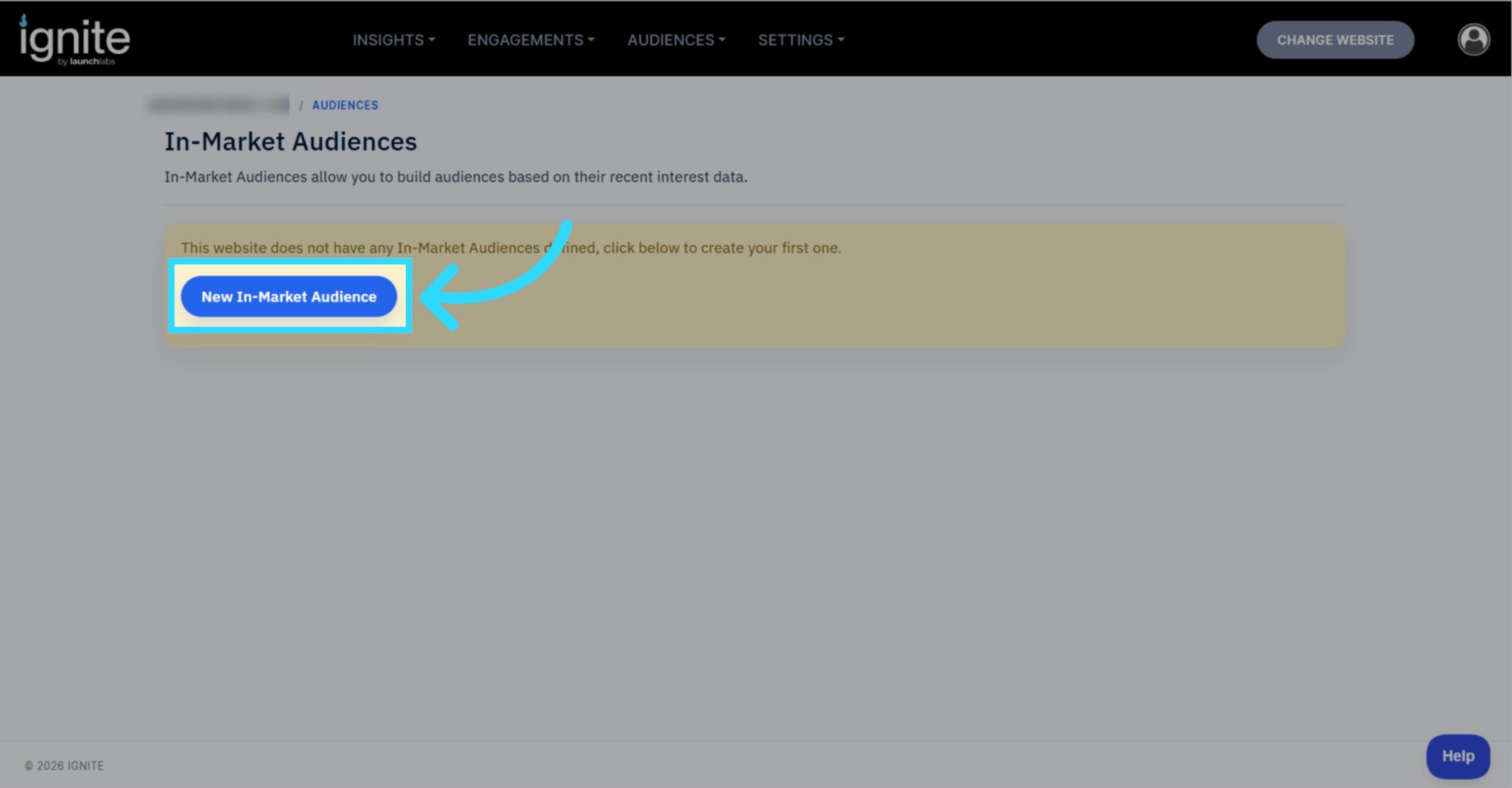
Click the New In-Market Audience Button.
-
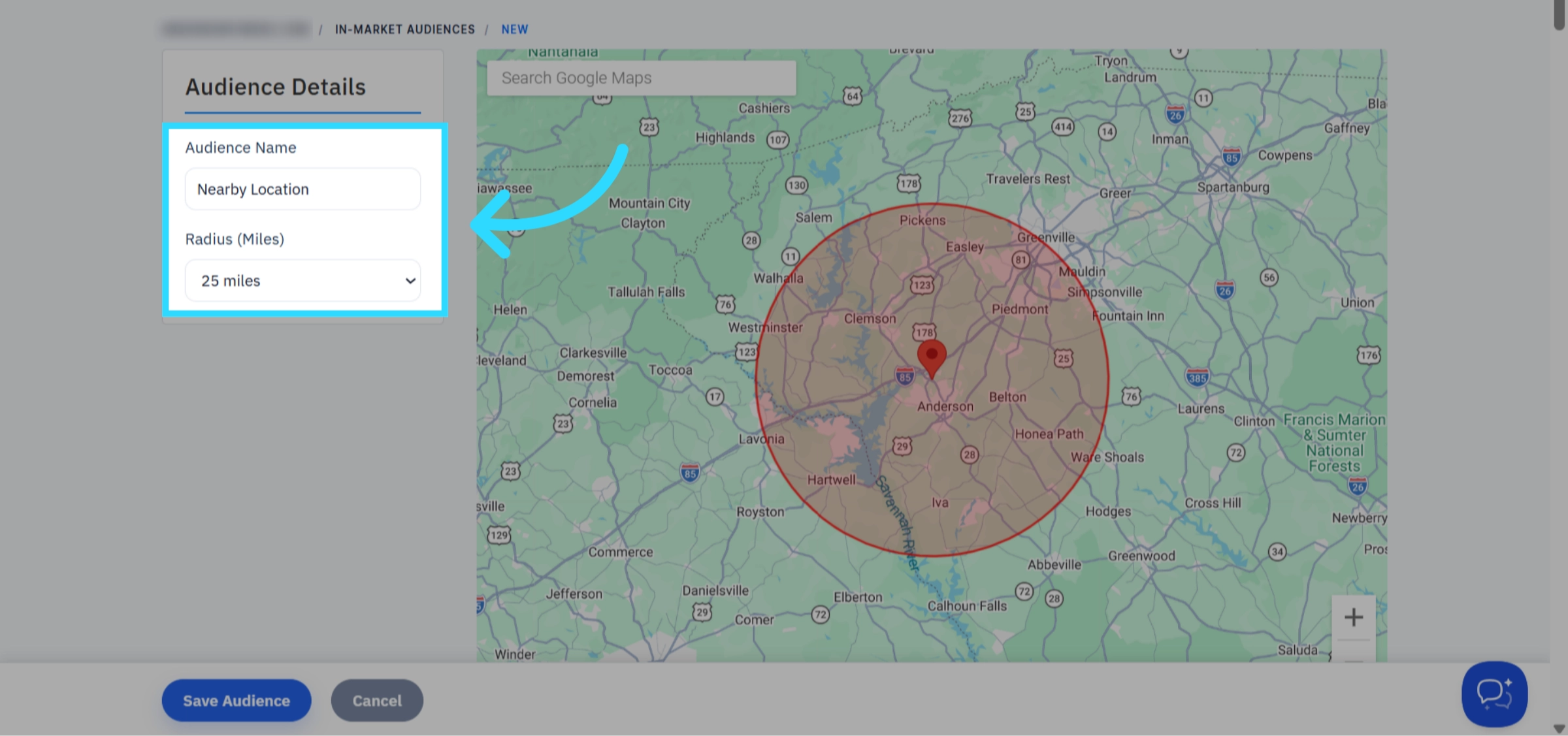
Enter the desired audience name and the audience radius.
-
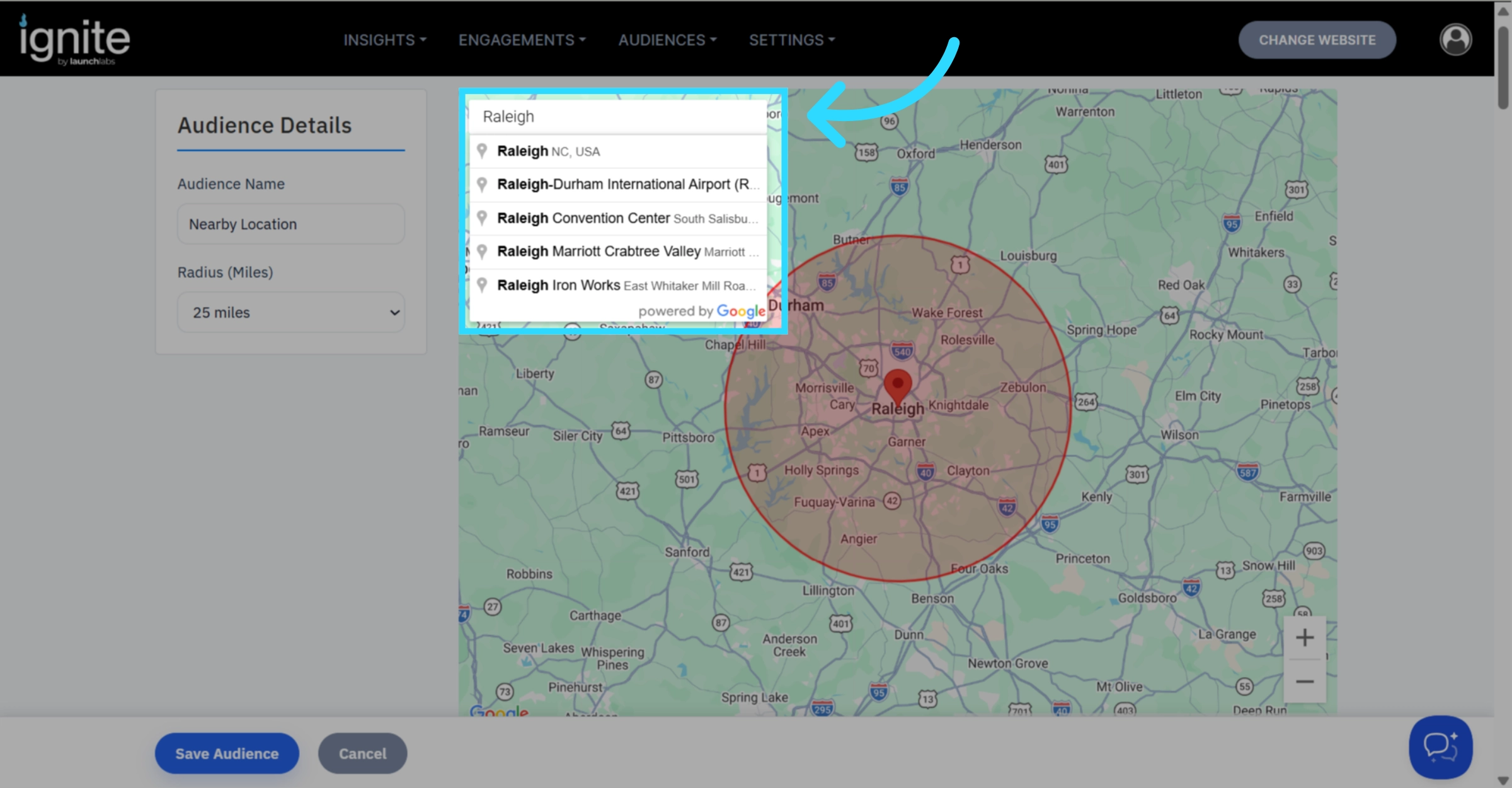
To change the center point, click the search bar within the map and enter the desired center.
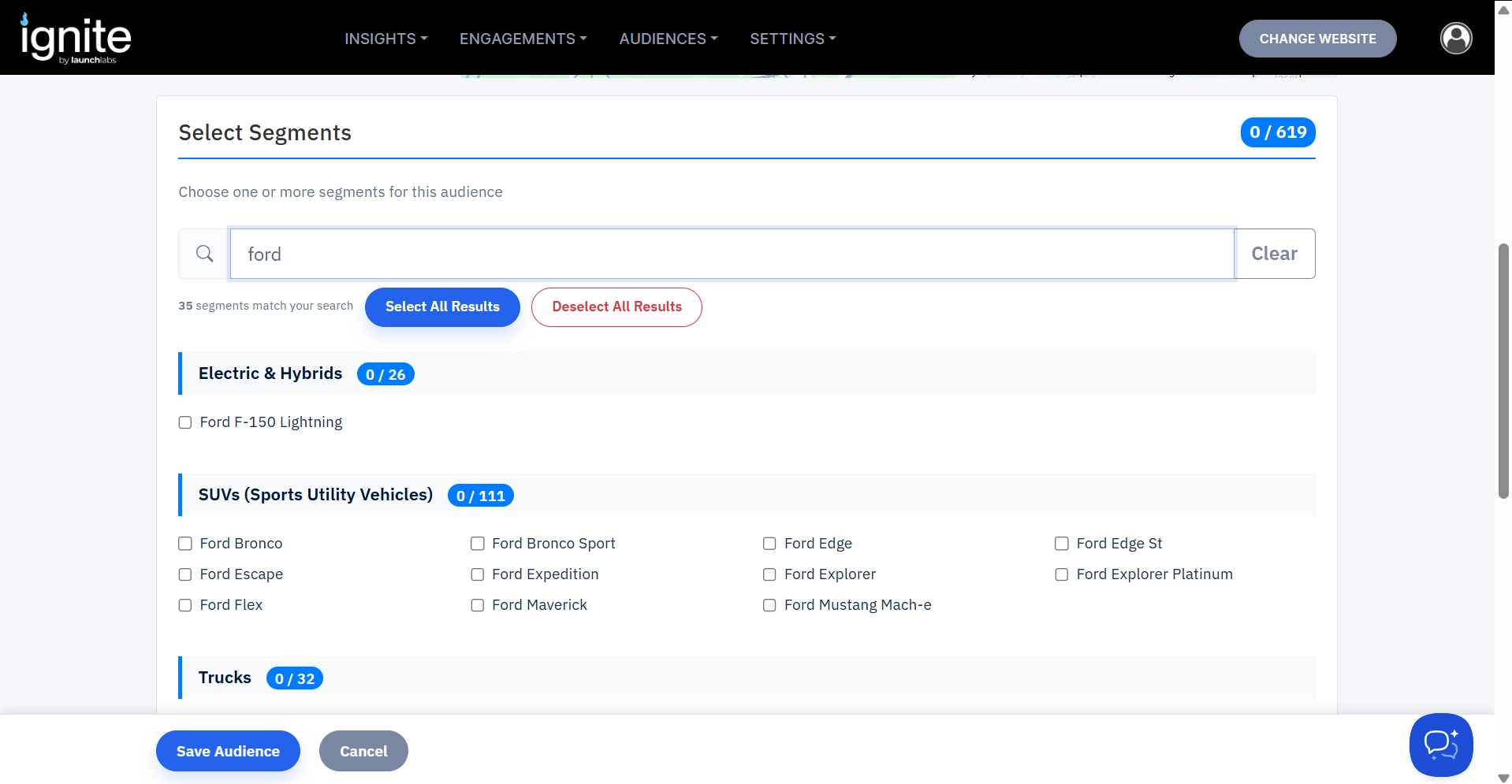
- Scroll down to Select Segments, and choose the segments you want to add.
-
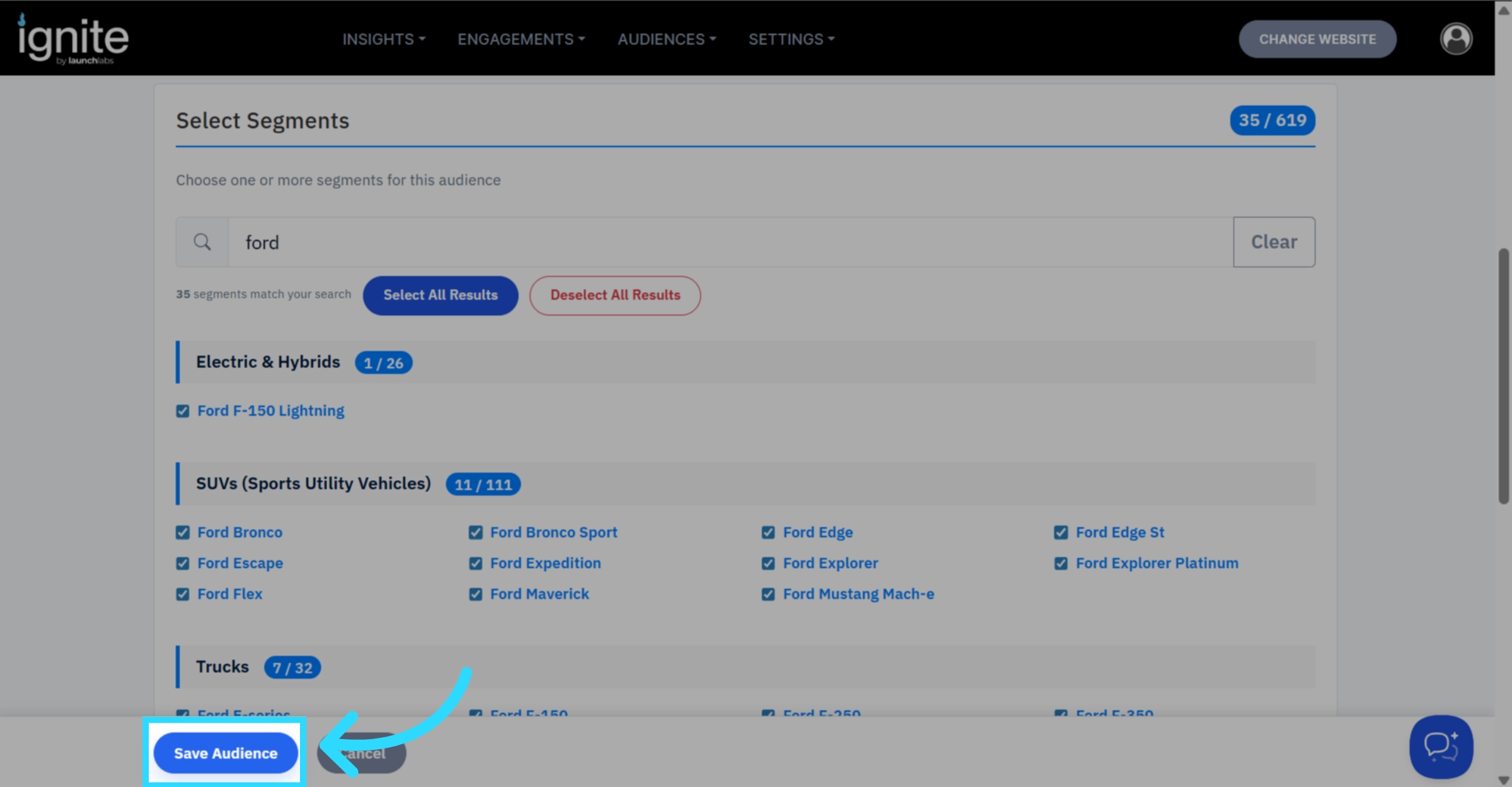
You can search and select segments individually, or if you wish to add a brand, search for it, then press the Select All Results Button.
-
-
Click Save Audience
-
The audience has now been created. This may take a while to populate, as it is going through each segment and finding those who are within the radius.
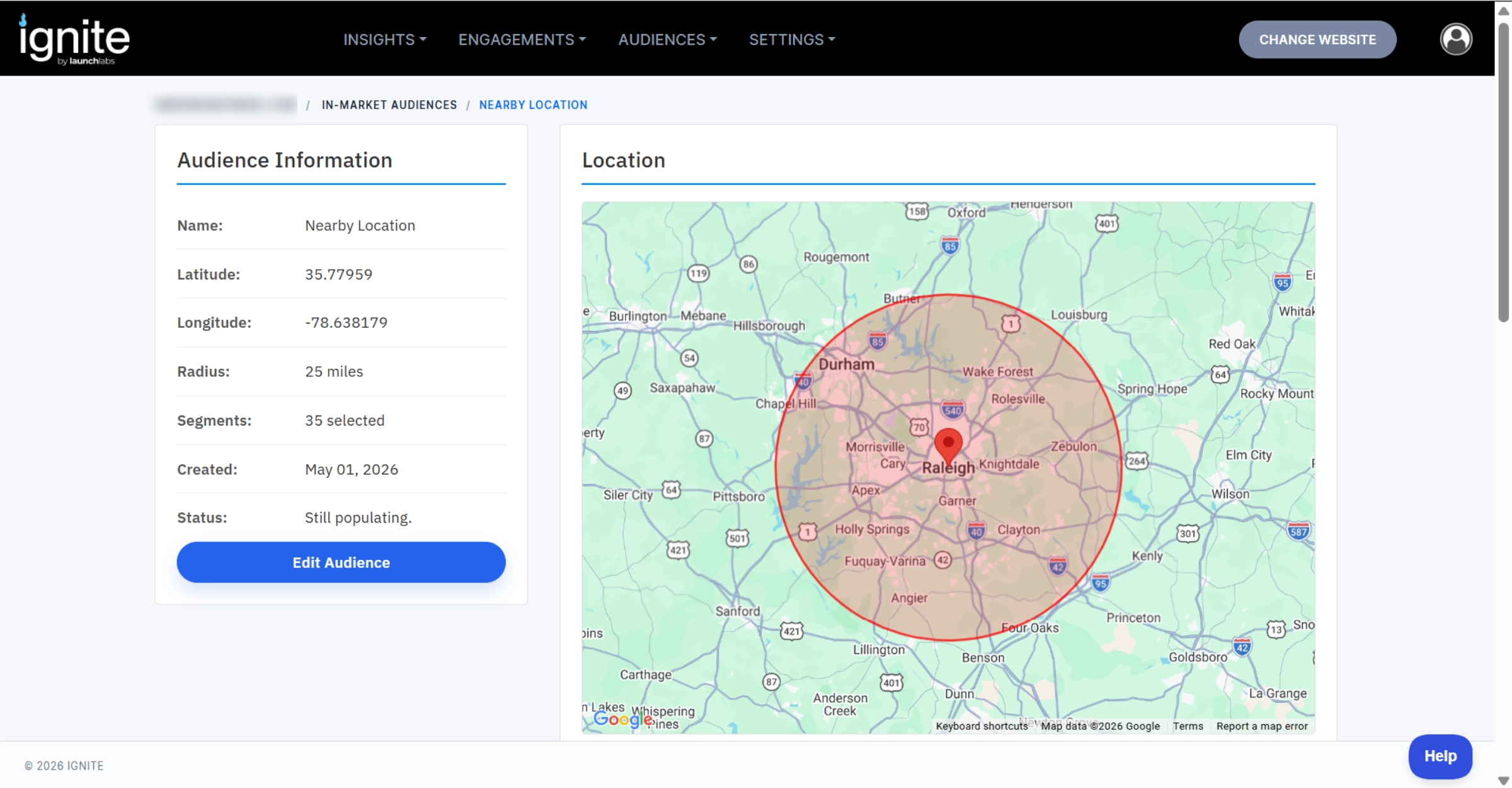
- Go back to Audiences → In-Market Audiences and check that the audience has been added. Once the audience has populated, it will show you the audience size.
This process can take anywhere from a couple of minutes to a couple of hours, so don’t be concerned if you see the message ‘Not calculated or not ready’ for a while. However, if you are using a large segment and a large radius (New/Used cars, 20+ miles) and the audience is immediately populated to zero, reach out to support@launchlabs.ai.
