How to Sync Audiences from Ignite to TikTok
Syncing first-party audiences from Ignite to TikTok lets you activate your customer lists for targeting and retargeting in TikTok Ads. In this guide, you’ll learn how to export an Ignite audience to TikTok using either a continuous sync (recommended for ongoing updates) or a one-time export.
Step-by-Step Instructions
-
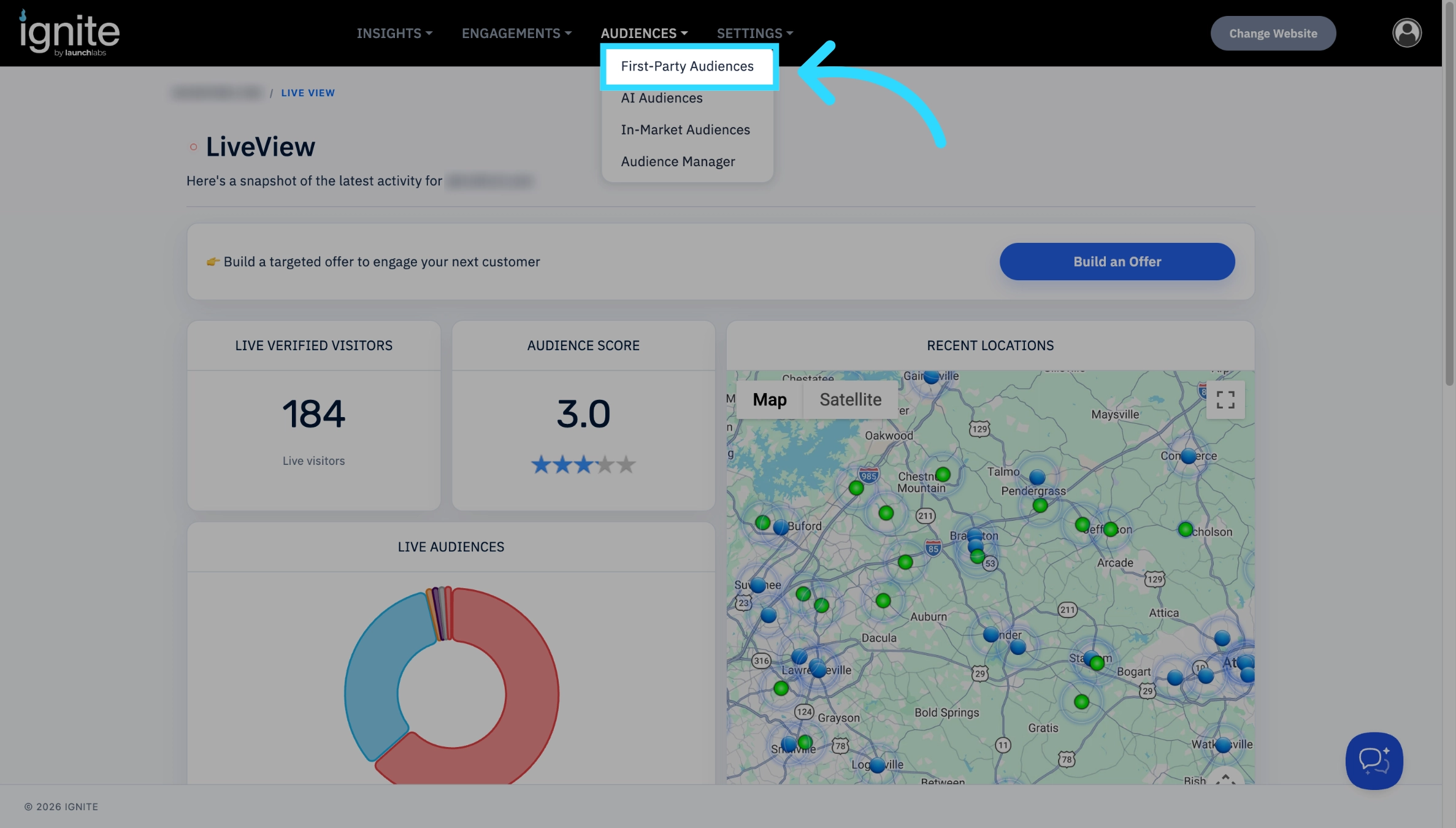
Navigate to Audiences → First-Party Audiences
-
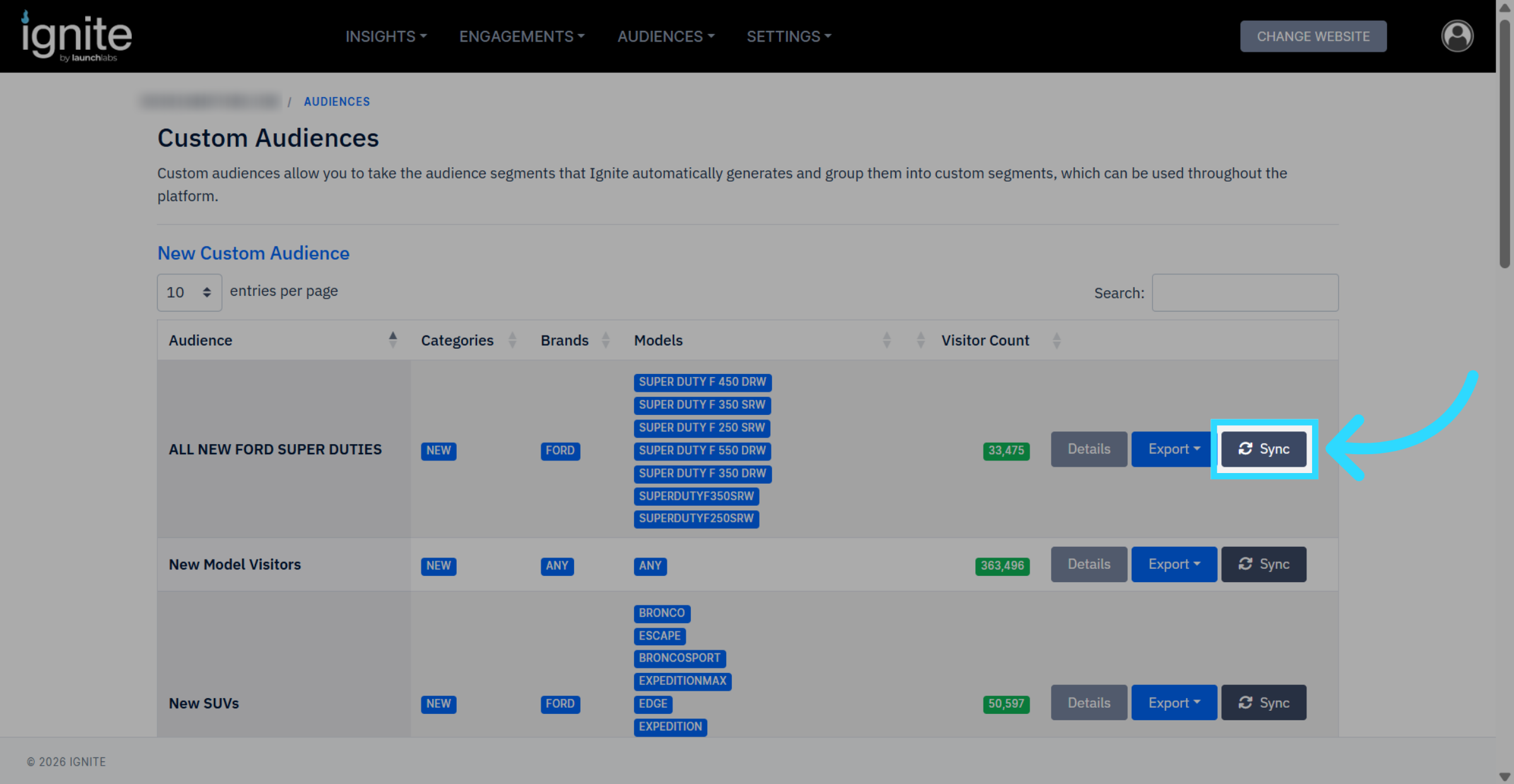
Select the Audience you would like to sync with TikTok, and click the associated Sync button. This will take you to the Audience Exports Page.
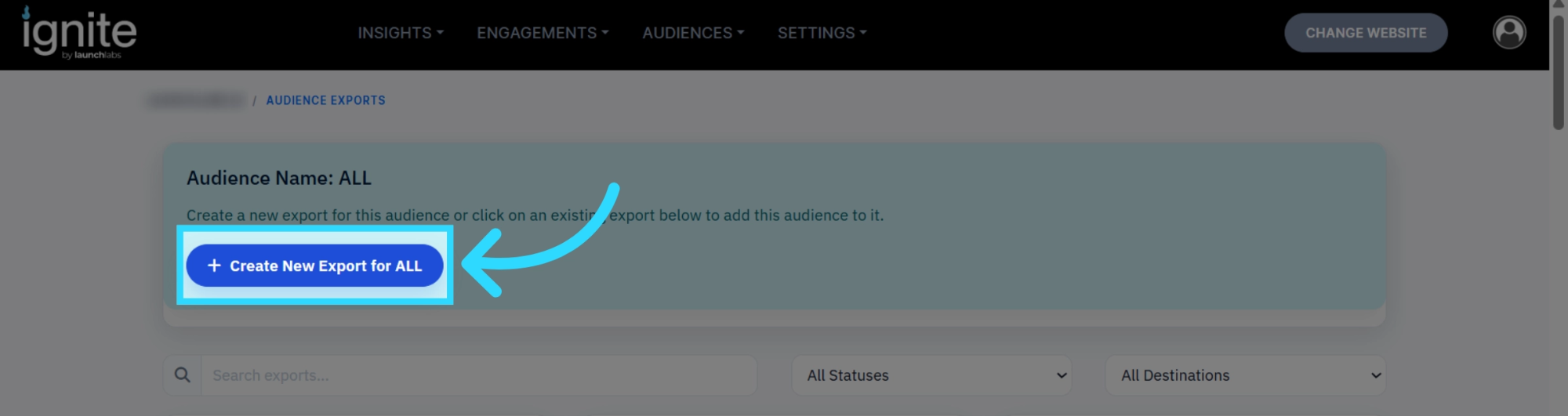
From this page, click the Create New Export for [Audience] button.
Add a custom name to the export if desired, select TikTok Ads, choose a continuous sync or a one-time sync, and click Create Export.
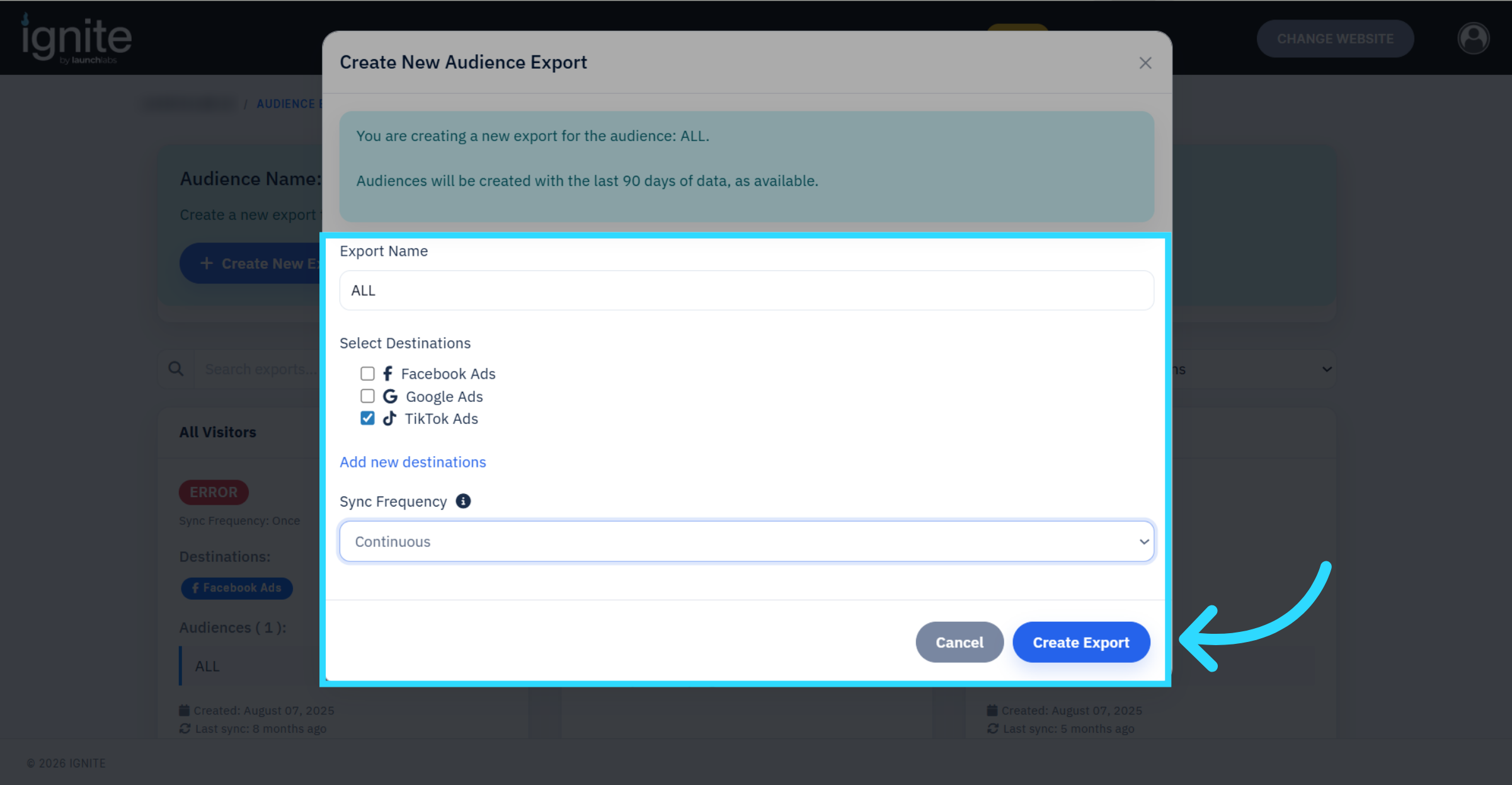
- If you choose a continuous sync, TikTok Ads are now synced, and no other steps are required.
-
If you choose a one-time sync, on the Audience Exports page, find the newly created export and click Sync audience members.
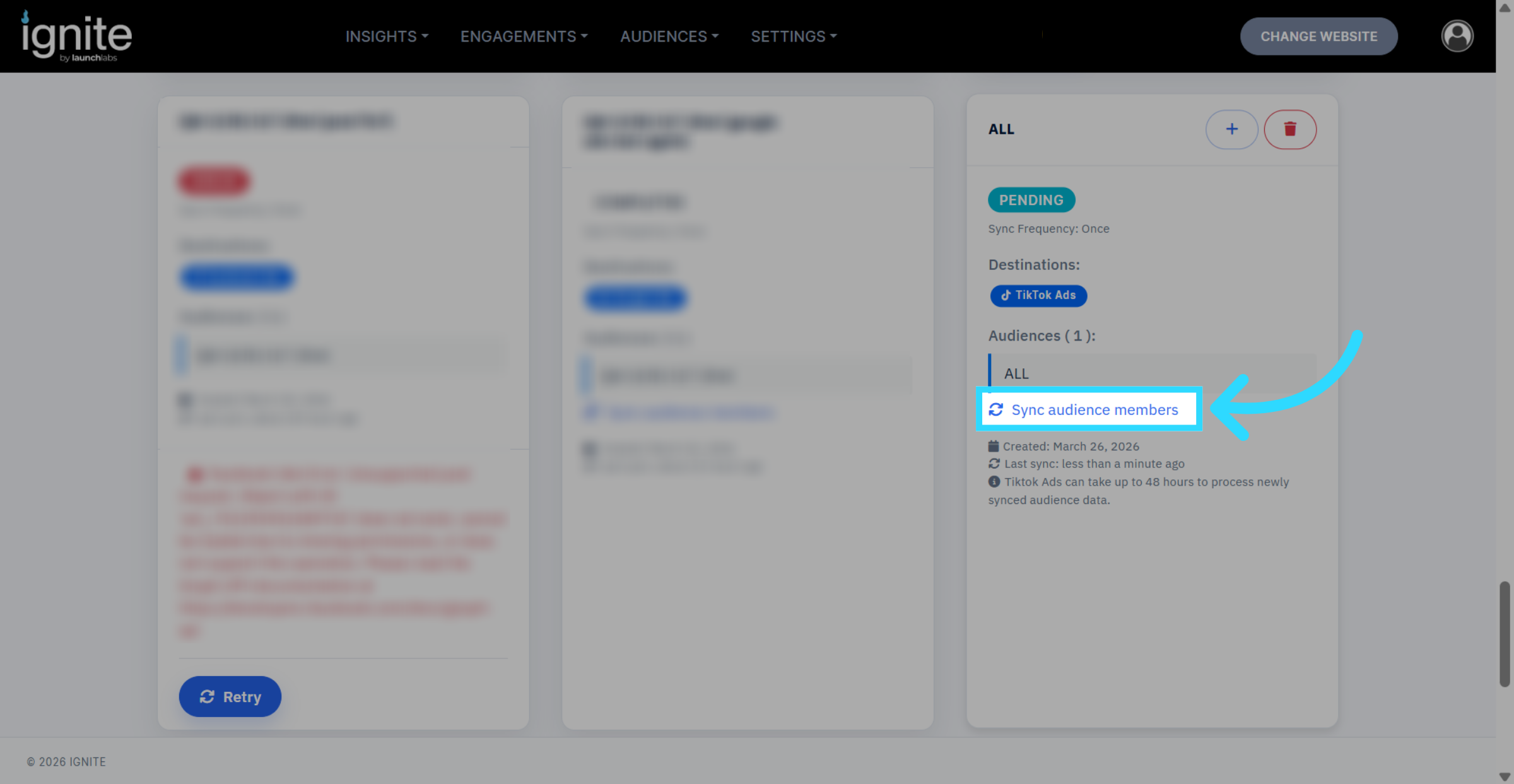
⚠️ Please note: It can take up to 48 hours to see the audience in TikTok’s ads manager.
The audience size is recommended to be greater than 1000, otherwise it will appear as ‘Too small’ in TikTok