How to Sync Audiences from Ignite to Google Ads
This article explains how to push audience segments from Ignite directly into Google Ads (Customer Match) for use in your search, display, or YouTube campaigns.
💡 Prerequisites: Make sure you’ve already connected your Google Ads Account to Ignite and have the correct permissions. If not, see our How to Set Up Google Ads Integration guide.
Step-by-Step Instructions
1. Create the Audience Export in Ignite
-
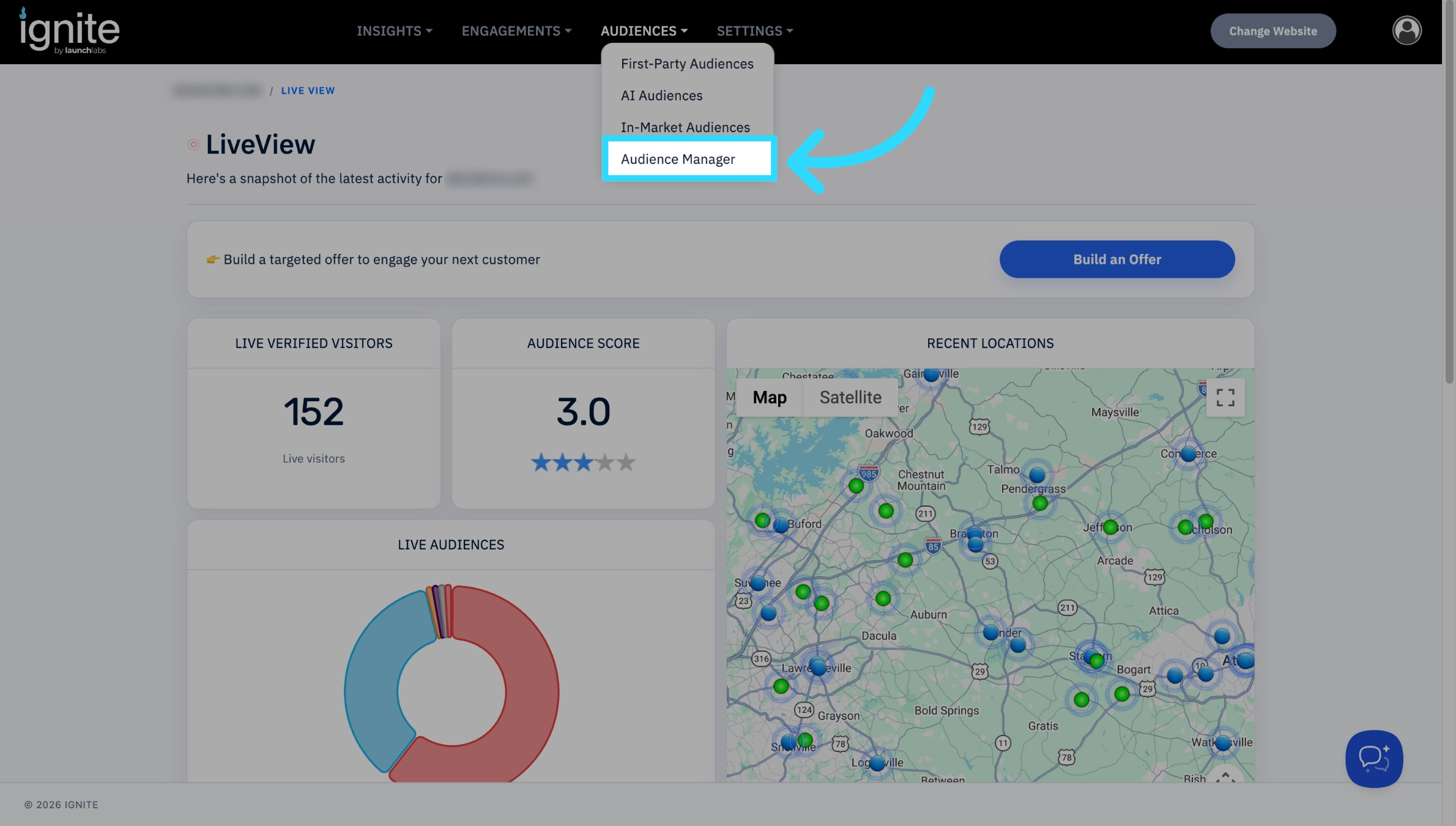
Log into Ignite and navigate to the Audience tab in the top navigation bar. Click into Audience Manager.
-
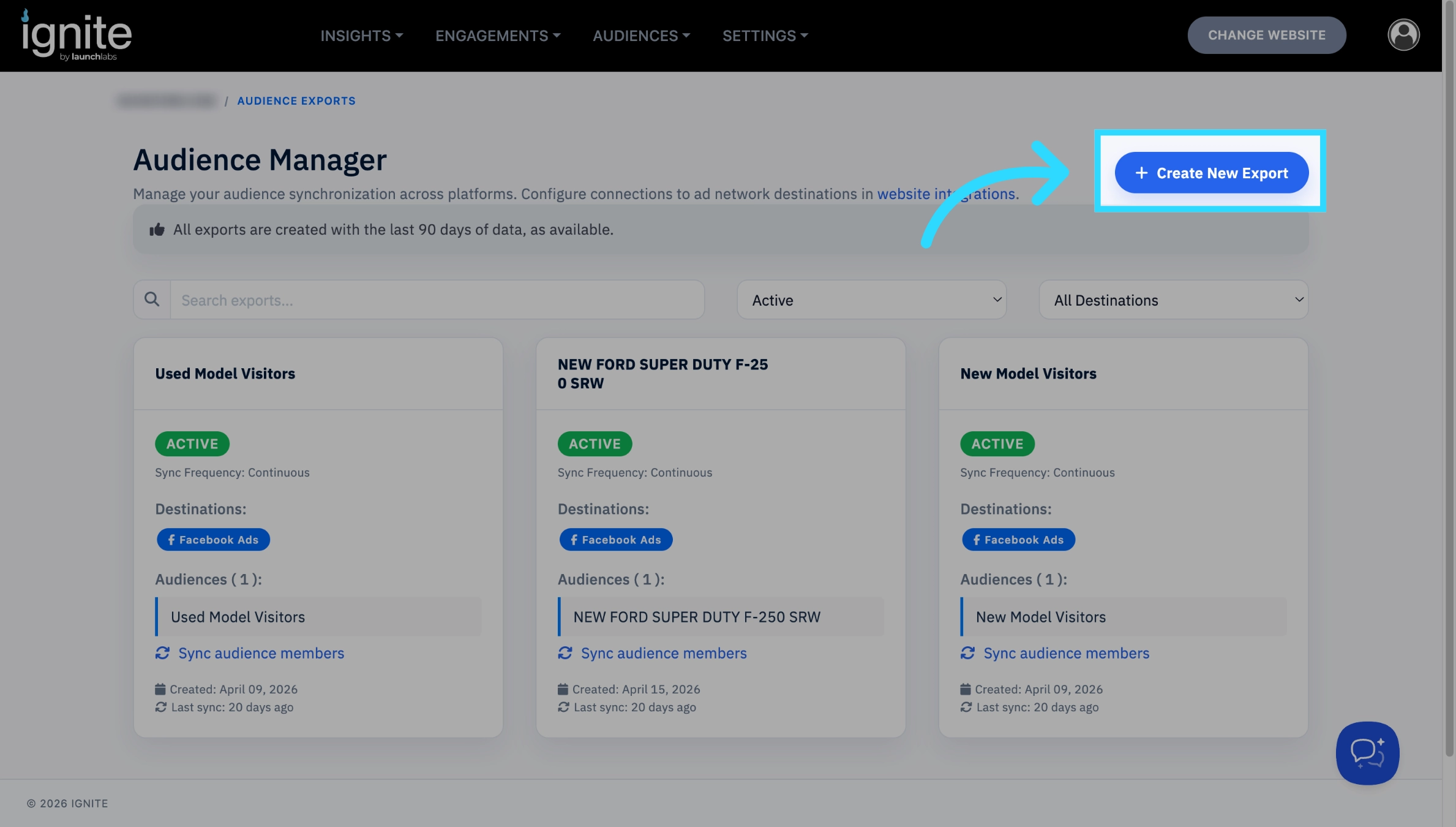
Select Create New Export.
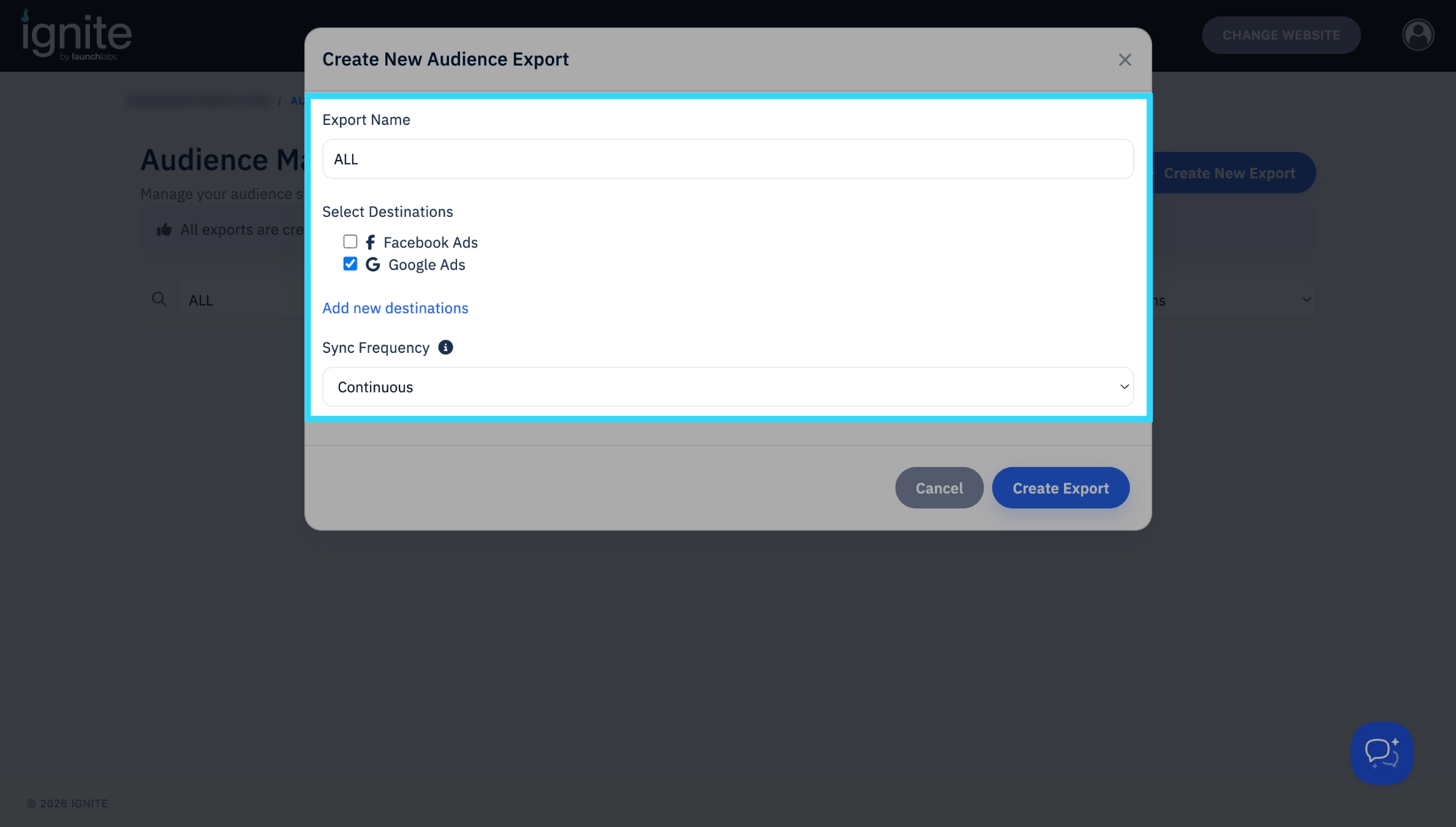
- You will be prompted to:
- Name the export.
- Choose Google Ads as the destination.
-
Select how frequently the export should sync (We highly recommend selecting continuous sync to ensure your lists meet Google's data freshness requirements).
Once completed, click Create Export. The new export will now appear in your list.
2. Select the Audience to add to the Export.
-
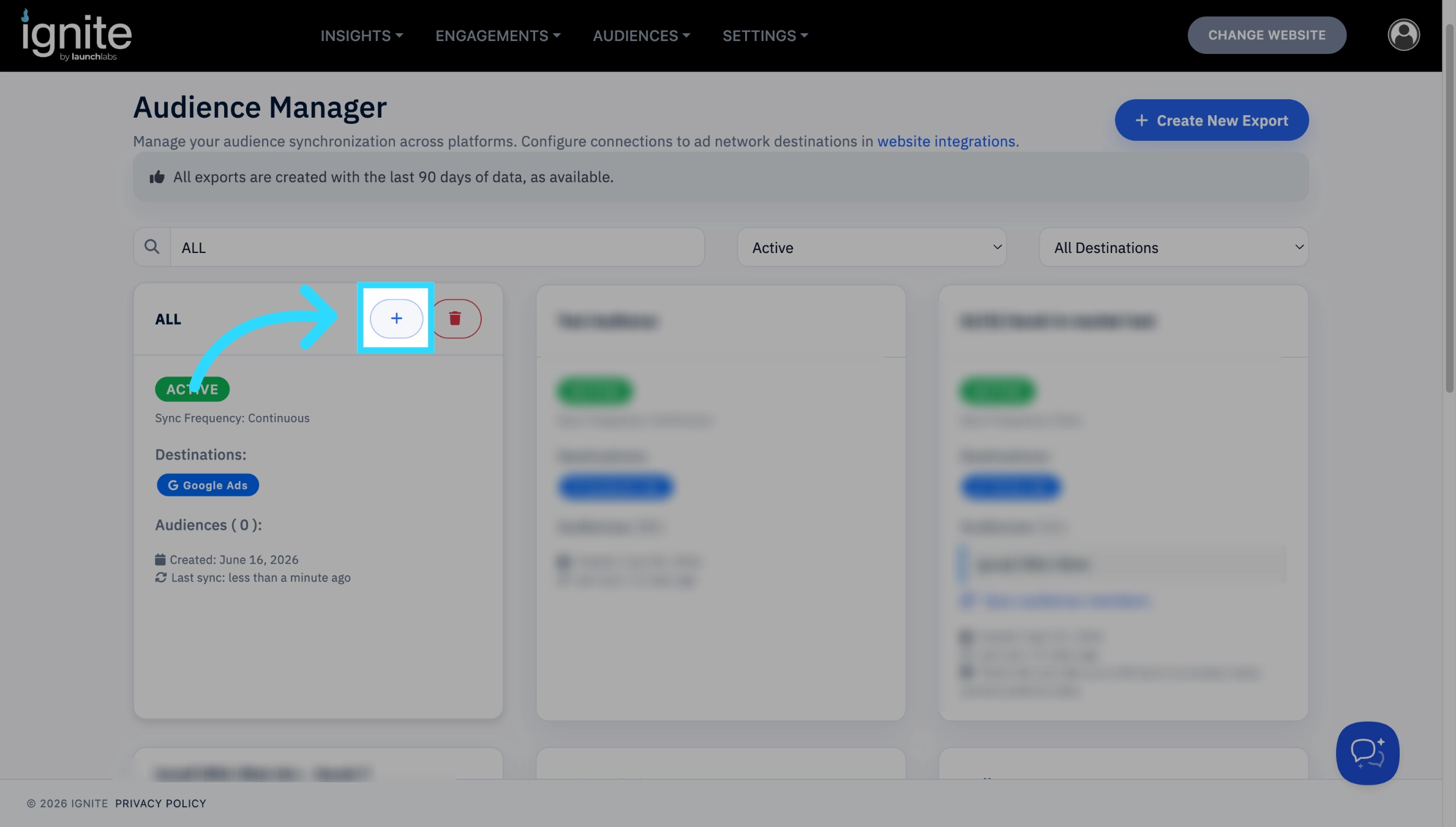
On the Audience Manager page, find the export you just created. In the top-right corner, click the blue plus button that appears when you hover over the export. This will take you to the Audiences page.
-
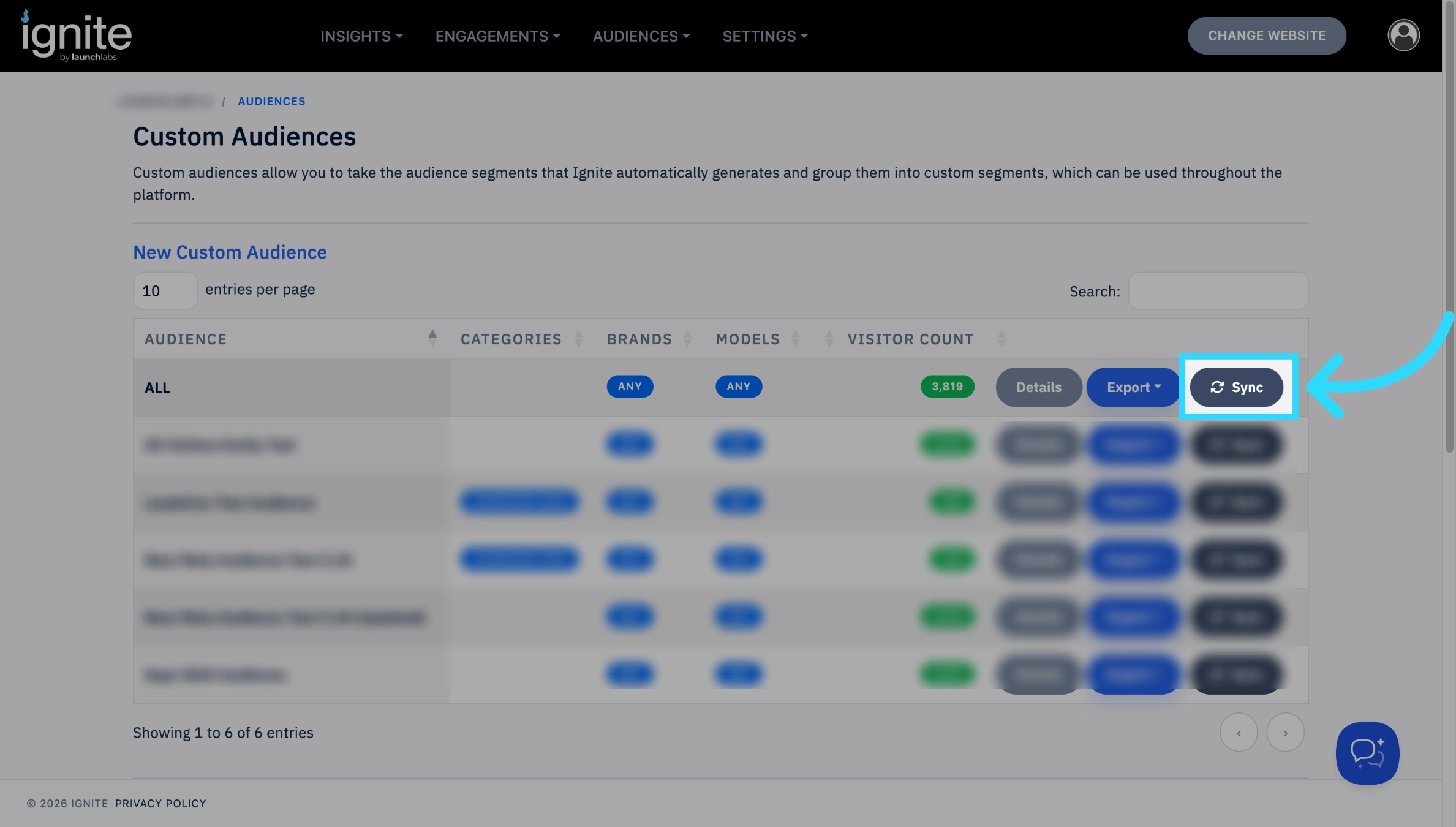
Find the audience you want to add, then click Sync. Clicking Sync will bring you back to the Audience Manager page.
-
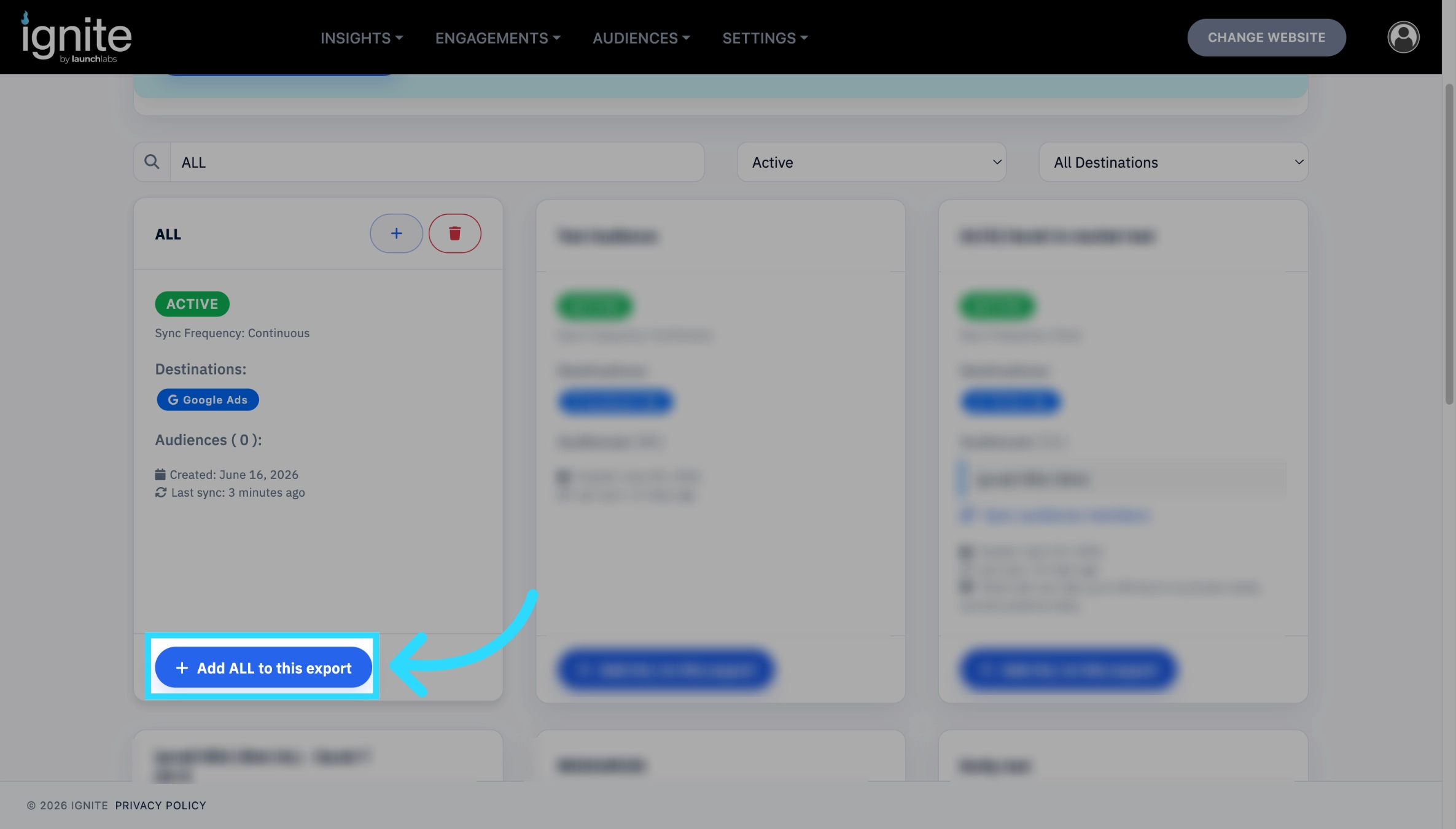
From there, find the export you want to add the audience to, then click the Add [Audience] to this export button at the bottom of the export. To add more than one audience to a single export, repeat this process for each audience.
-
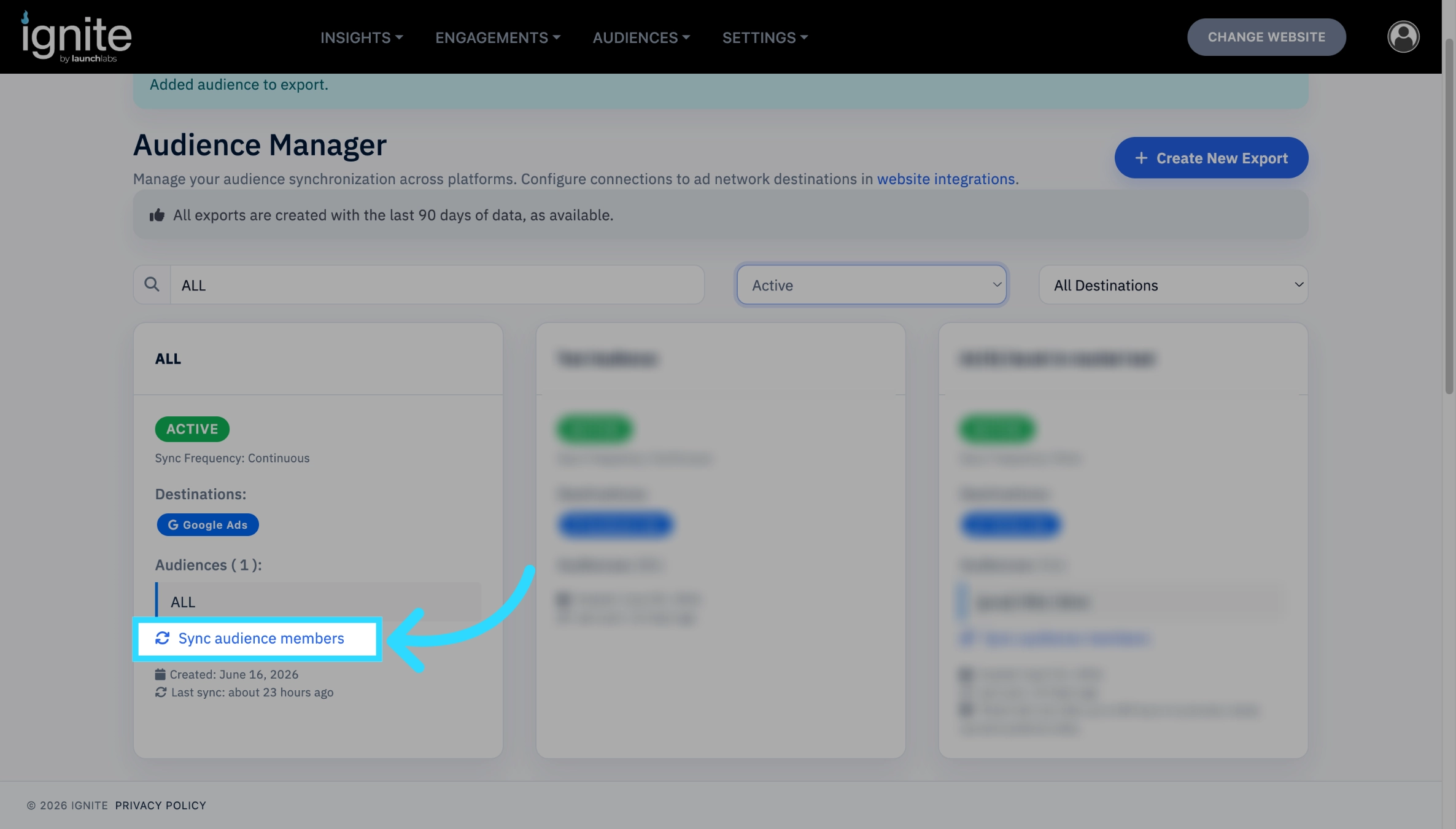
If you chose a Continuous sync, no further steps are needed, your audience will automatically sync. However, if you chose a Once as your syncing option you will need to click Sync audience members on the export.
3. Locate the Exported Audience in Google Ads
-
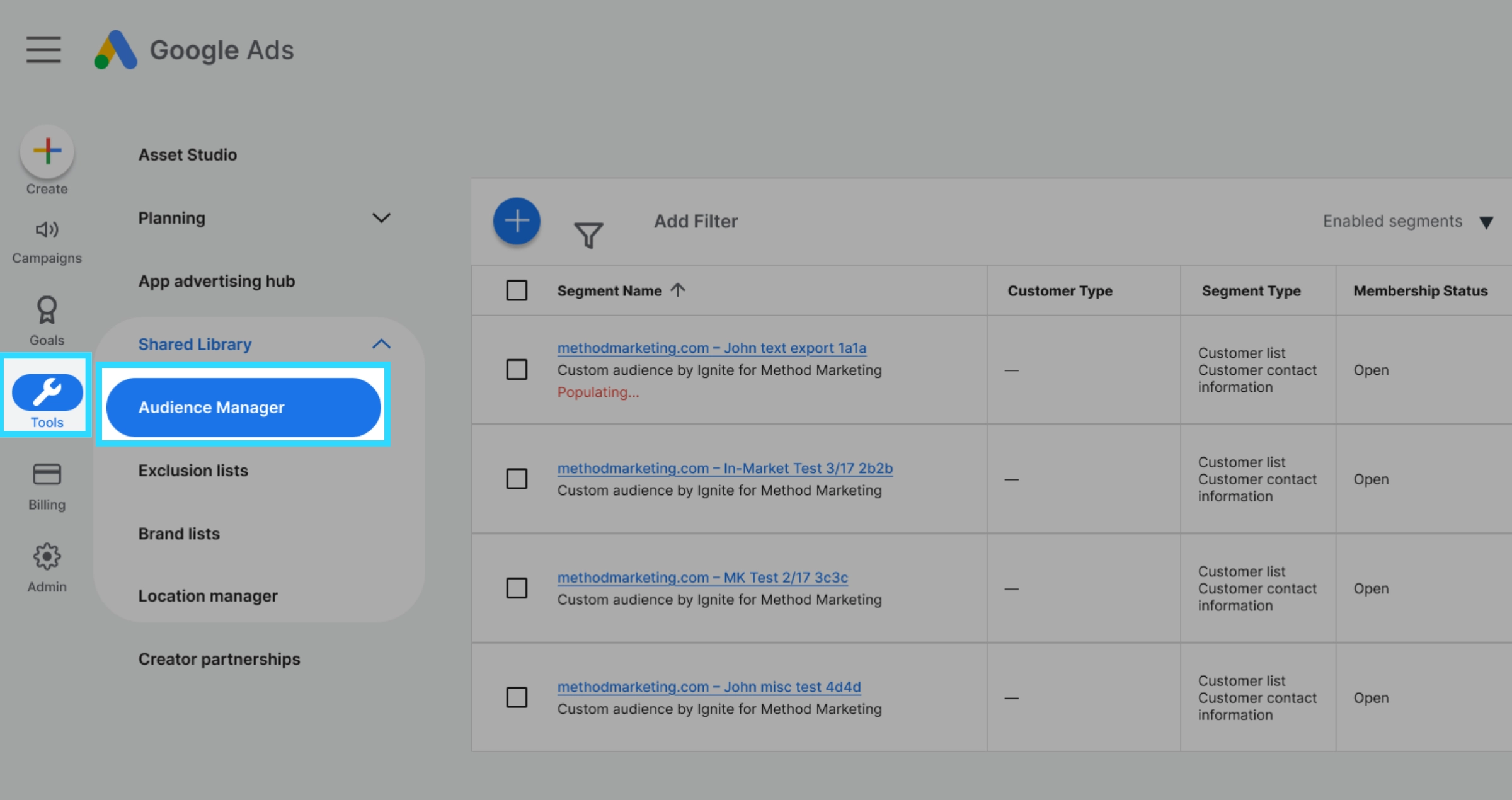
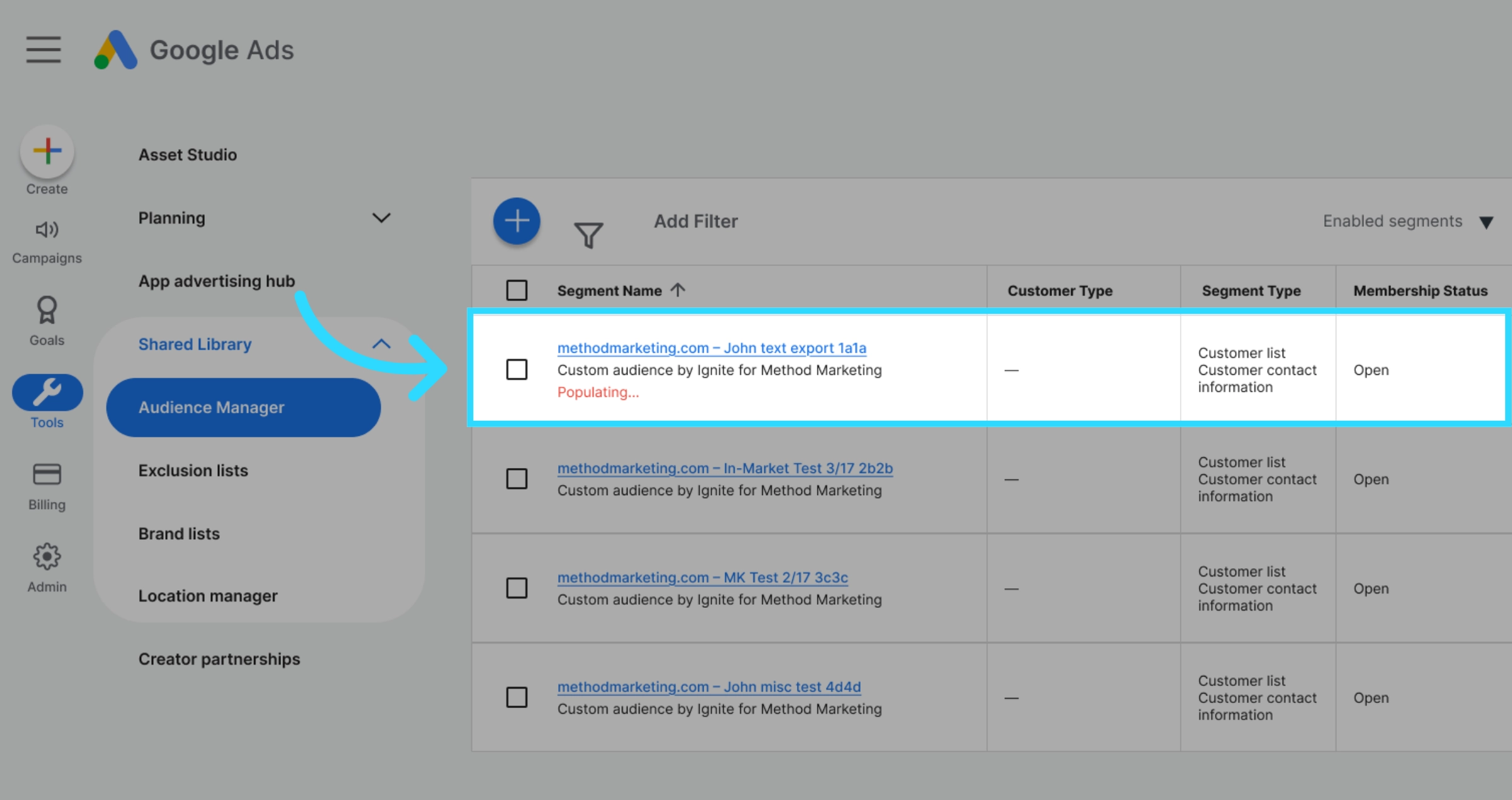
Log into your Google Ads account. In the left-hand navigation bar, navigate to Tools > Shared Library > Audience manager.
-
Under the Your data segments tab, you will find your synced Ignite audience listed as a "Customer List." This audience is now ready to be applied to your campaigns!
Need more help finding your audience? View our full guide: Where to Find Ignite Audiences in Google Ads.