How to Configure the Customer Loyalty Engine
This article explains how to configure the Customer Loyalty Engine in the platform. The Customer Loyalty Engine allows you to upload a list of past customers so the platform can monitor your website traffic. When returning customers are detected, they receive a personalized email message — helping you drive repeat engagement and retention.
Watch this video tutorial to see the full configuration process in action:
👉 Before following this guide, make sure you have a past customer list ready in CSV or Excel format with the required fields.
Step-by-Step Instructions
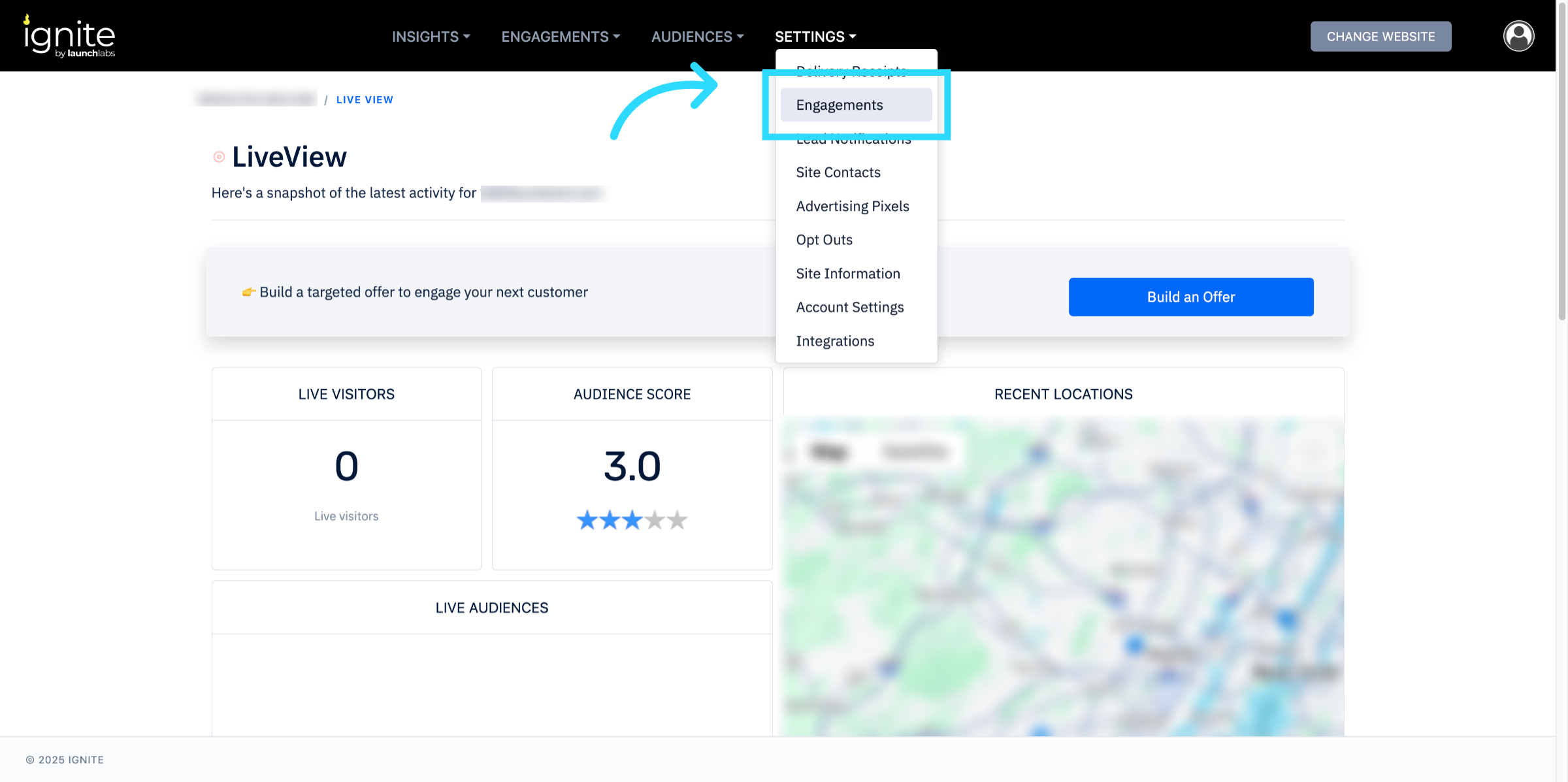
1. Open Settings
Go to the platform and click Engagements from the top navigation bar.
2. Enable the Customer Loyalty Engine
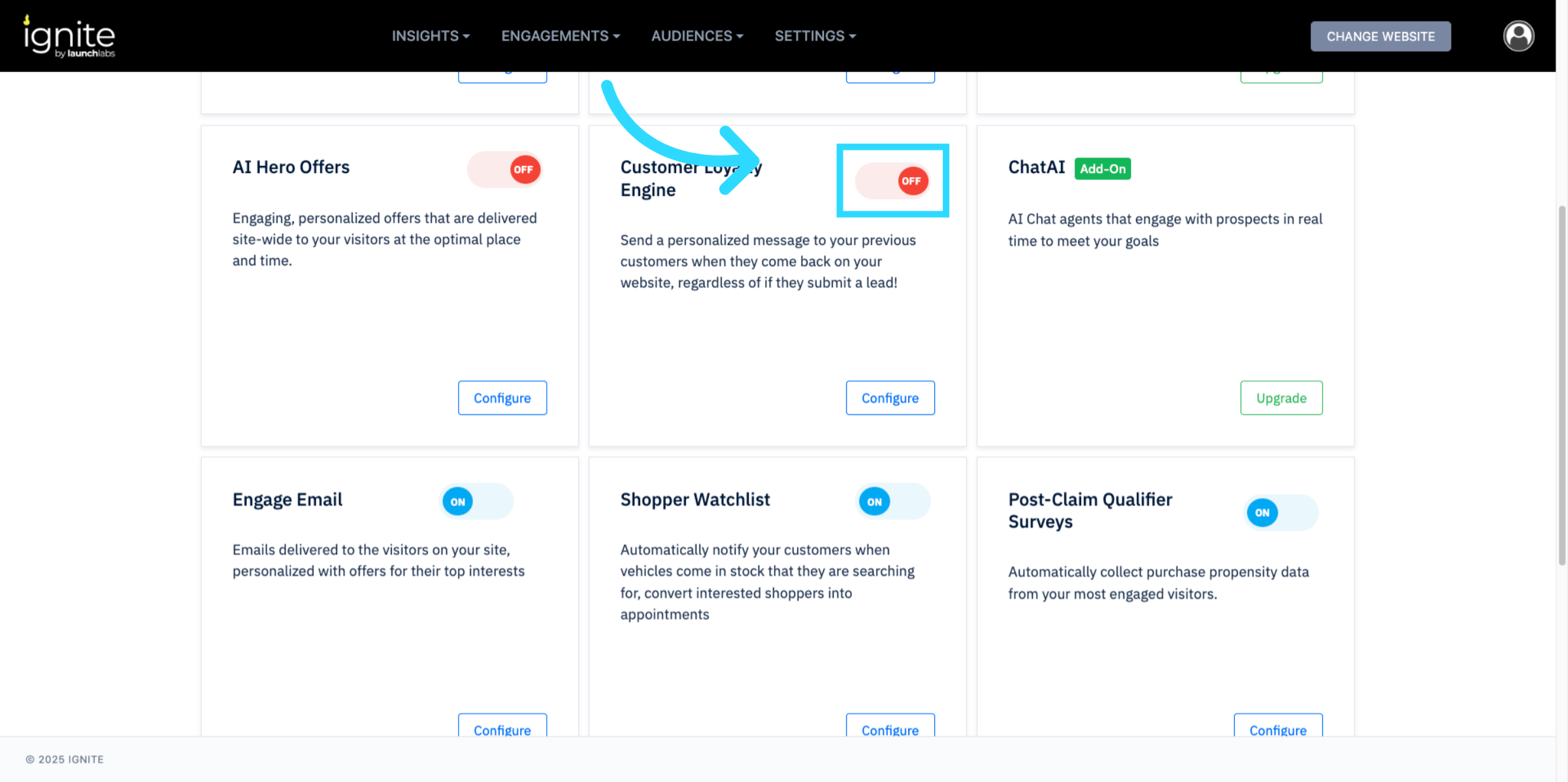
Scroll down to the Customer Loyalty Engine section and toggle it On.
3. Configure Settings
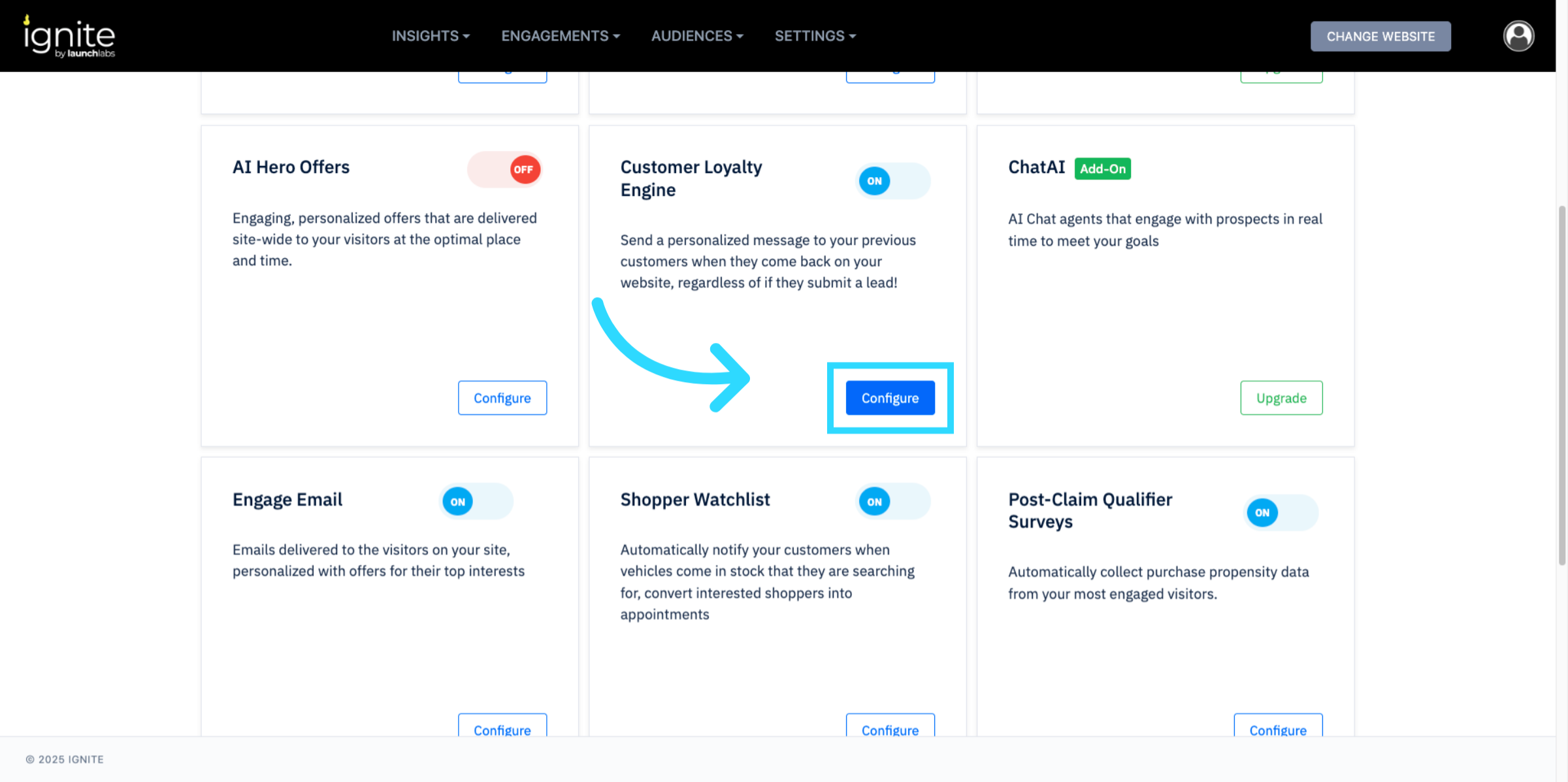
Click Configure to open the setup options.
4. Add Report Recipients
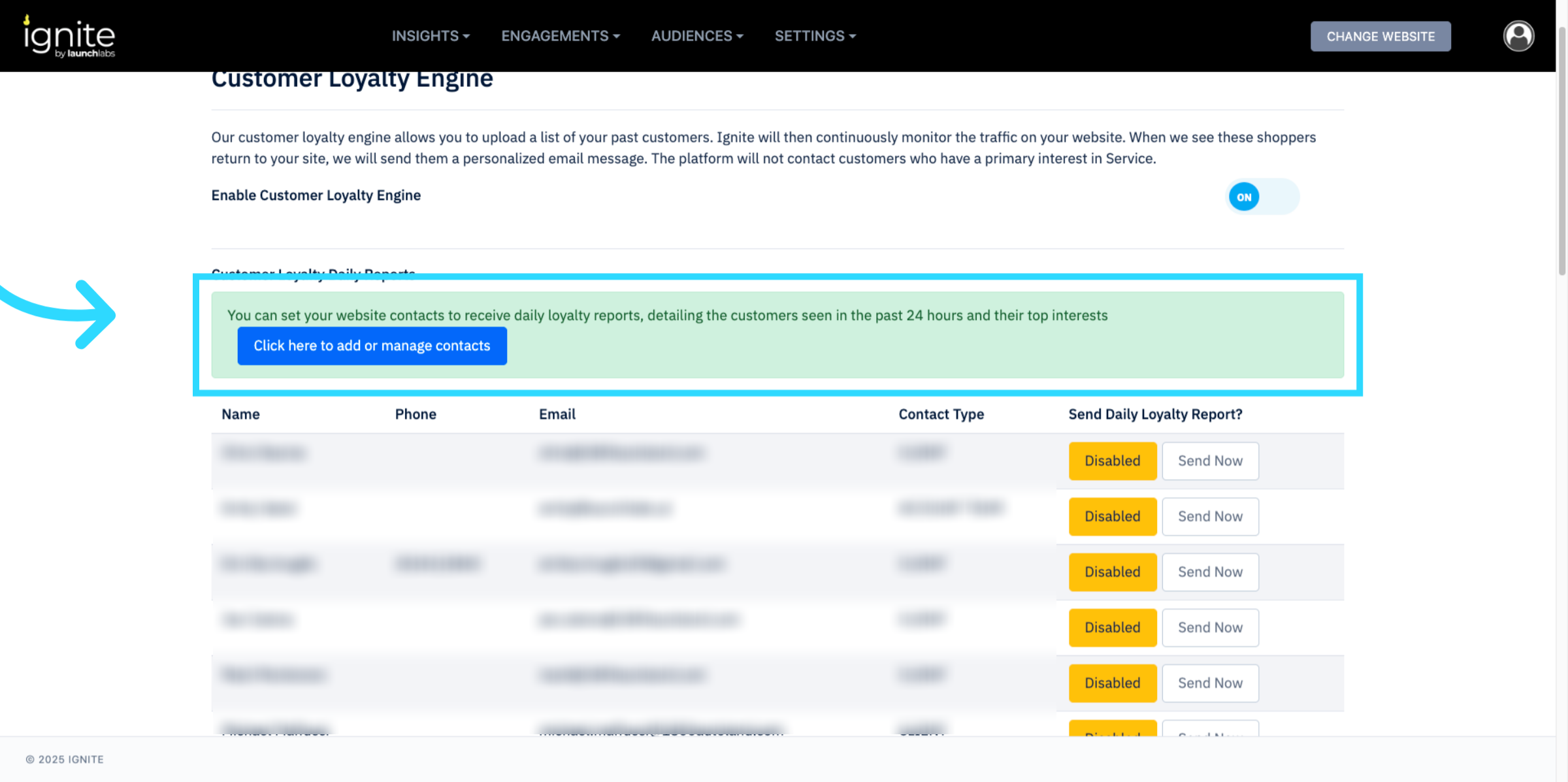
Specify which team members should receive the daily loyalty report. This report details returning customers from the last 24 hours and their top interests.
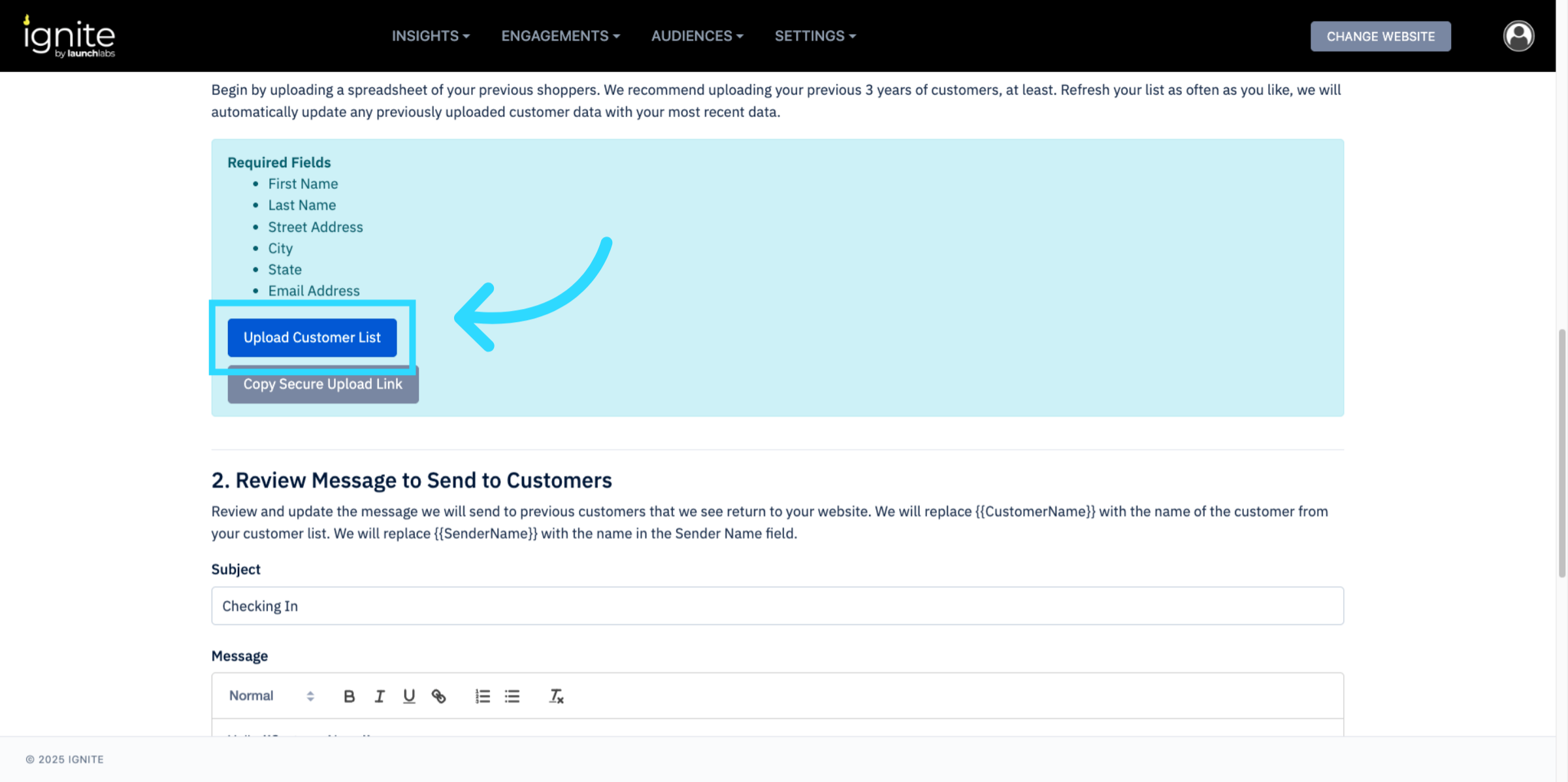
5. Upload Past Customer List
Upload your customer file (CSV or Excel). Ensure all required fields are included as shown in the platform template.
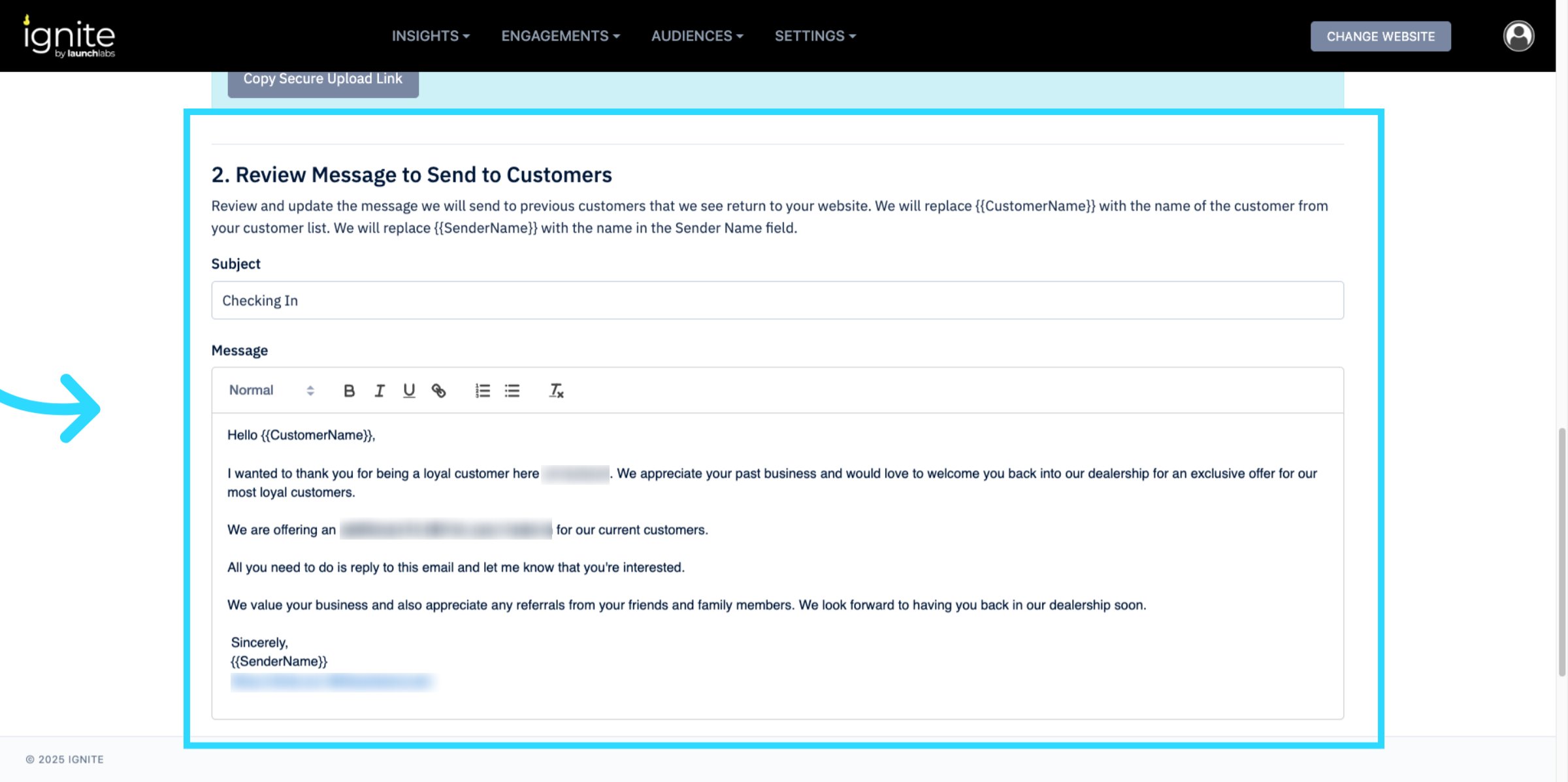
6. Customize the Customer Message
Review and edit the message that past customers will receive when returning to your site. Messages can be personalized with tokens such as {{CustomerName}}.
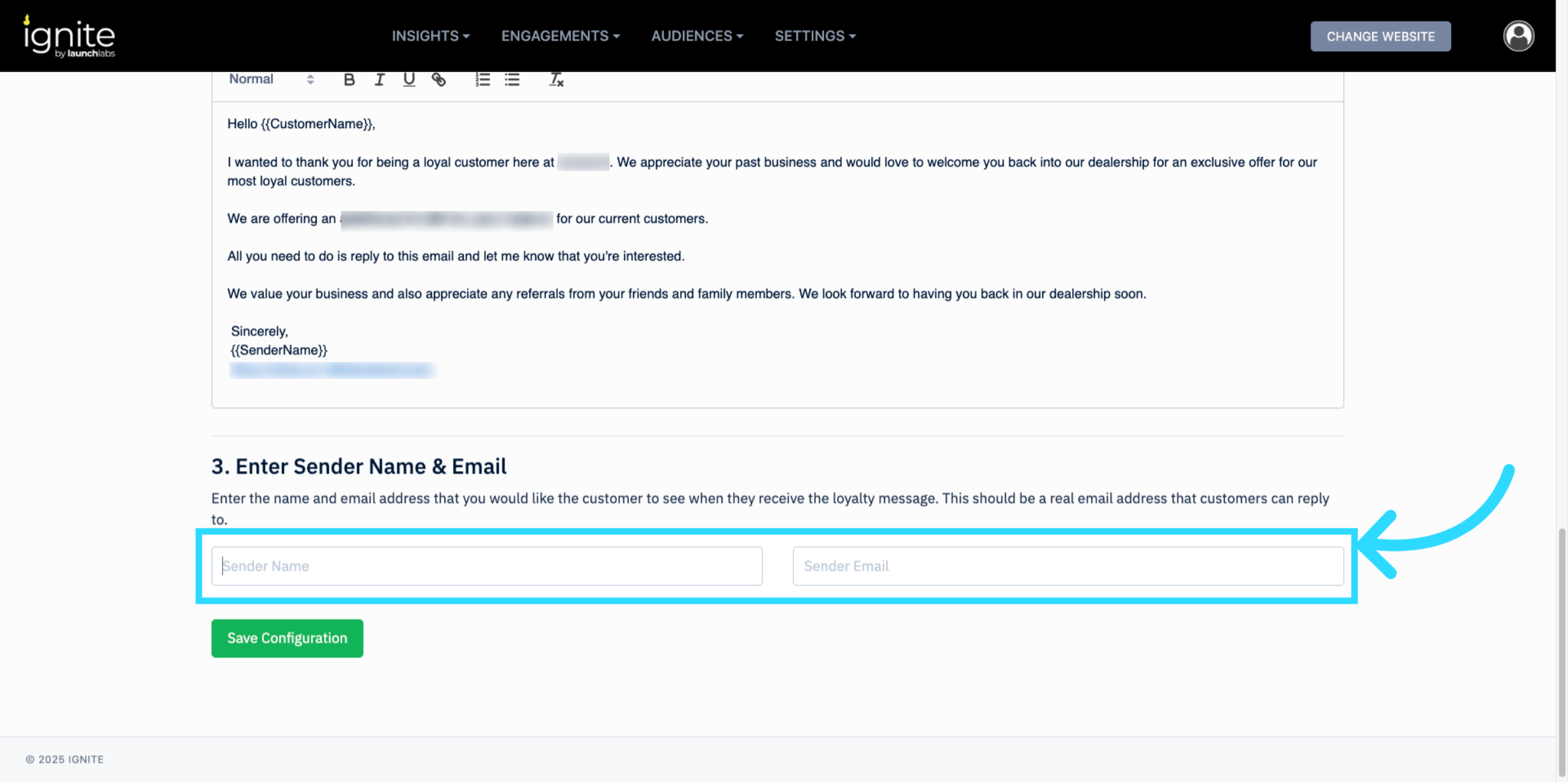
7. Set Sender Information
Enter the Sender Name and Sender Email for the outgoing message. Typically, this will be the dealership manager or another recognizable contact.
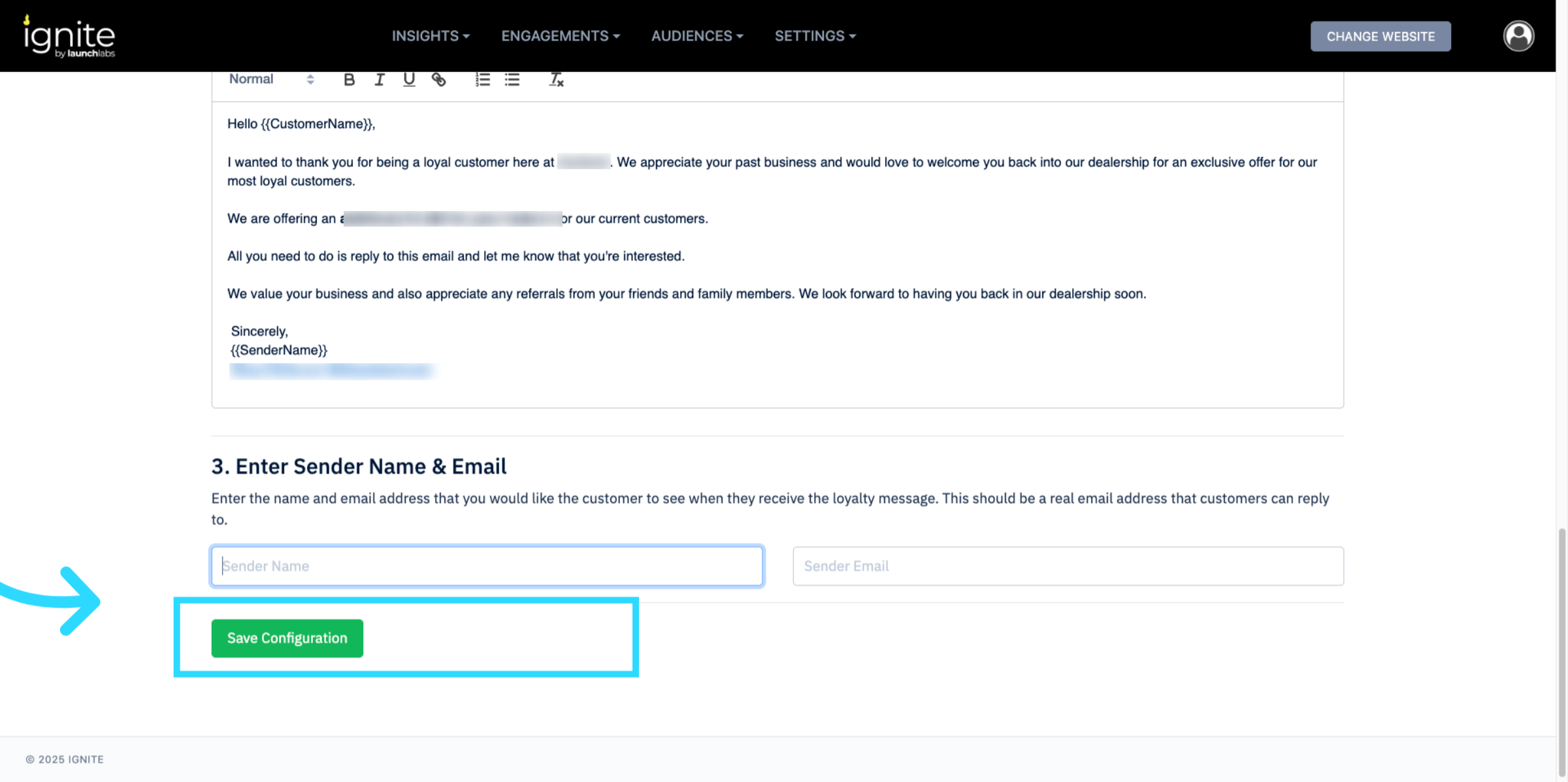
8. Save the Configuration
Click Save Configuration to complete setup.
Next Steps
- Review the daily reports to track returning customer behavior.
- Update your customer list regularly for accuracy. Best practice is to upload customer loyalty lists once per month to keep data fresh without creating unnecessary duplicates.
- Adjust the customer message to align with promotions or seasonal campaigns.