How to Create a New Why Buy
This article explains how to create a new Why Buy in the platform, enabling you to highlight compelling reasons customers choose your product or service.
Watch this video tutorial to see the full process in action:
Step-by-Step Instructions
Follow these steps to create a new Why Buy.
1. Open Engagements
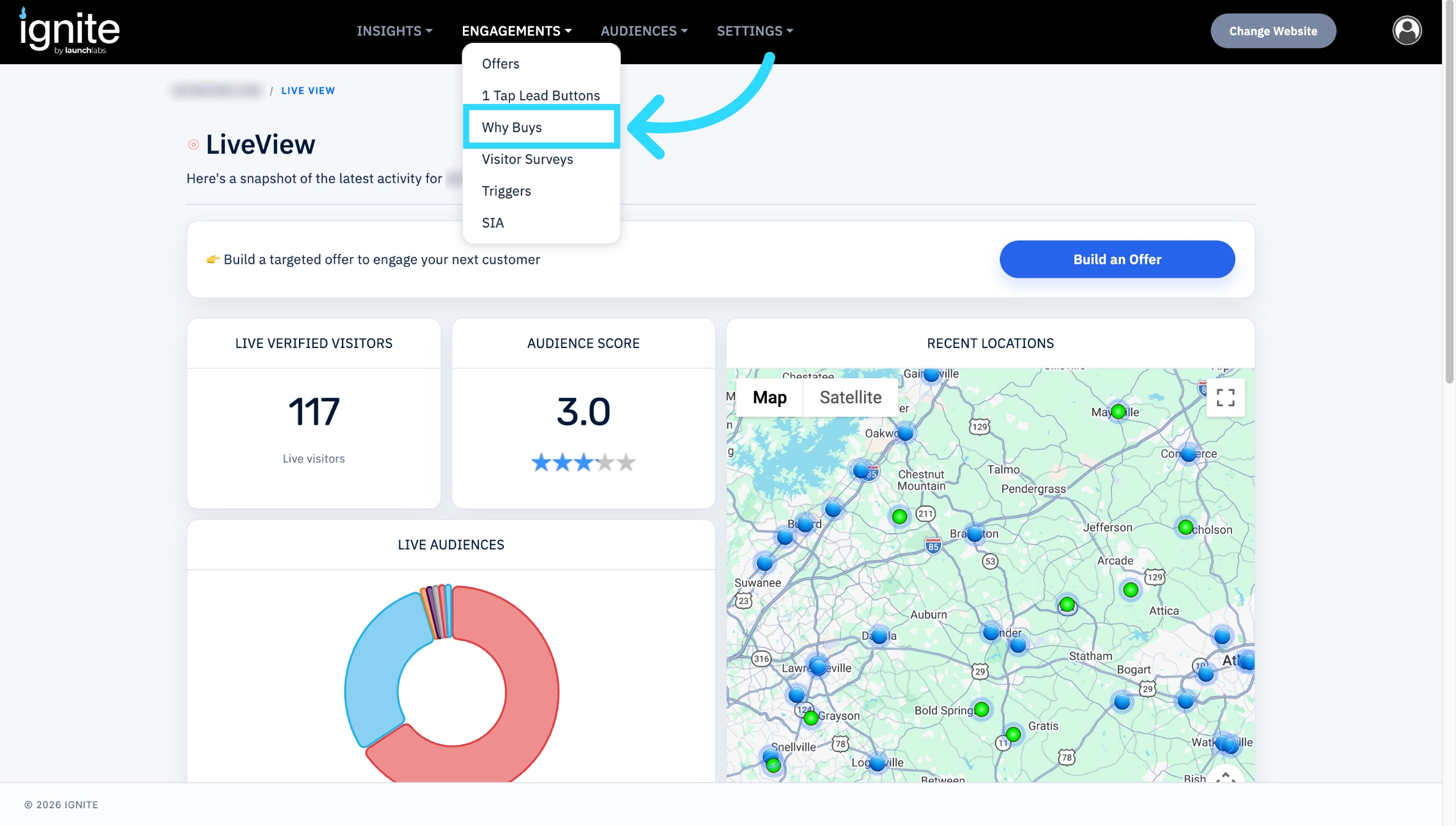
Go to the platform and click Engagements from the top navigation bar. Then, click Why Buys to access the section dedicated to managing reasons customers choose your product or service.
2. Create a New Why Buy
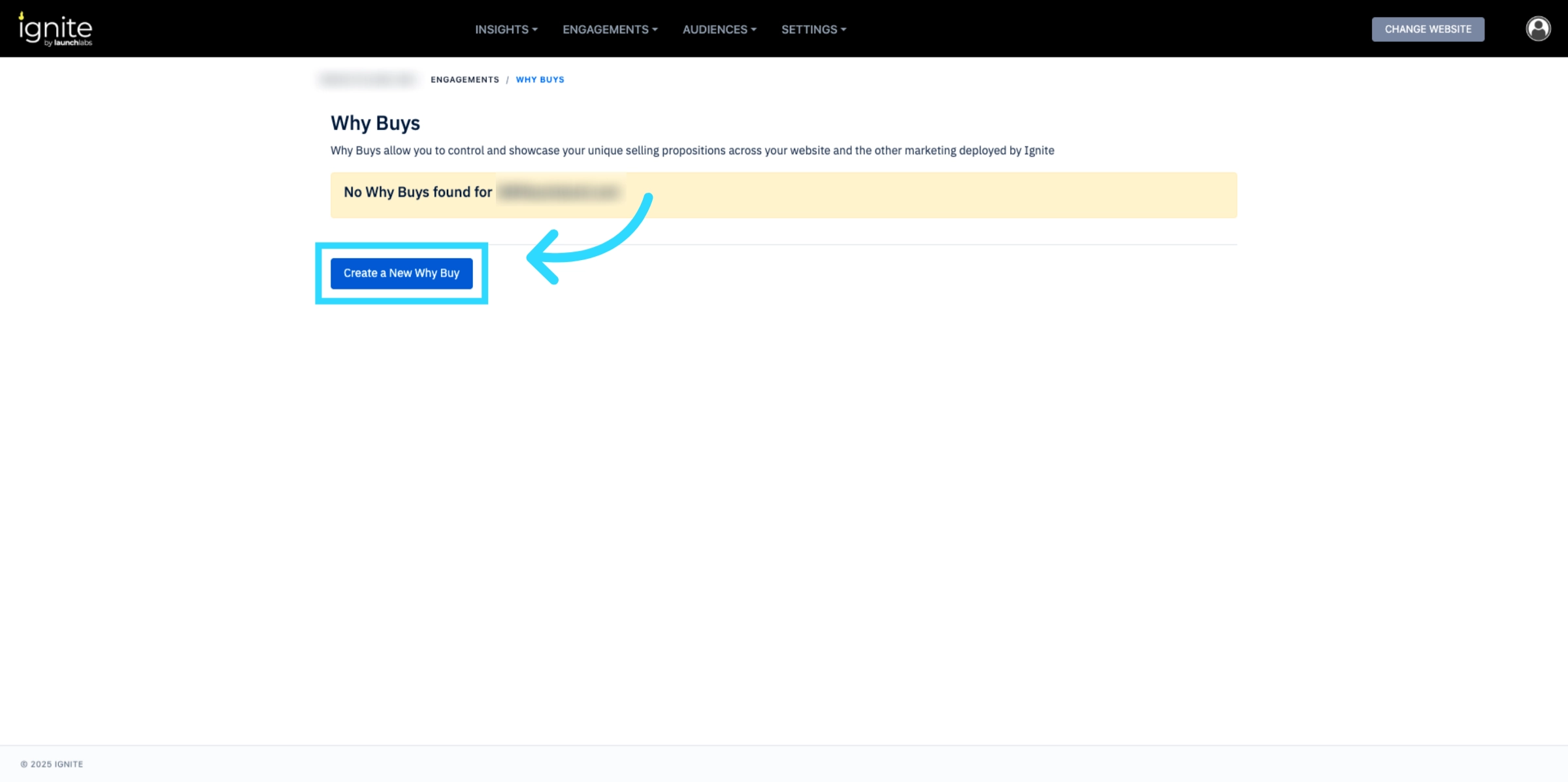
Click Create a New Why Buy to begin.
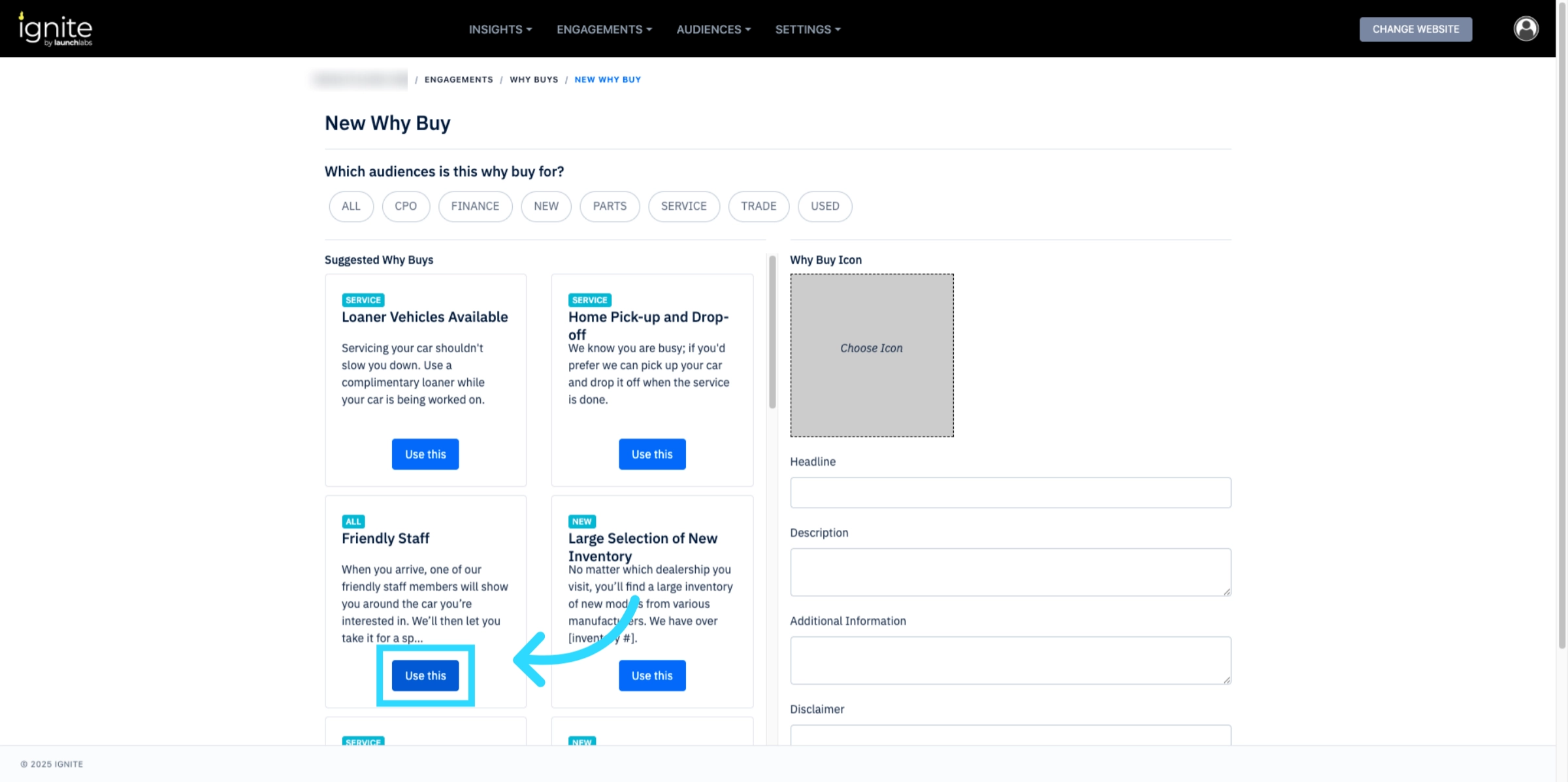
3. Choose a Suggested Why Buy
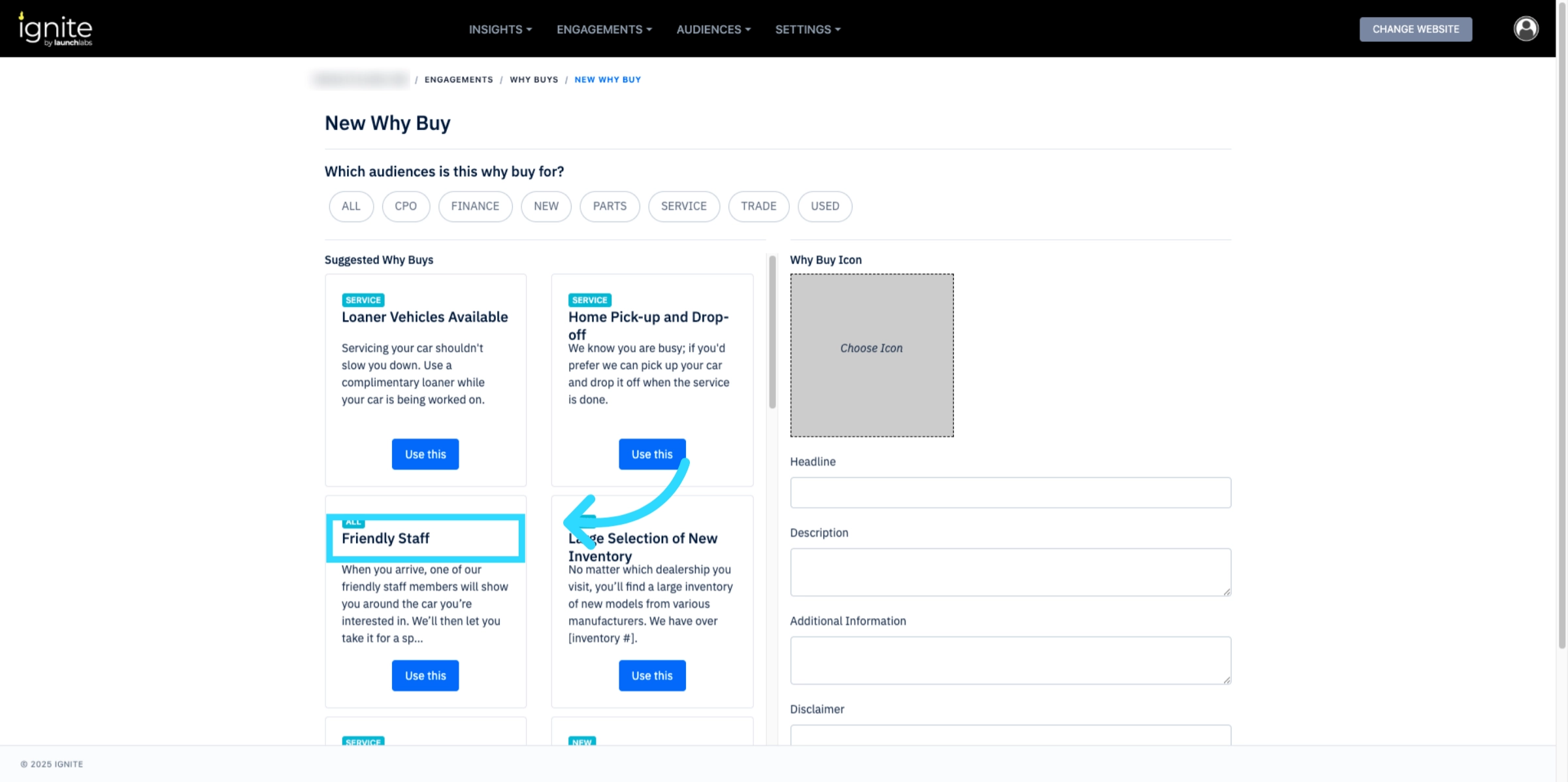
Select from the suggested Why Buys (e.g., Friendly Staff) to highlight predefined reasons that resonate with customers.
4. Confirm Your Selection
Click Use This to add the selected Why Buy to your list.
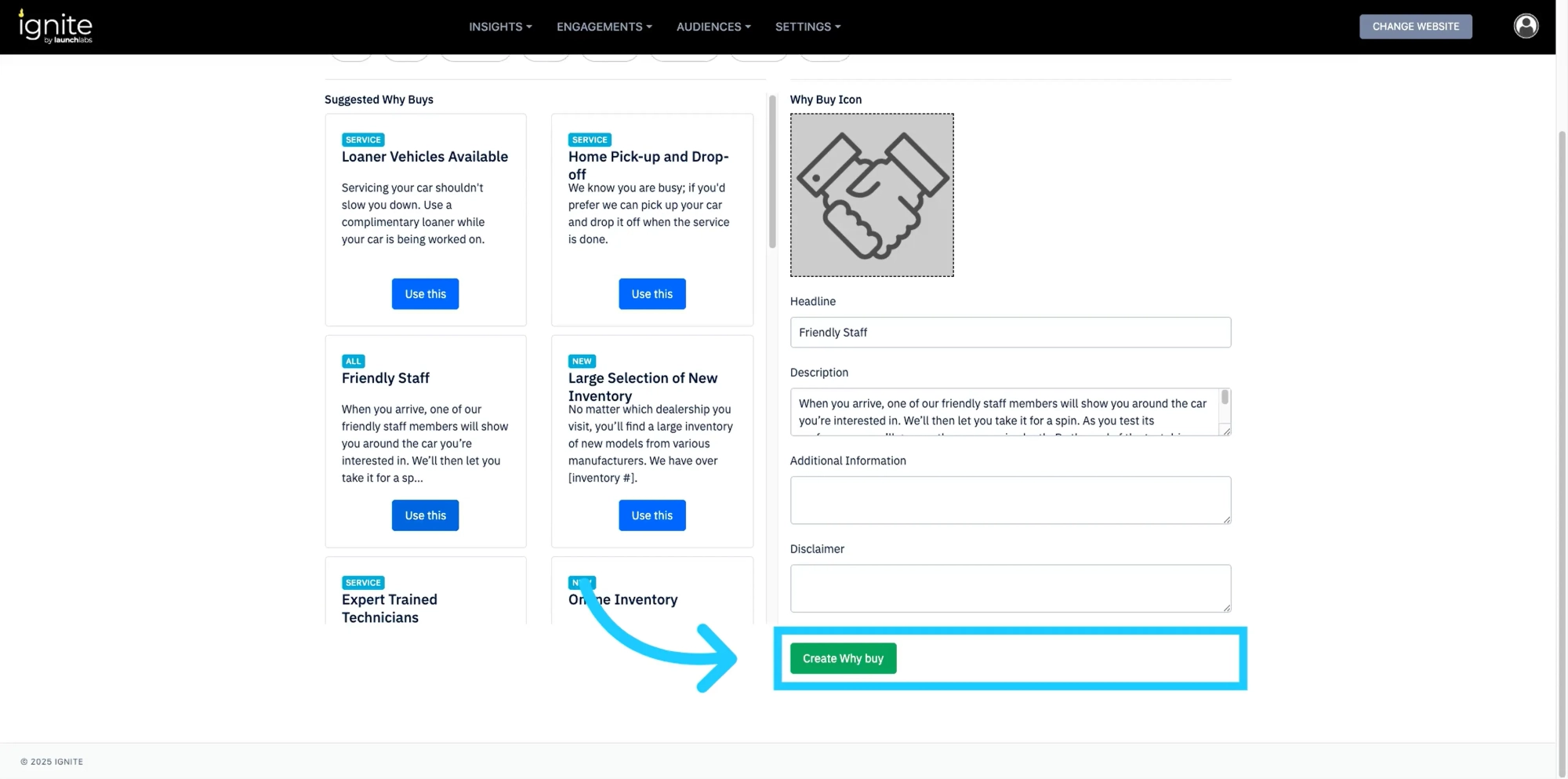
5. Finalize Your Why Buy
Click Create Why Buy to save and publish your new Why Buy.