How to Duplicate an Offer
This article explains how to duplicate offers across multiple websites in the platform. Duplicating offers allows agency users to efficiently create and manage offers across several accounts within their Agency Container.
Watch this video tutorial to see the full process in action:
Step-by-Step Instructions
Follow these steps to duplicate an offer in the Offer Engine.
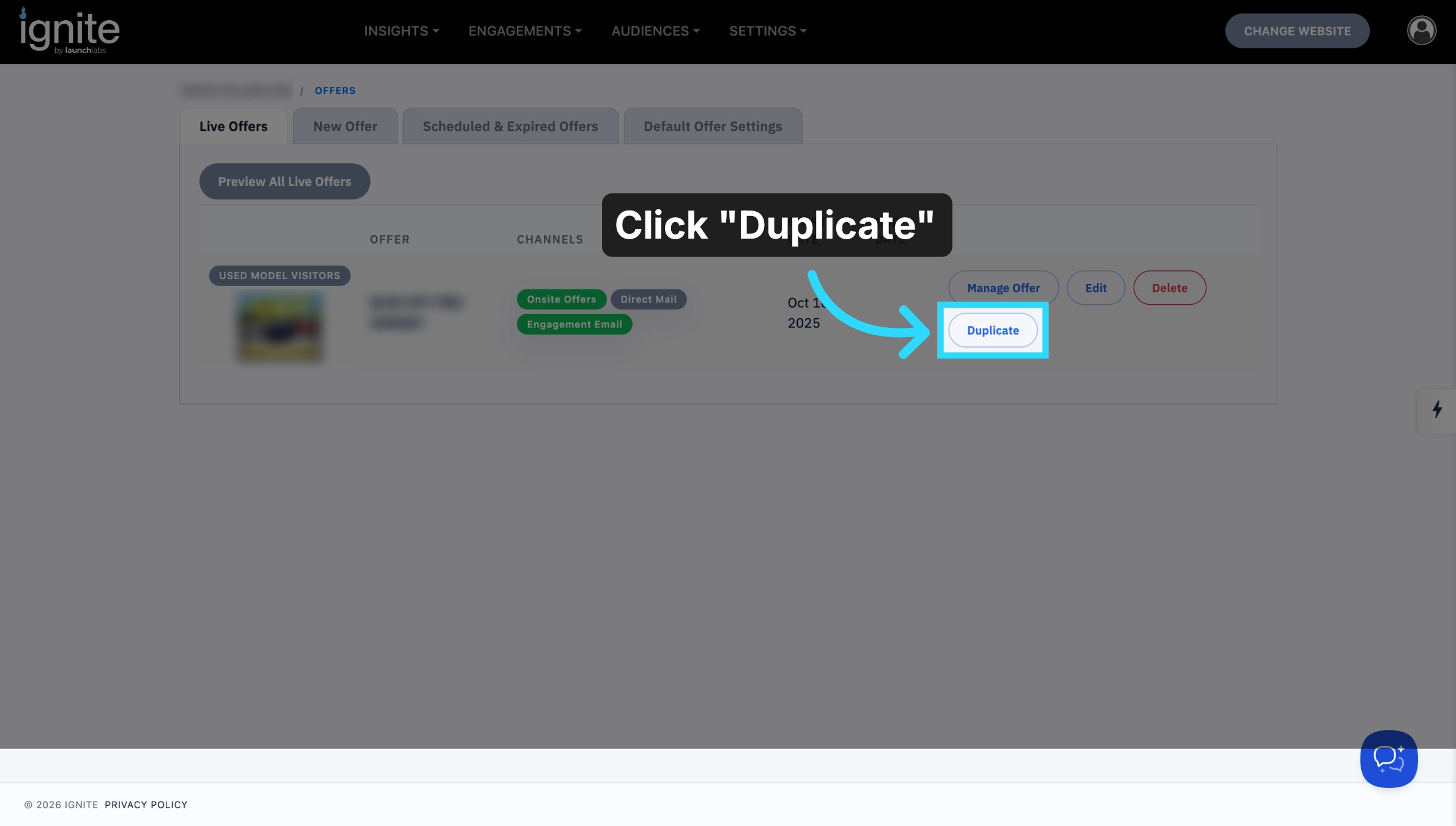
1. Click Duplicate Button
Click the Duplicate button to start duplicating an existing offer.
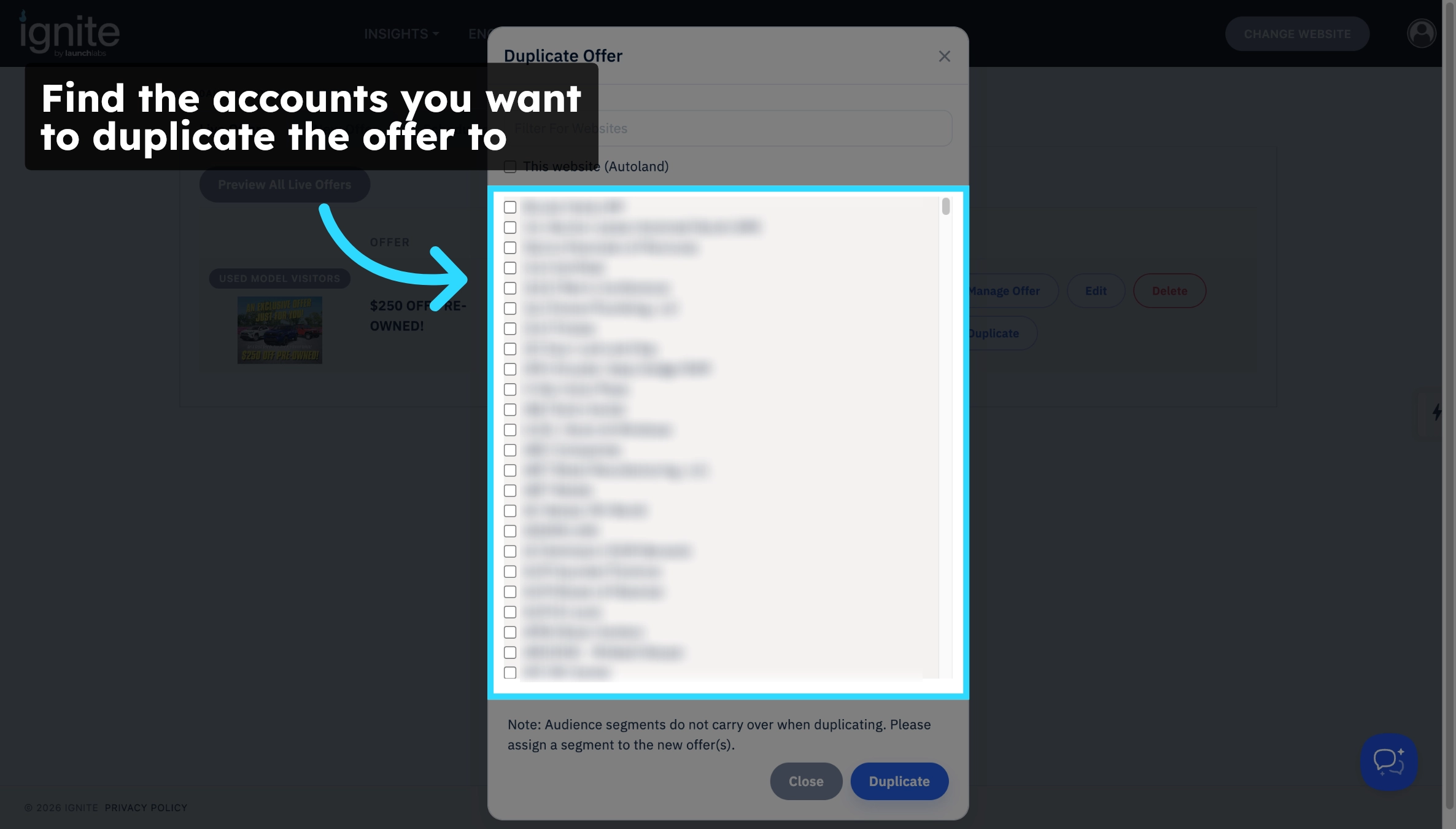
2. Identify Accounts
Identify the accounts where you want to duplicate the offer.
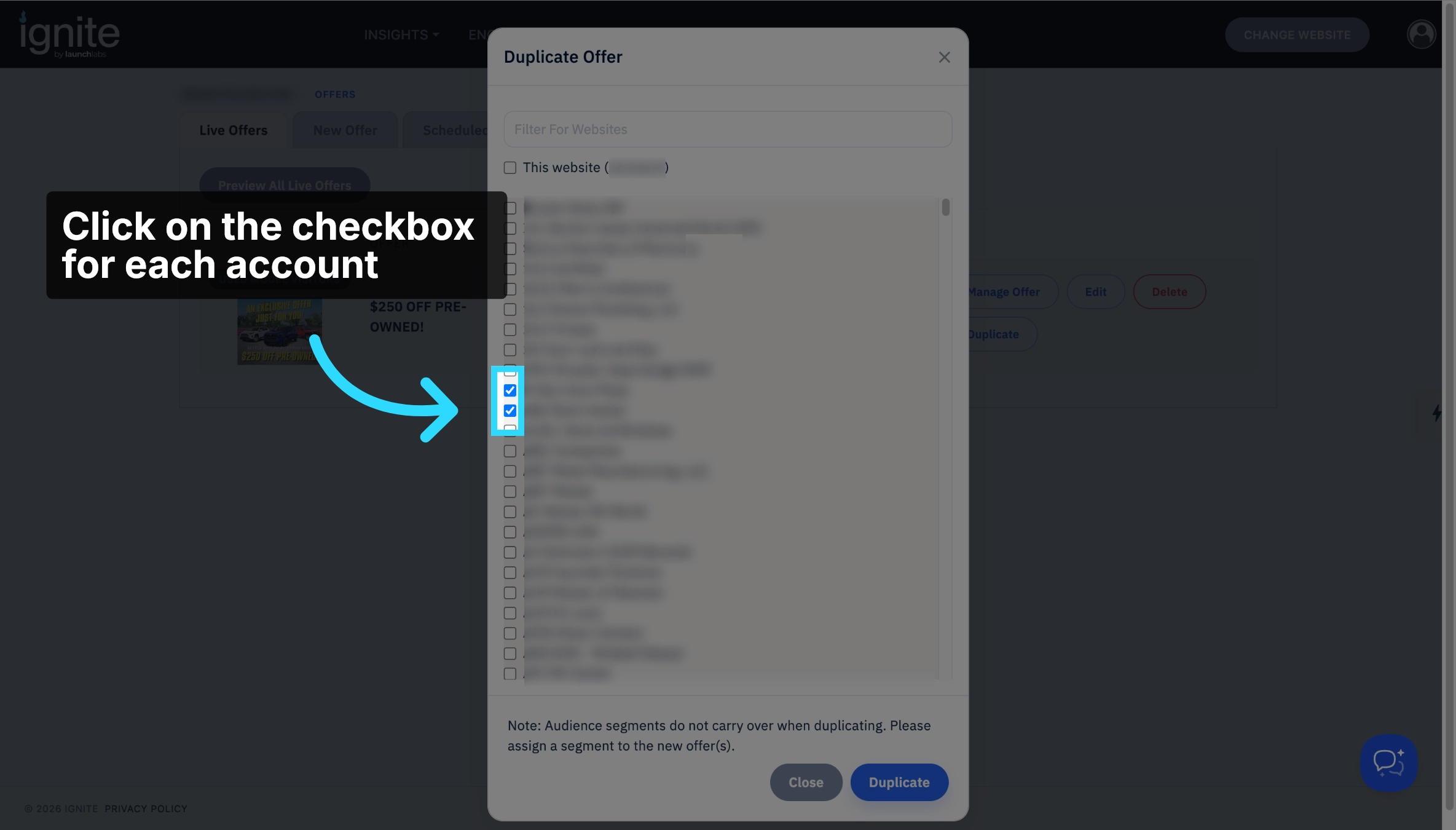
3. Click the Checkbox
Click the checkbox for each account.
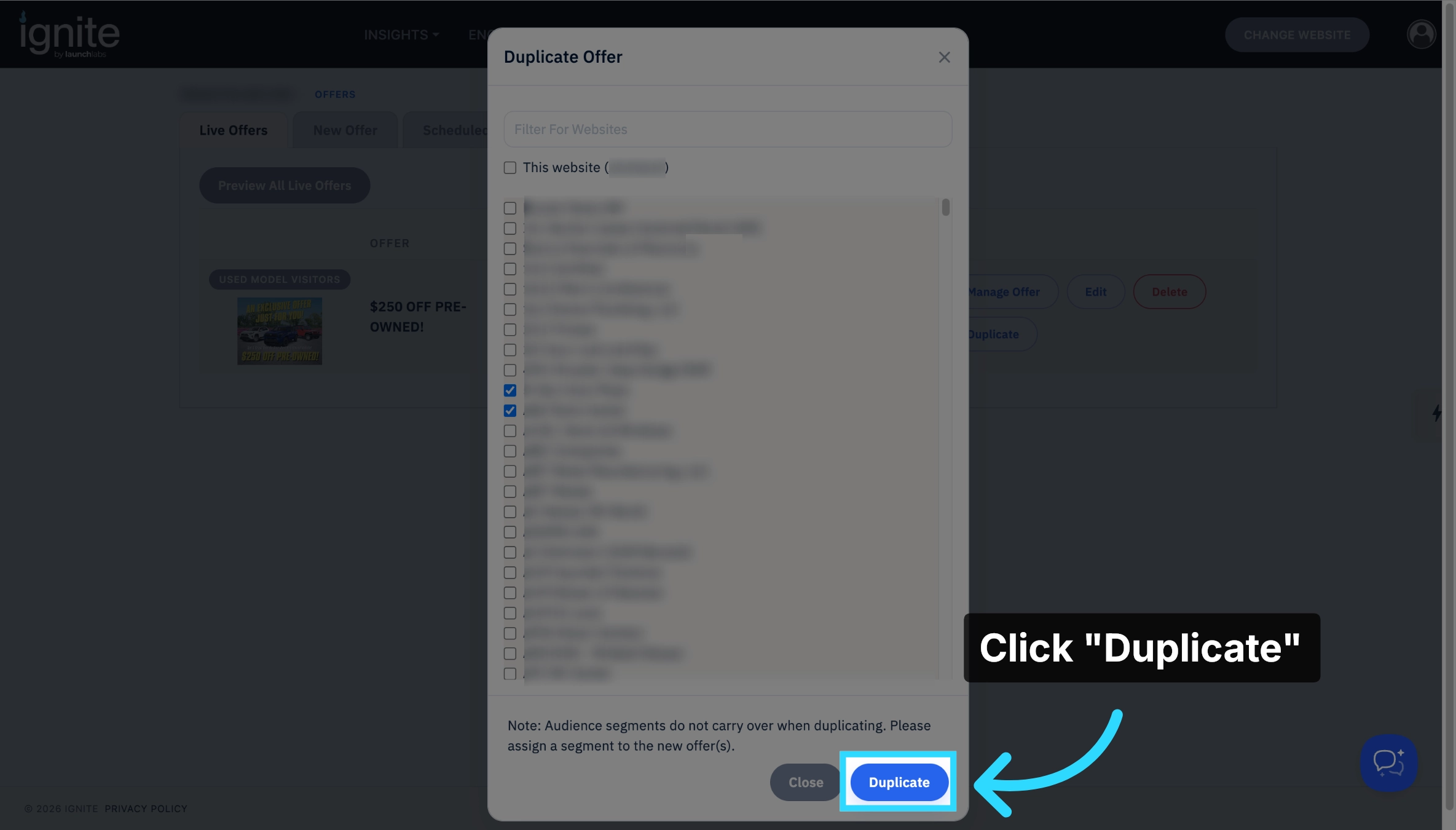
4. Confirm Duplication
Click Duplicate again to confirm and proceed with duplicating the offer across selected accounts within your agency.
5. Open Duplicated Offer
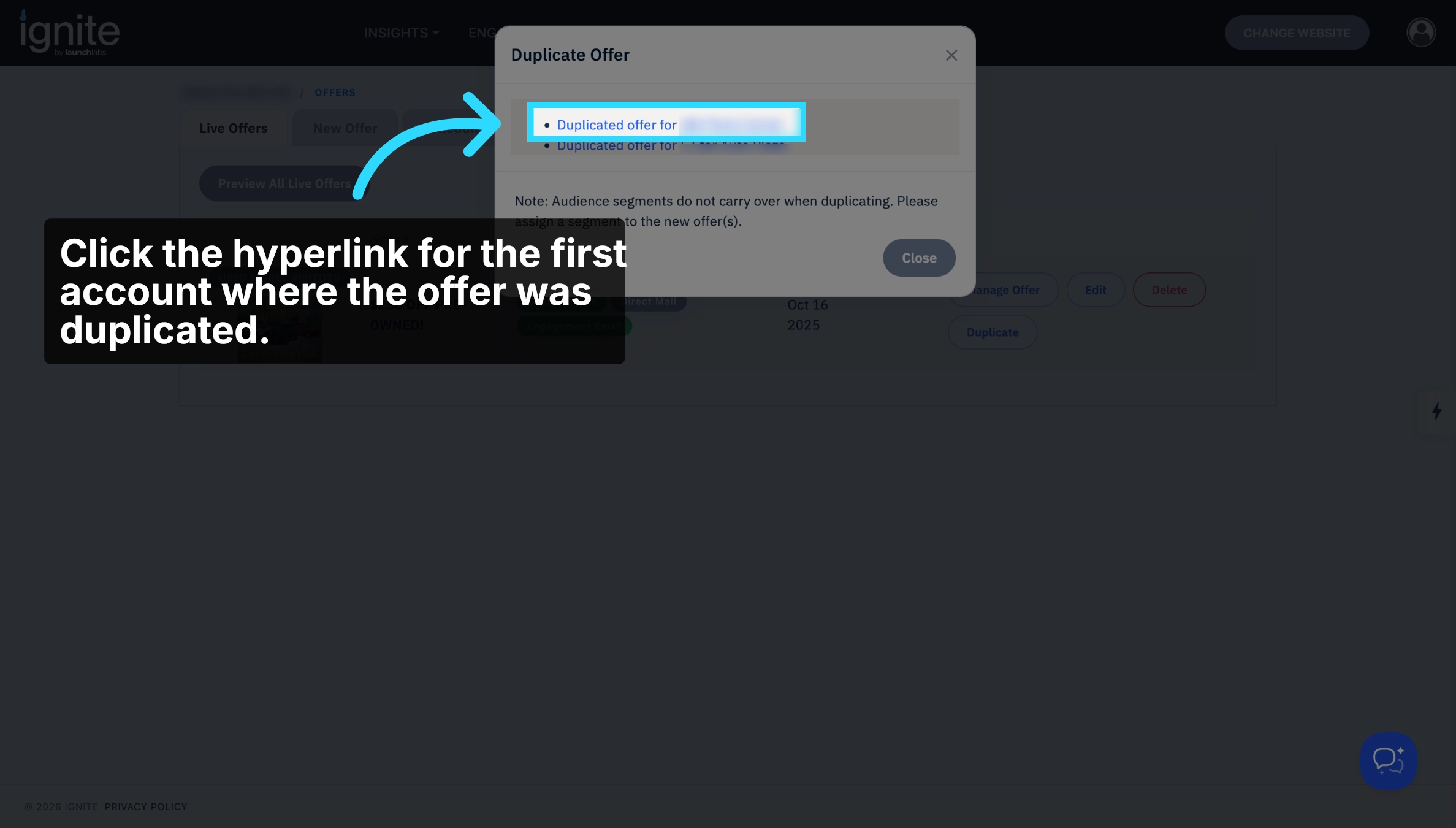
Click the hyperlink for the first account with the duplicated offer.
6. Edit Offer Details
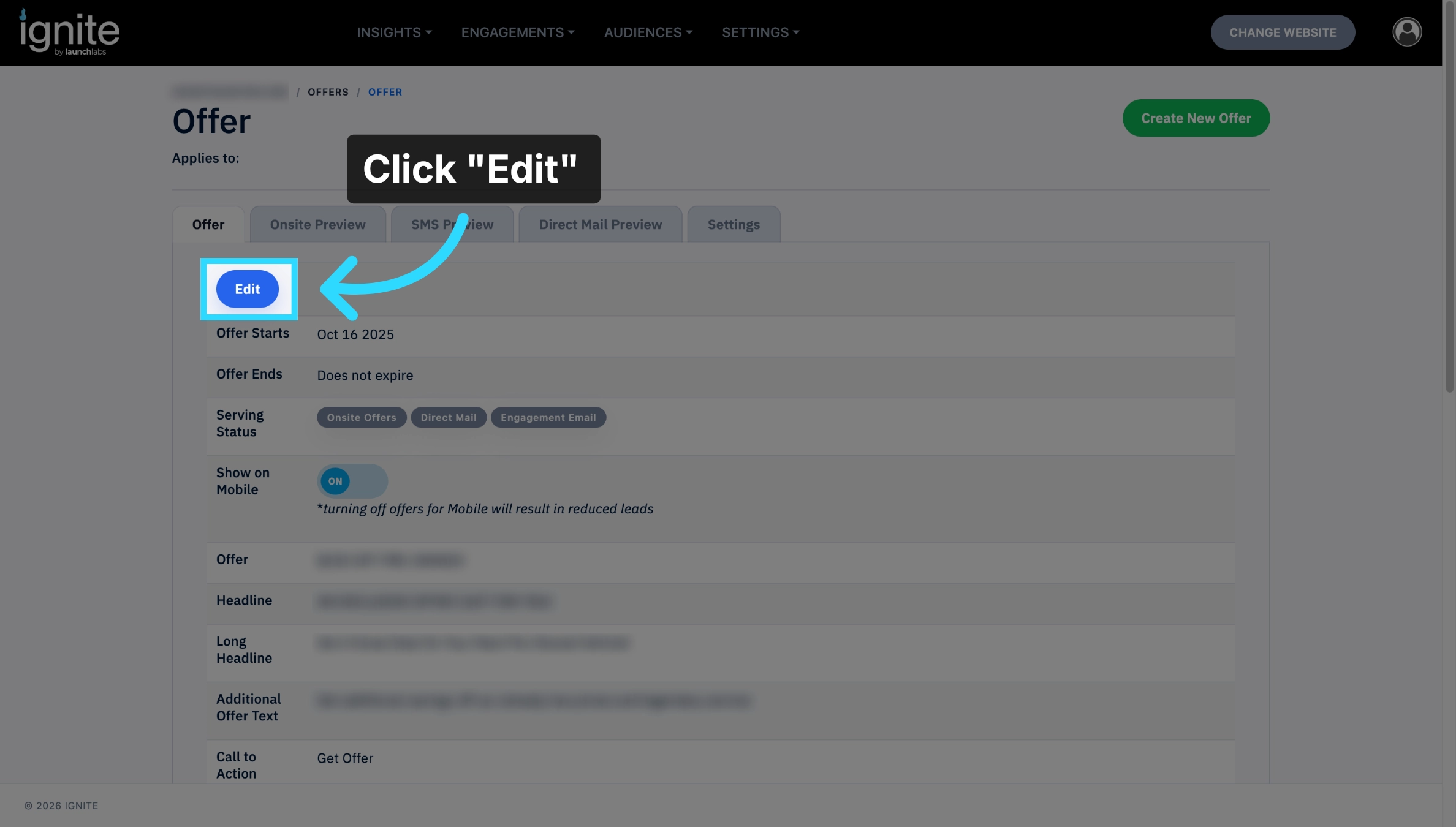
Click Edit to modify the details of the new offer as needed.
7. Proceed to Next Step
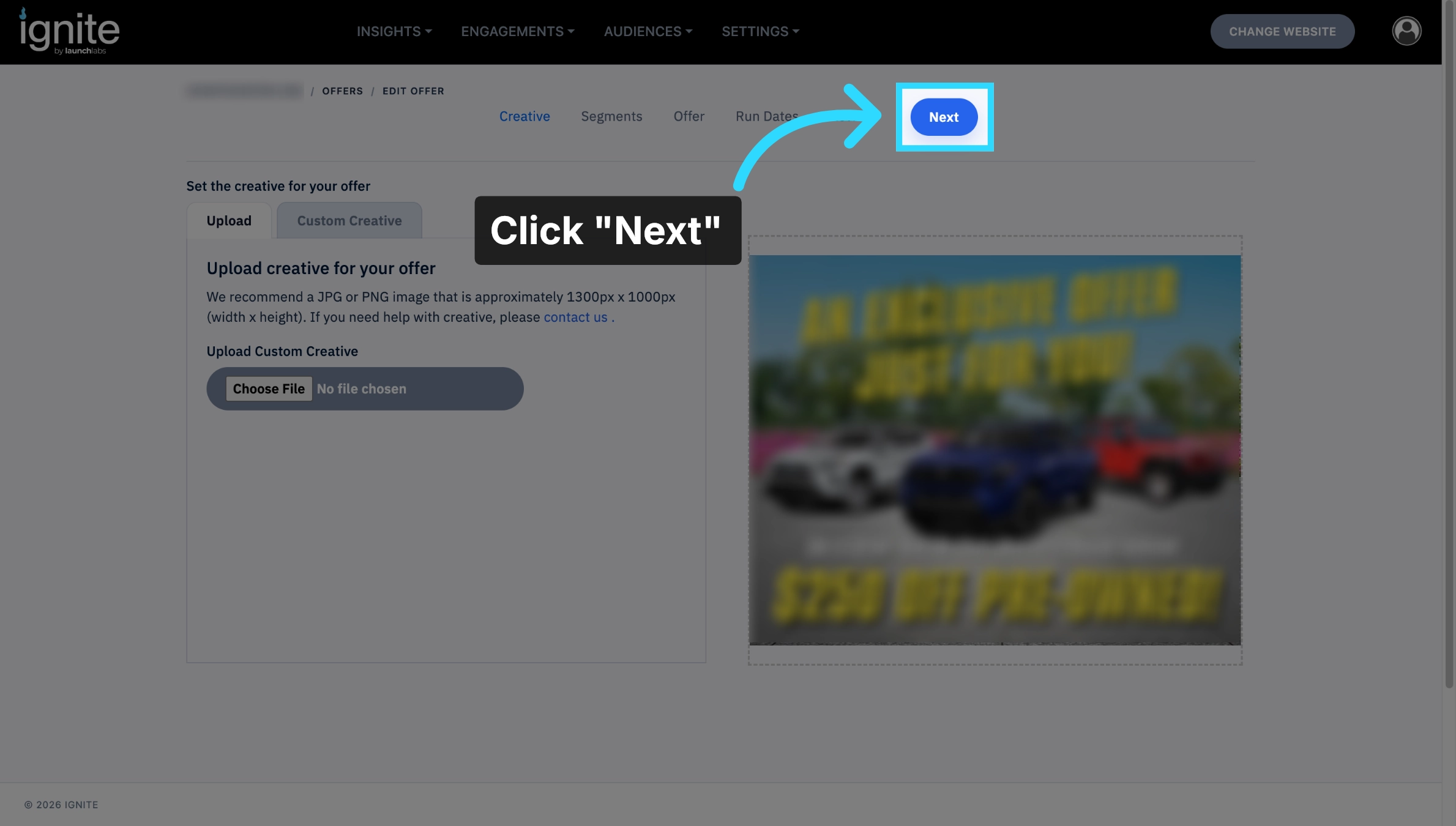
Click Next to continue through the offer setup process.
8. Select the Segment
Audience segments will only carry with the offer if duplicated to the same site it is on.
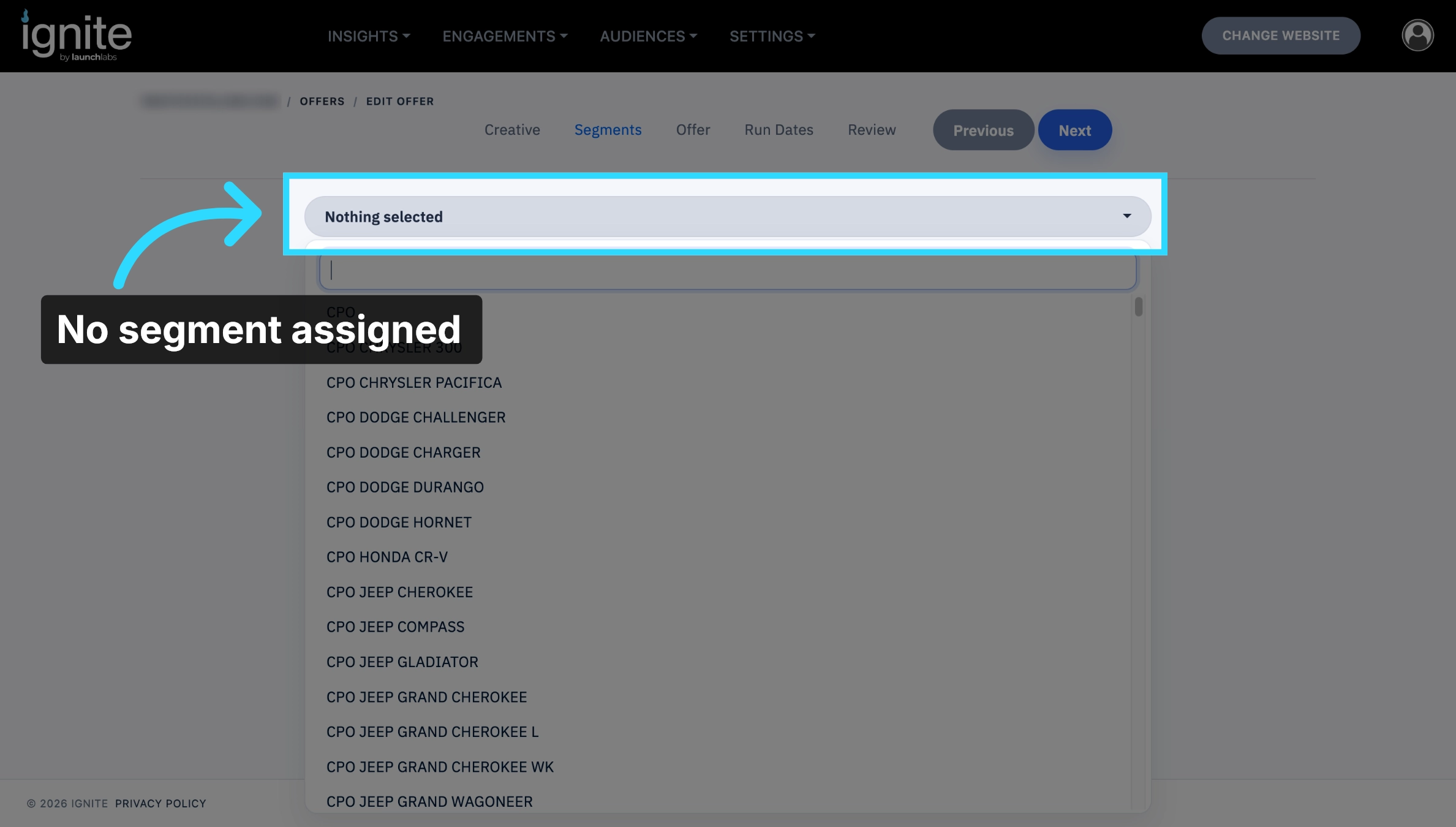
If duplicating to the same site, check that the correct segment is assigned. If duplicating to a different site, there will be no segment assigned originally.
⚠️ Custom audience segments will not be available, only platform generated ones.
9. Change the Segment
If needed, click the audience segment the offer should be assigned to.
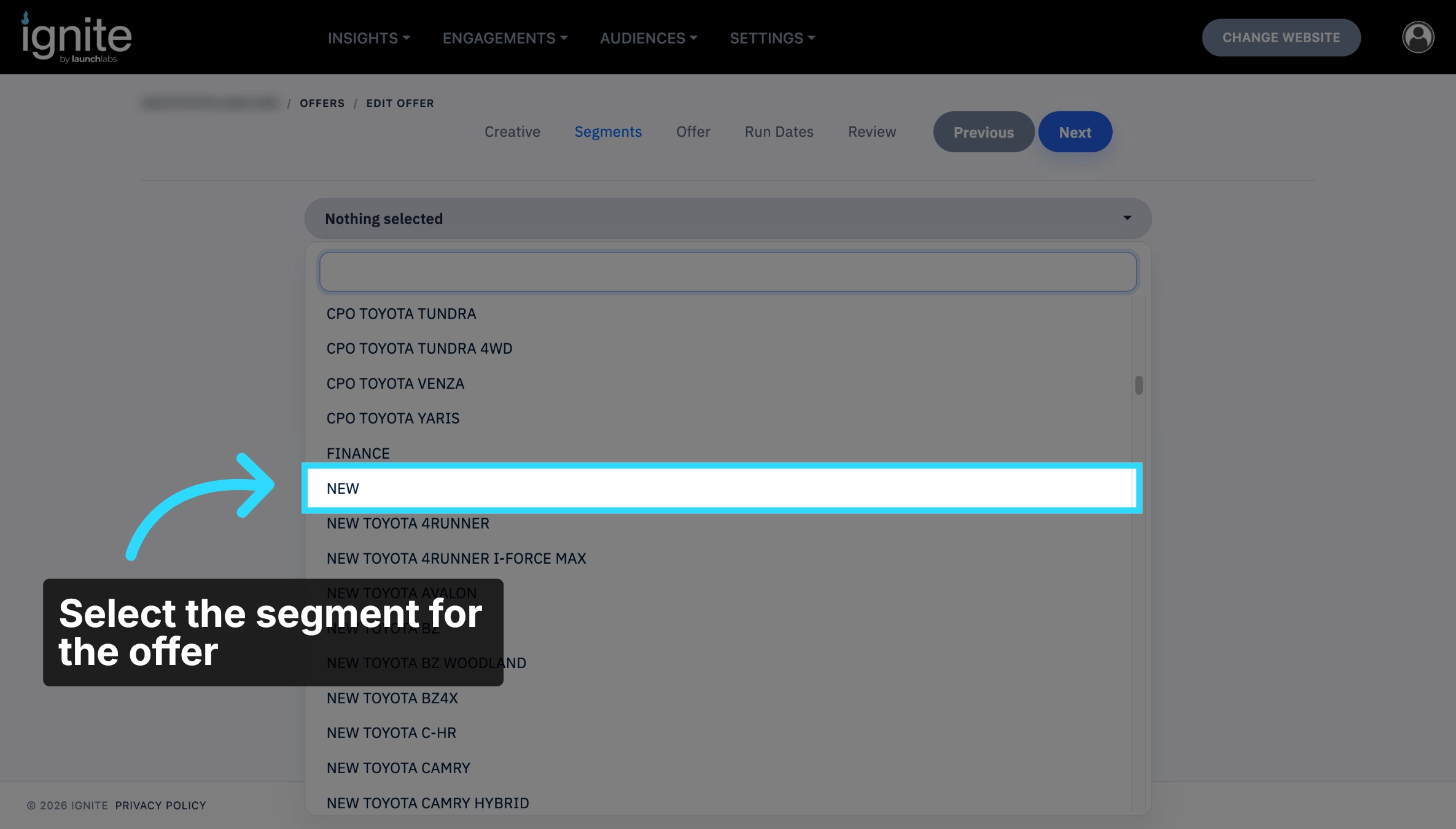
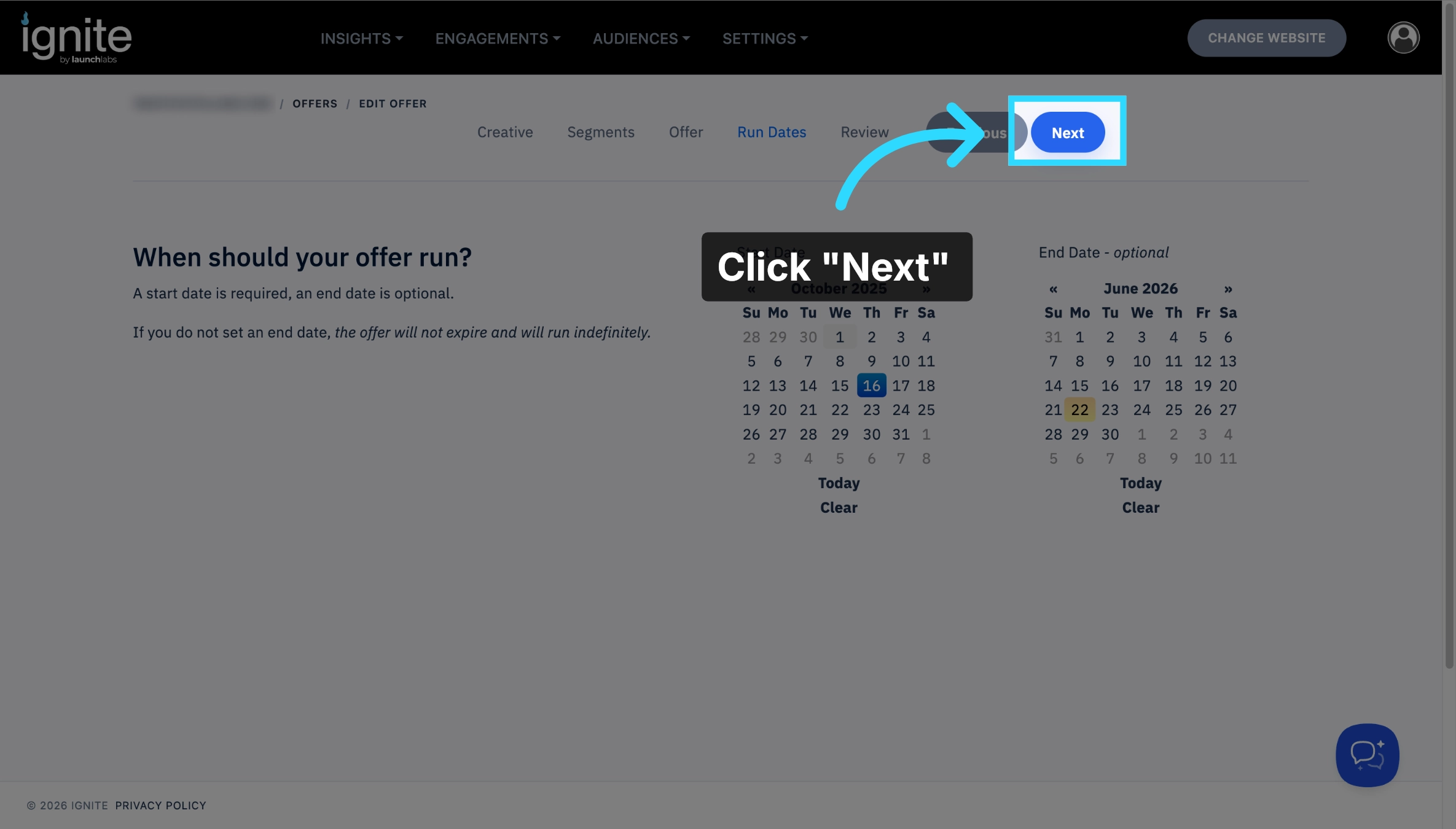
10. Proceed Further
Click Next to advance to the final steps of the offer setup.
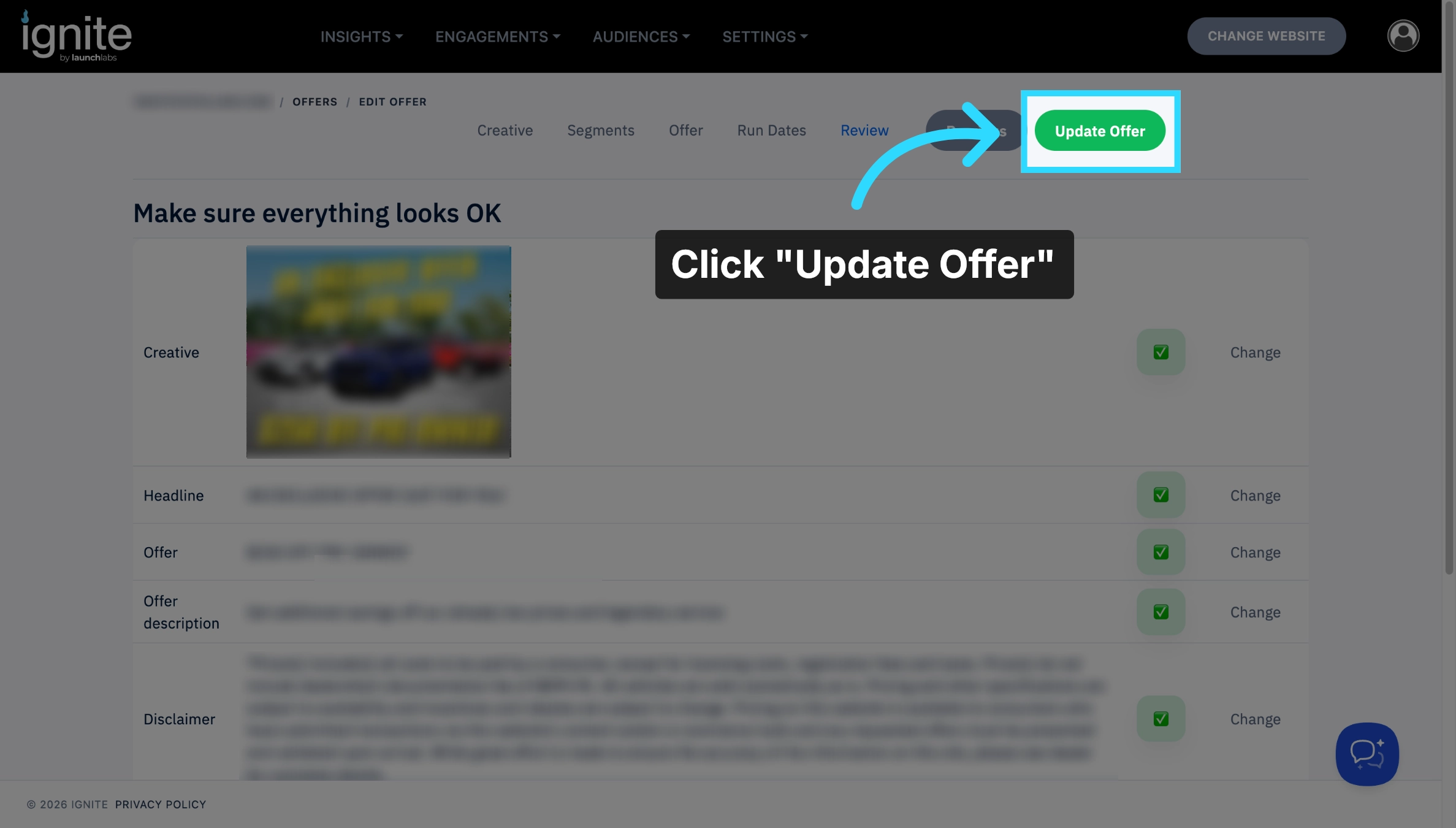
11. Update Offer
Click Update Offer to save all changes and finalize the duplicated offer.
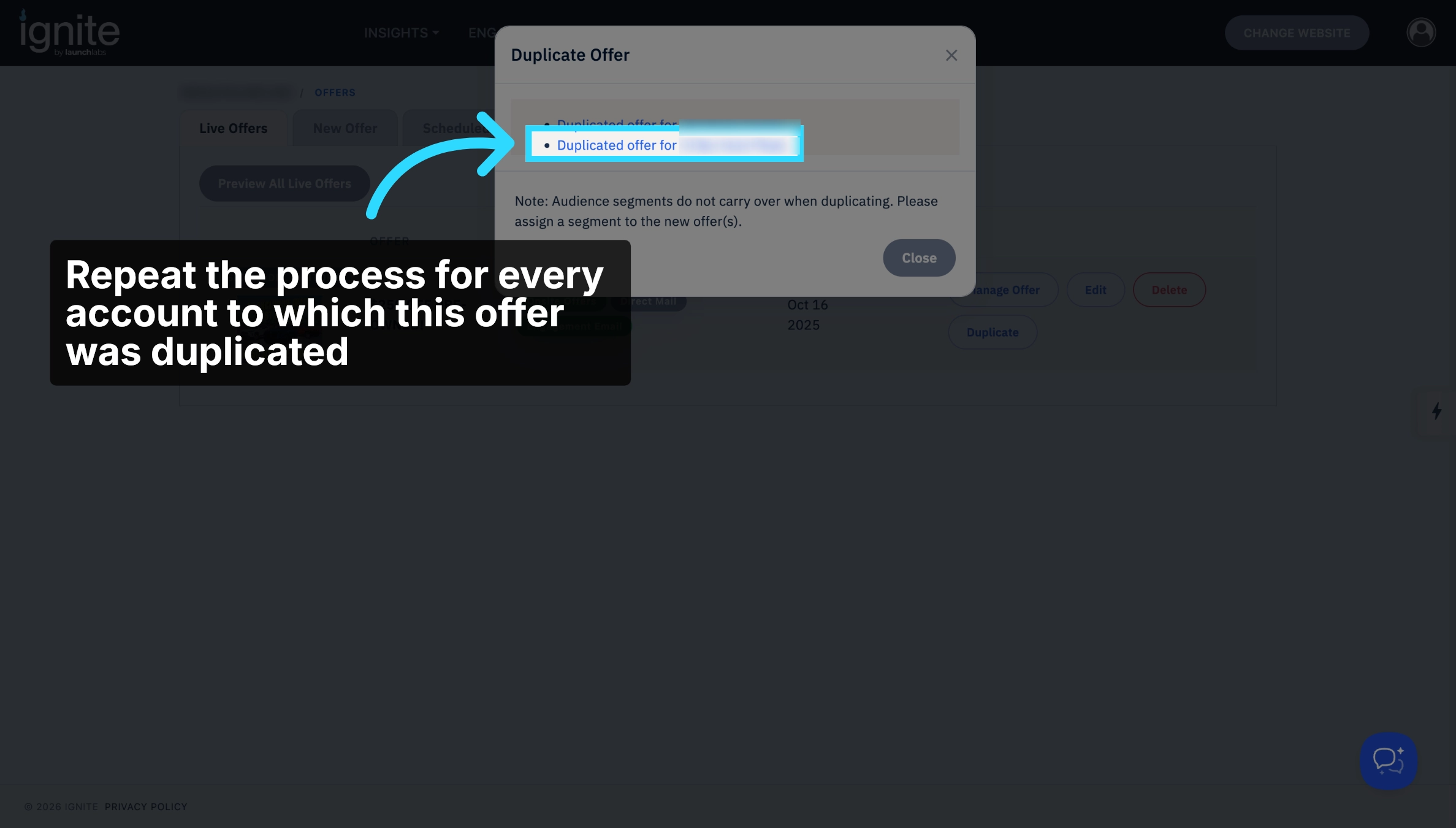
12. Open Other Duplicated Offers
Click the duplicated offer for all other accounts and repeat the same steps.
13. Checking for missing segments
A missing segment icon will appear for all offers duplicated from another site, or any offer that doesn’t have a segment assigned to it.
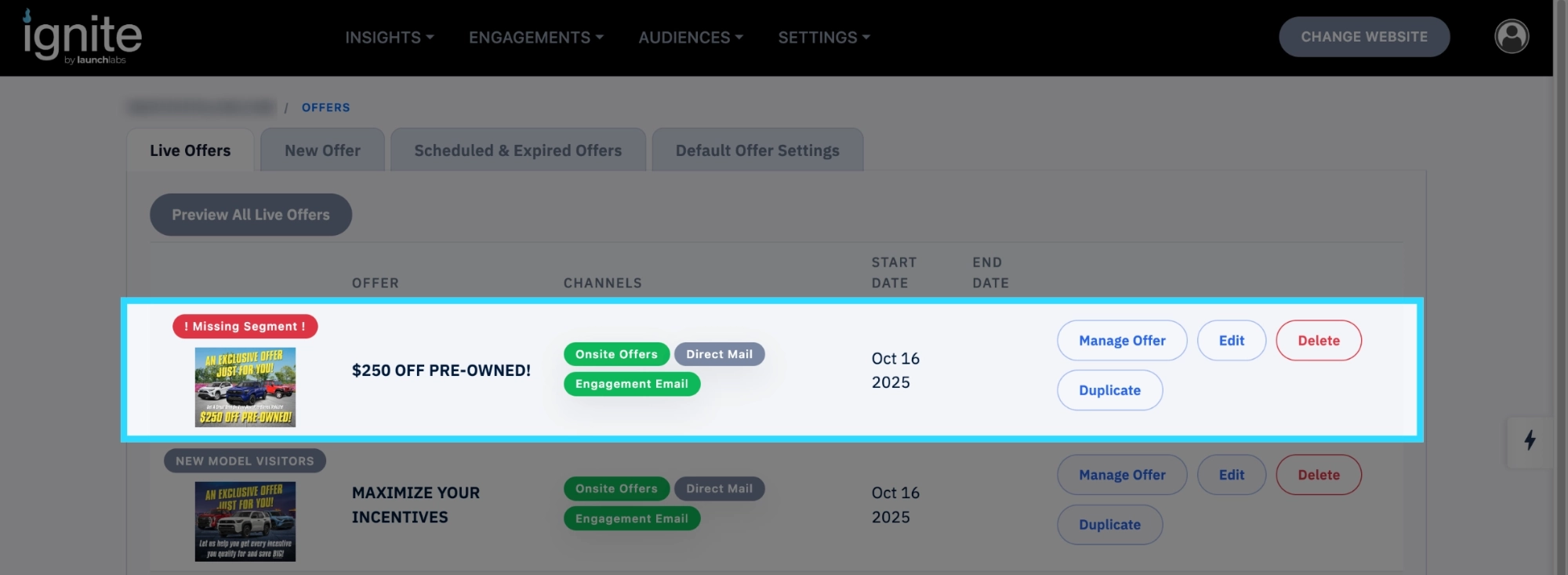
Click Manage Offer then follow the the instructions starting at step six to add a segment to the offer.
14. Completion
You have successfully duplicated and updated offers across multiple accounts. Duplicating offers helps maintain consistency and saves time when managing offers across multiple websites.