How to Customize Inline Offers
This article explains how to customize Inline Offers in the platform.
Inline Offers are an alternative offer type that differs from traditional onsite offers. They appear within your page content, helping address compliance concerns and they are less likely to be blocked by browsers.
For more information on what Inline Offers are, check out the article What are Inline Offers?
To set up Inline Offers on your account, reach out to support@launchlabs.ai.
Step-by-Step Instructions
1. Creating Inline Offers
- Once Inline Offers are configured on your site, you can create them in the same way as Onsite Offers.
-
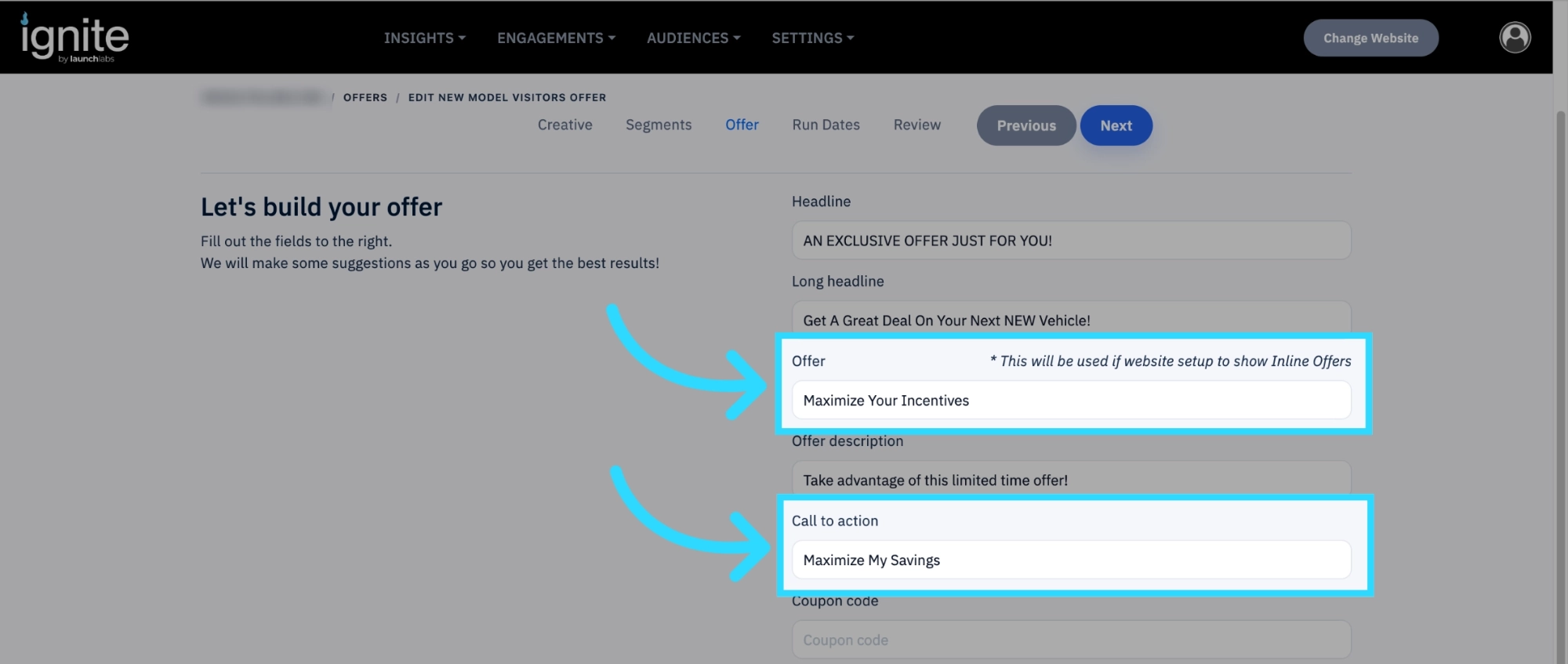
The big difference between Inline Offers and Onsite Offers is only the text in the Offer field and Call to action field will be displayed on the offer.
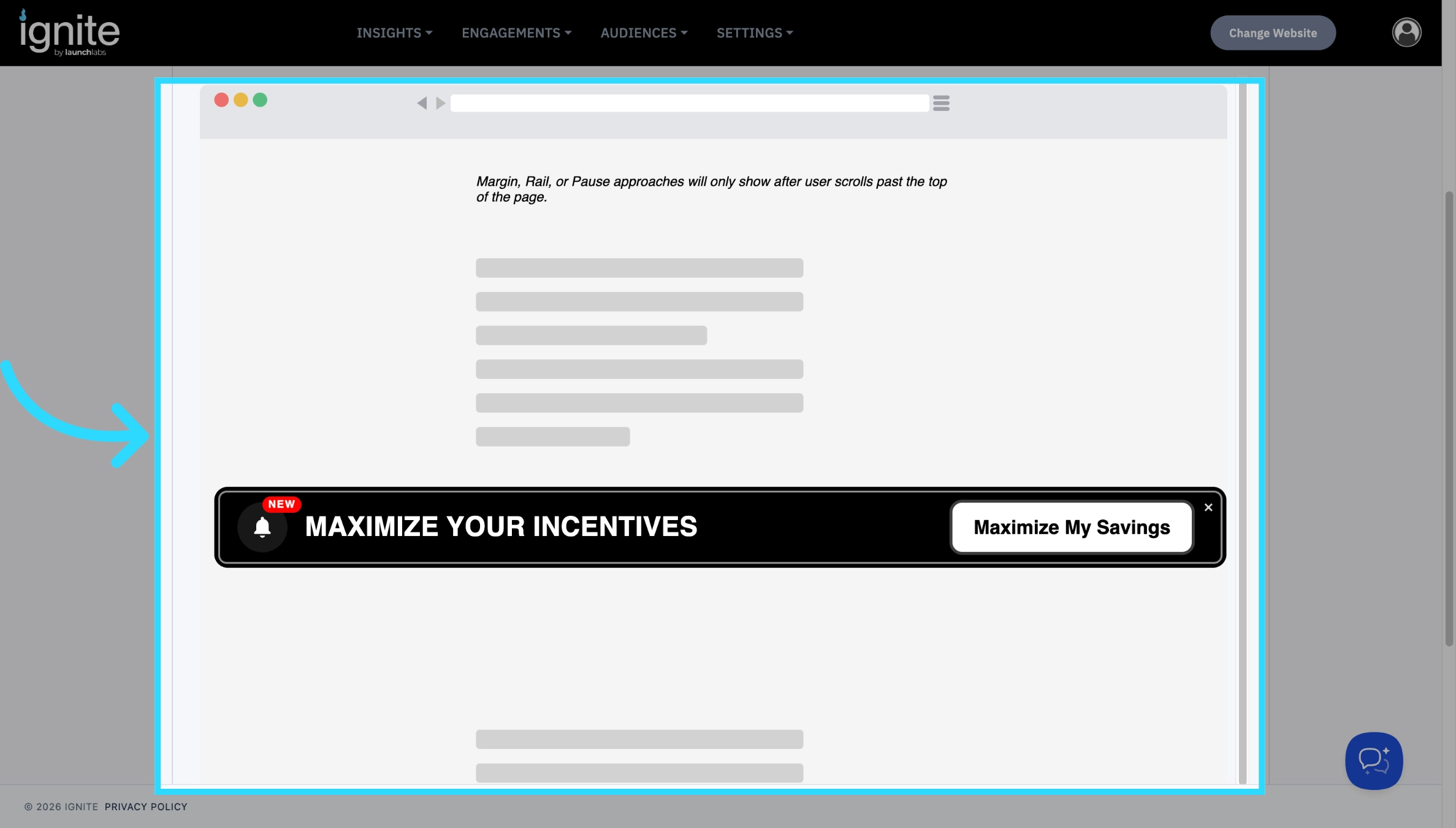
-
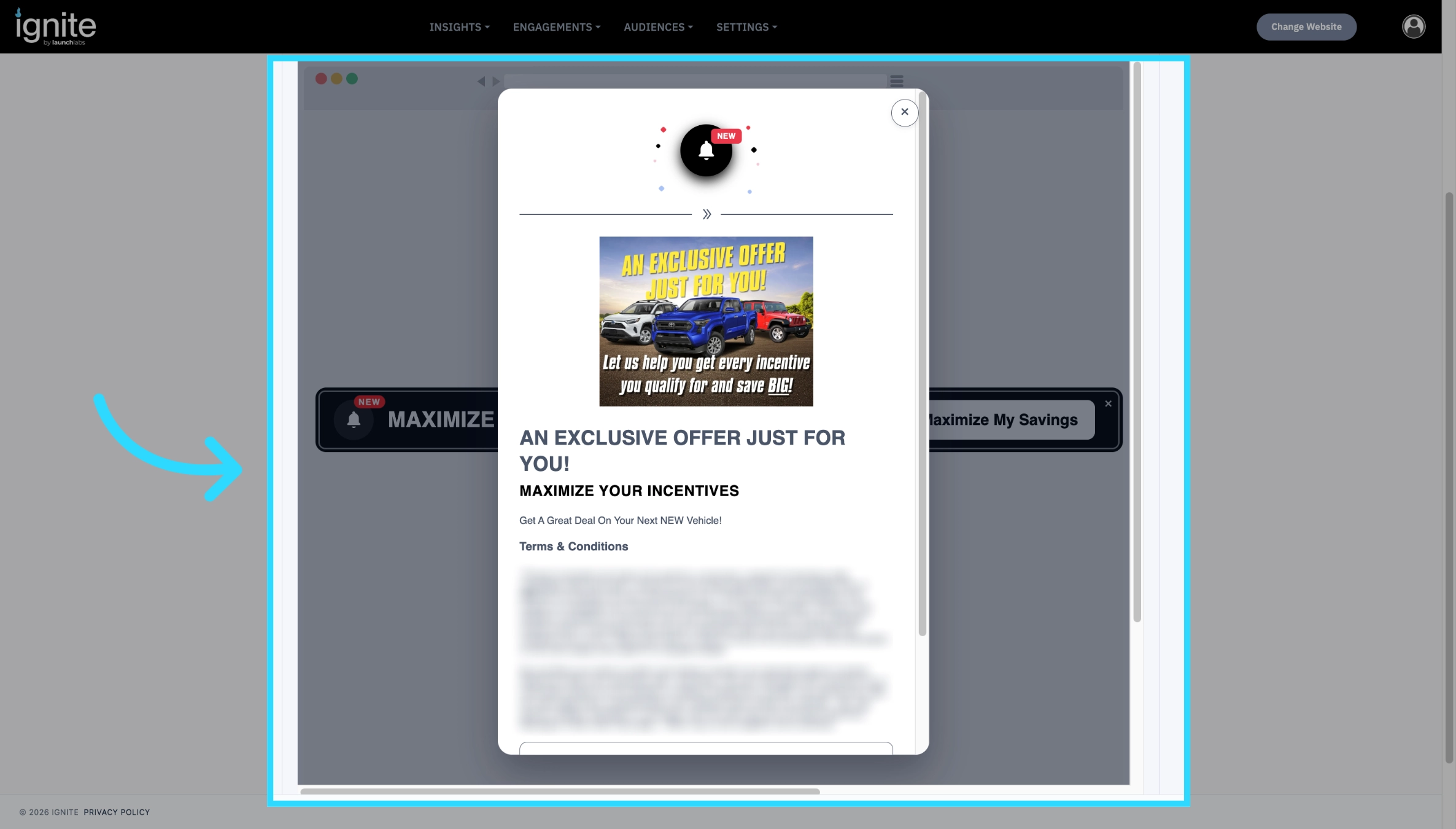
When your visitor clicks the Call to Action button, the whole offer will appear to them.
- Read the article How to Build an Offer for more information.
2. Changing the colors
On top of creating your own offer and message, you can customize the way the Inline Offer will appear on your site.
-
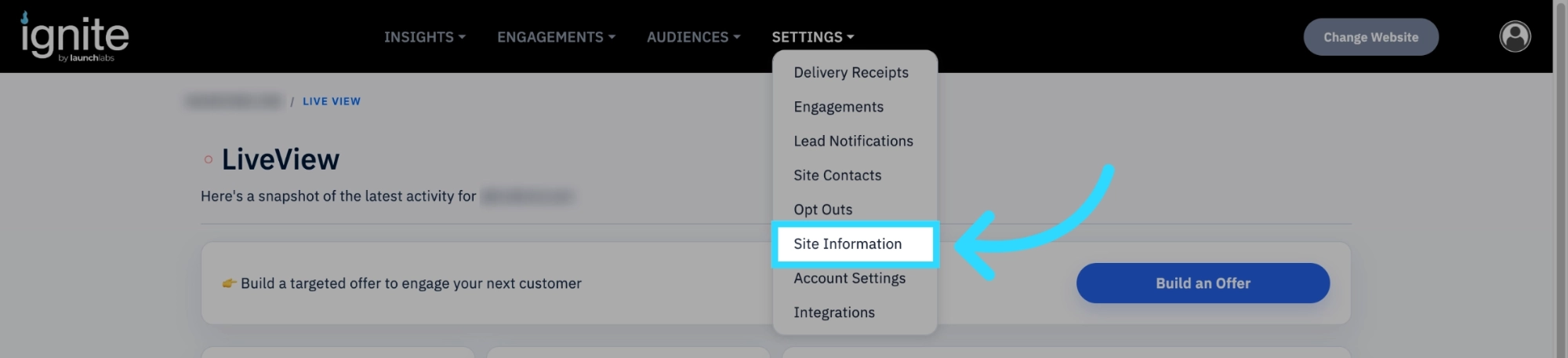
Navigate to Site Information
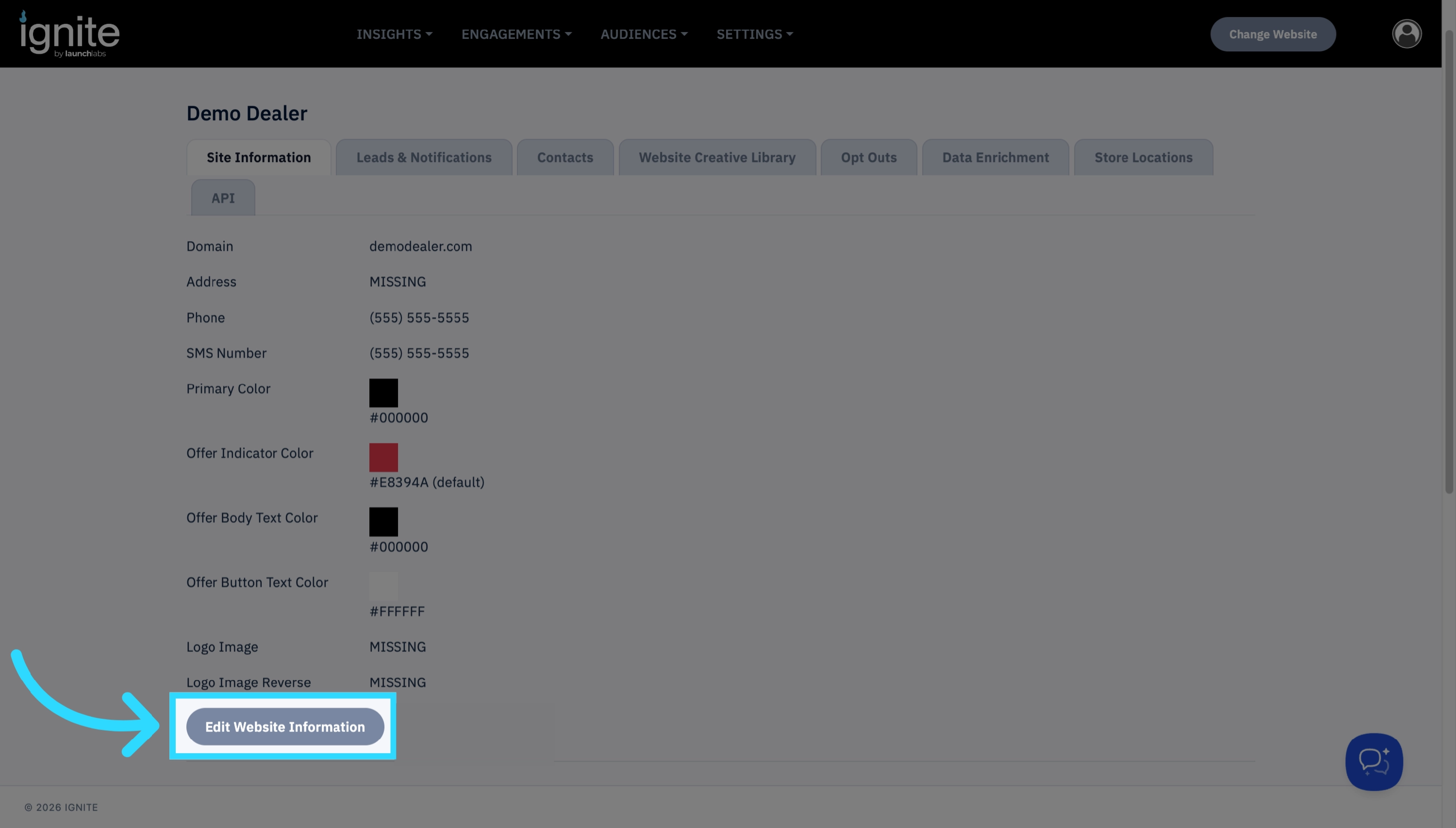
Click Edit Website Information
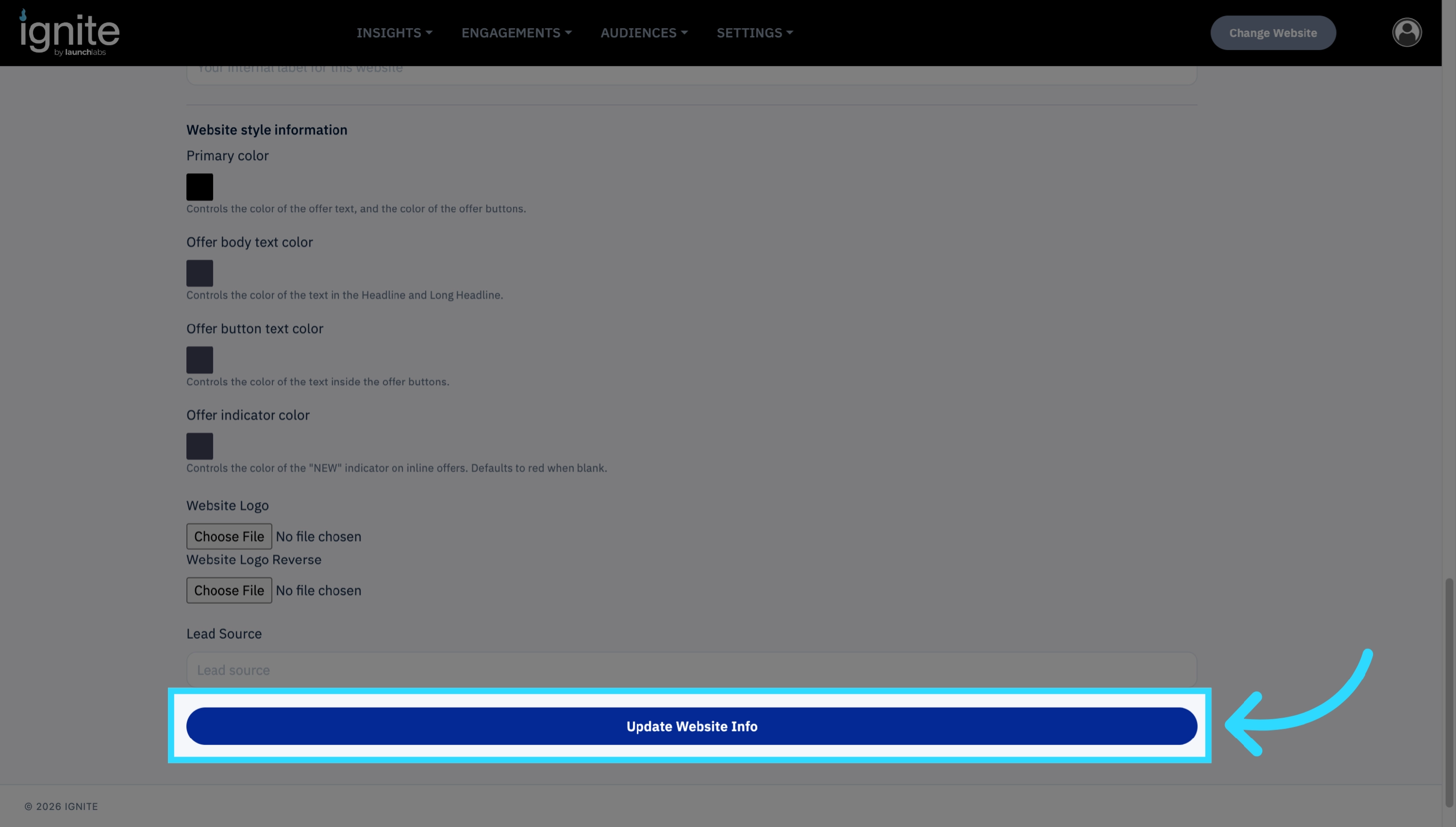
Find Website style information. Here you can select the colors that will appear on an offer.
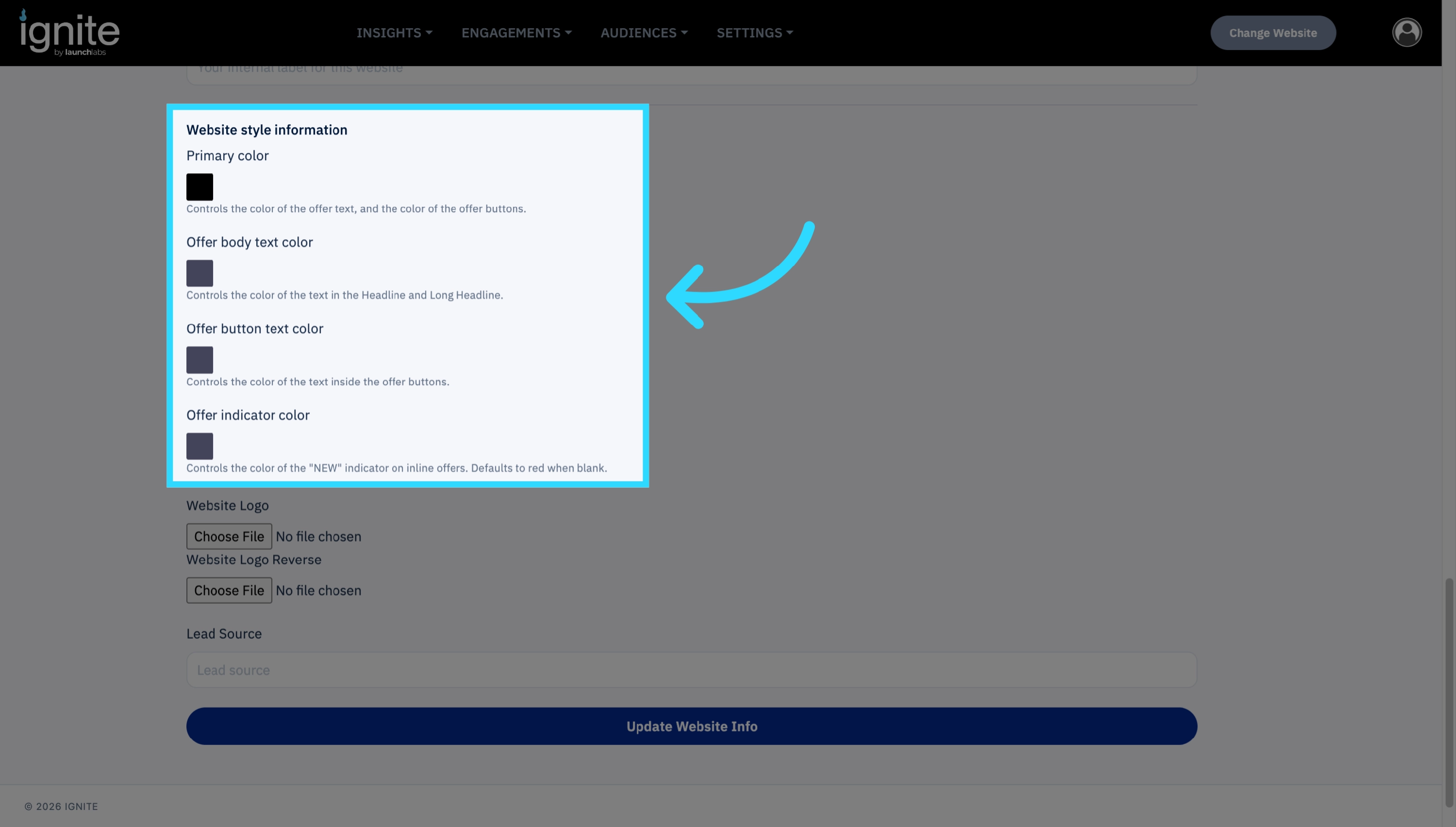
- Primary Color: This Controls the color of the banner, as well as the Offer text when the Call to Action is clicked.
- Offer Body Text Color: This controls the color of the Headline and Long Headline, after the Call to action has been clicked.
- Offer Button Text Color: This controls the Text color inside the buttons on Onsite Offers. This will not affect Inline Offers.
- Offer Indicator Color: The controls the color of the “New” indicator, as well as the confetti colors on inline offers. This defaults to red.
-
Click Update Website Info to save your changes.