How to Sync In-Market Audiences to Tiktok, Meta, and Google Ads
This article will walk you through how to sync In-Market Audiences with Tiktok, Meta, and Google Ads. This process allows you to sync audience segments from the platform directly into your campaigns on other sites.
-
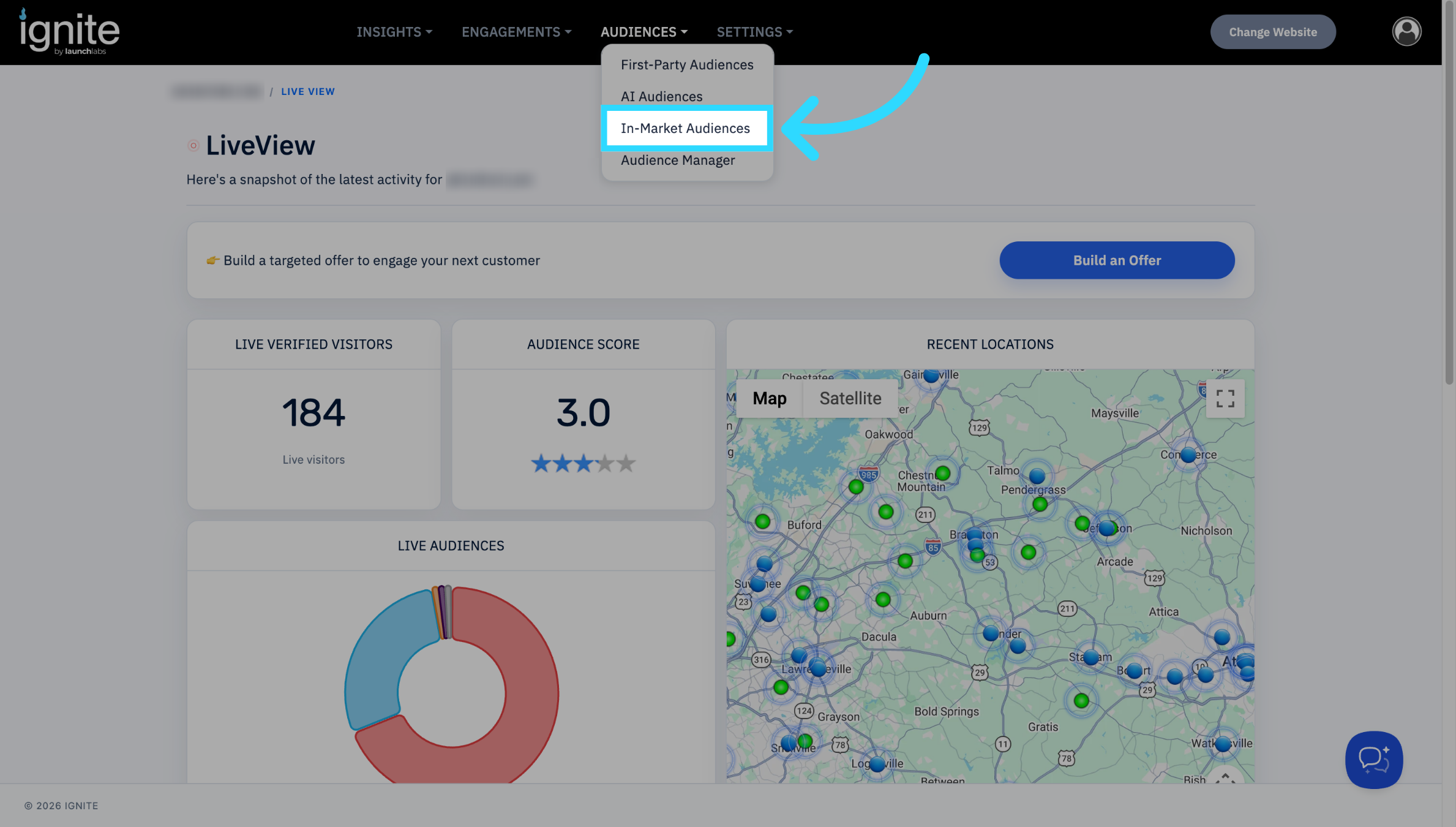
Go to Audiences → In-Market Audiences
-
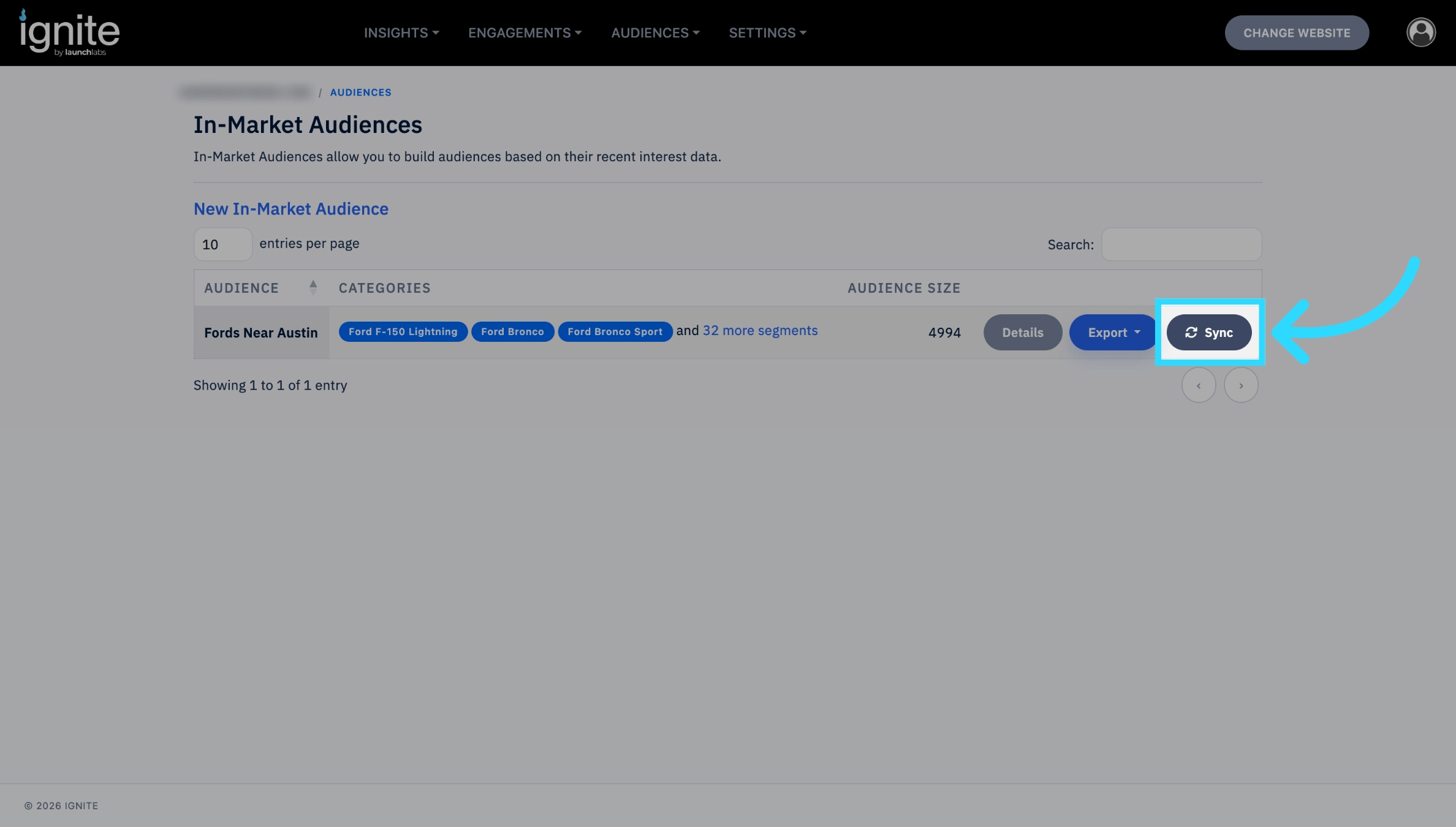
Select the audience you wish to export, then click Sync.
-
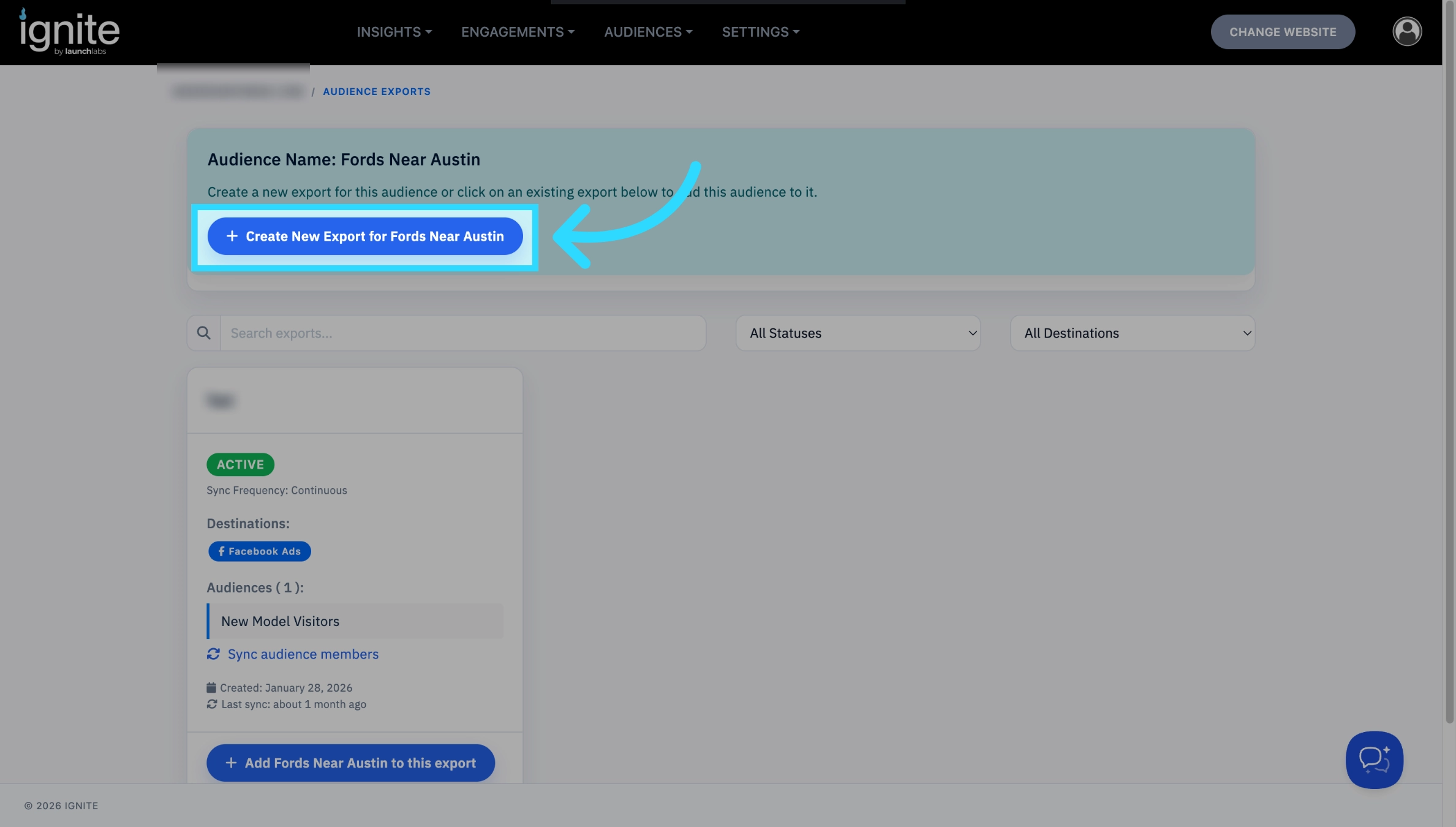
To create a new export, click the button at the top of the page that say “Create New Export for export name”
-
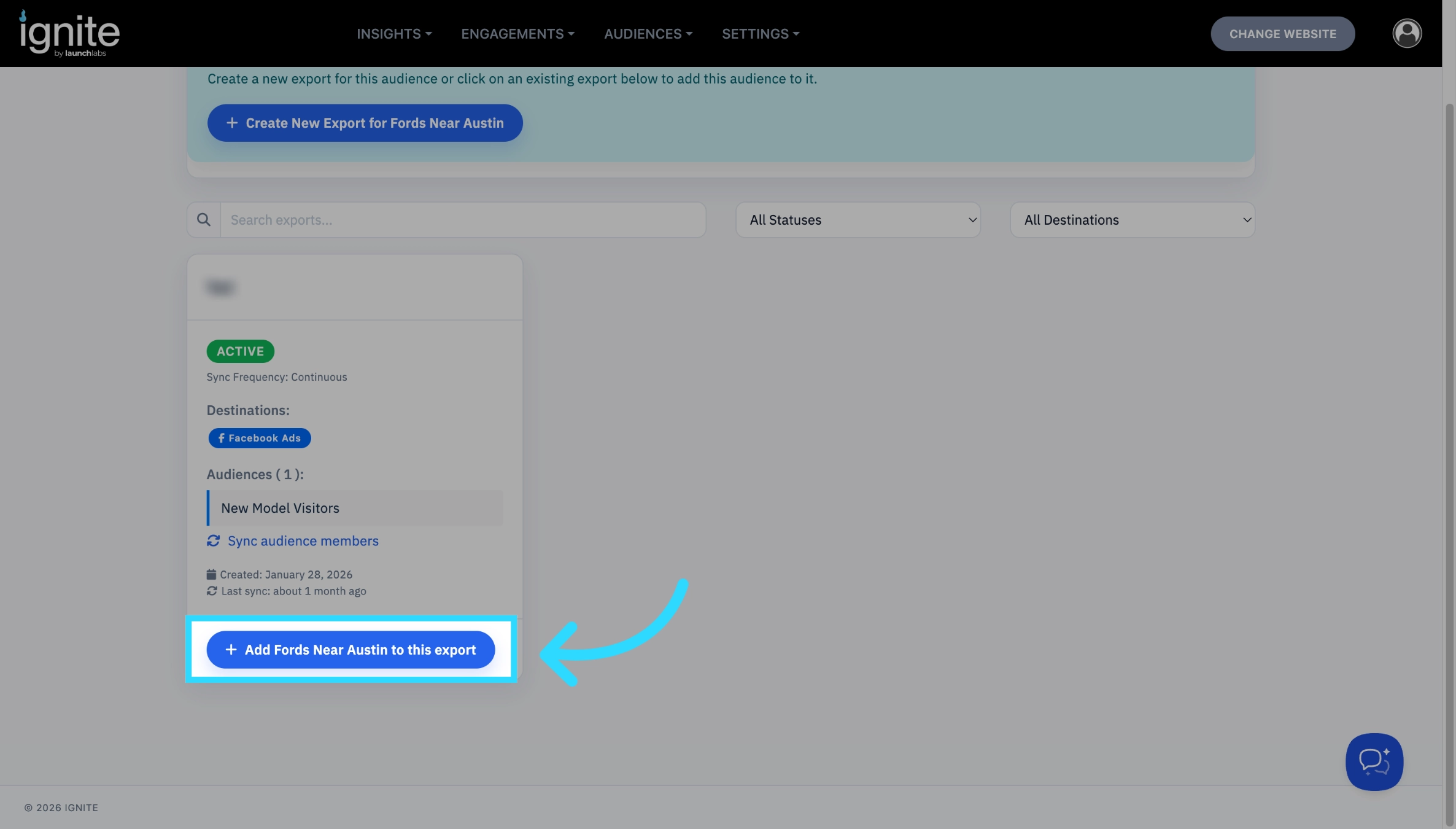
To add to an existing export, find the existing export on the Audience Exports page and then click the button at the bottom of the export that says “Add export name to this export”
On the following pop-up, enter the name for the export, and select the services you would like to sync to as well as if you wish this to be a continuous sync or a one time sync, then click the Create Export button.
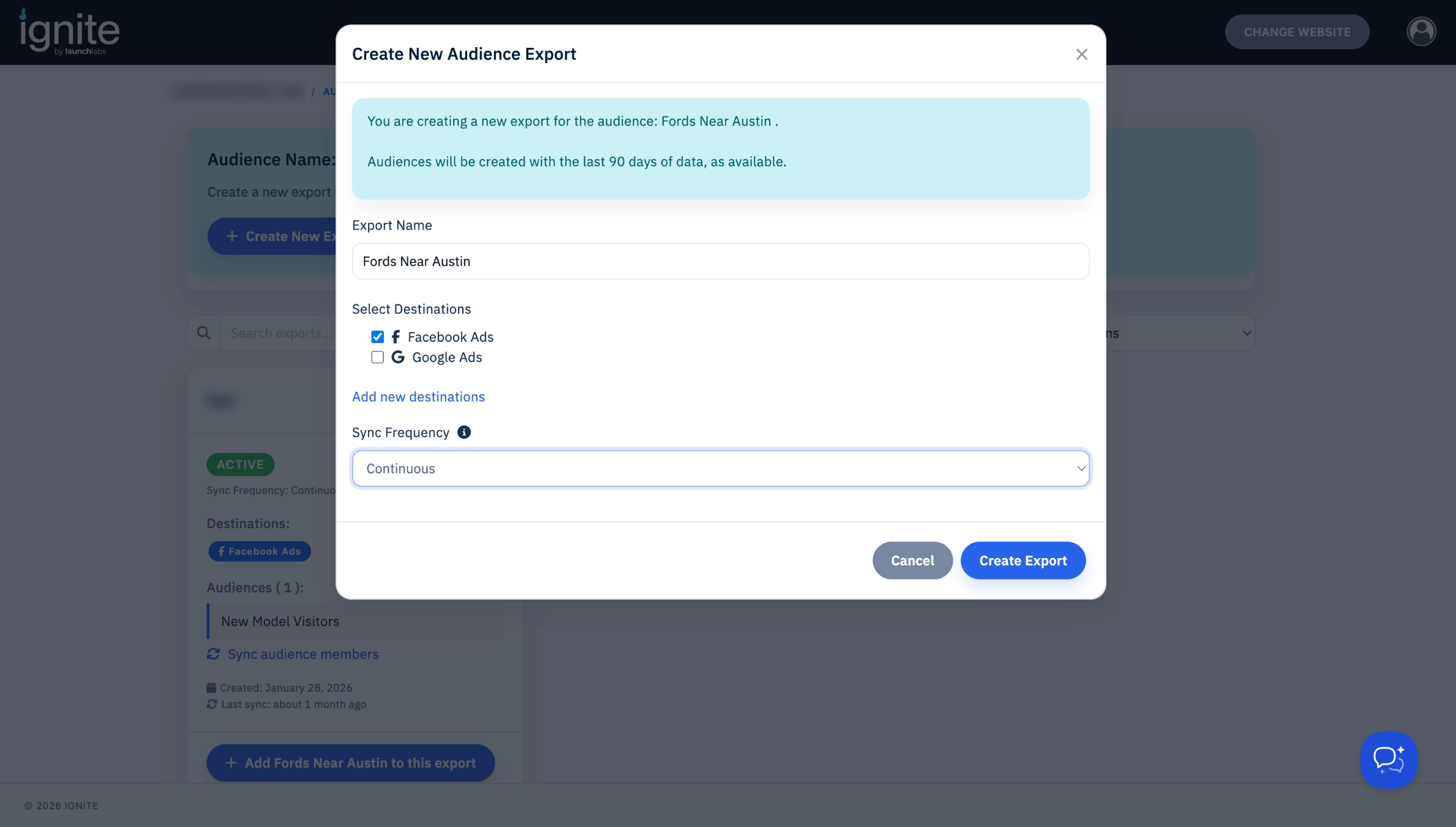
- If you chose a continuous sync your audience is synced and there are no further steps required.
- If you chose a One Time Sync, after your export is created, find the export on the Audience Exports page, and click Sync audience members on the export.
The syncing process can take up to 48 hours. However, you should see the audience appear as an option on the synced platform within a few hours.

- The process for adding In-Market audiences to existing exports is a little different then other audiences. Instead of clicking the add button by the name of the export, you will repeat steps 1-2, and on step 3 add to an existing audience, rather then create a new one.